![Docketbook-logos_reverse-horizontal.png]](https://help.docketbook.com.au/hs-fs/hubfs/Docketbook-logos_reverse-horizontal.png?height=40&name=Docketbook-logos_reverse-horizontal.png)
To be able to add users you will need to have Administrator or Super User access on Docketbook. For more information on user roles, click here.
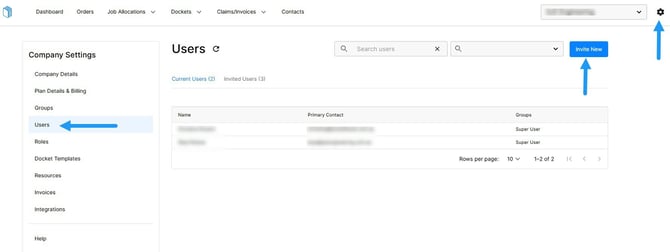
1. Click the settings tog on the top right hand corner of the screen, then select Users where you can then click "Invite User"
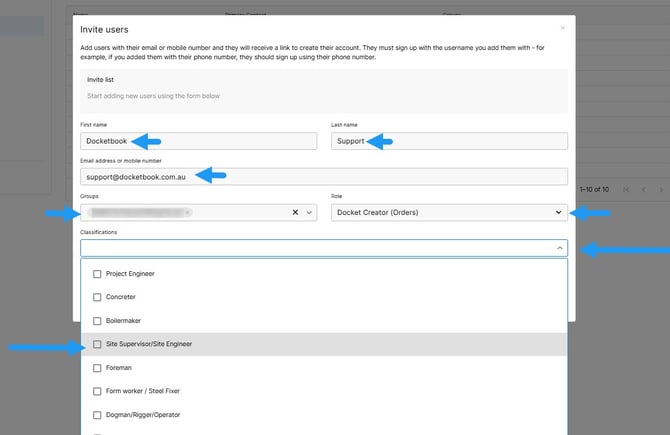
2. From here, you can add the Users First and Last name, Email address or Mobile Phone number as well as giving them the correct access to your company via Groups and the User Role of "Docket Creator (Order)" . You can then click the Classification drop down button to select one or more roles to assign to the user.
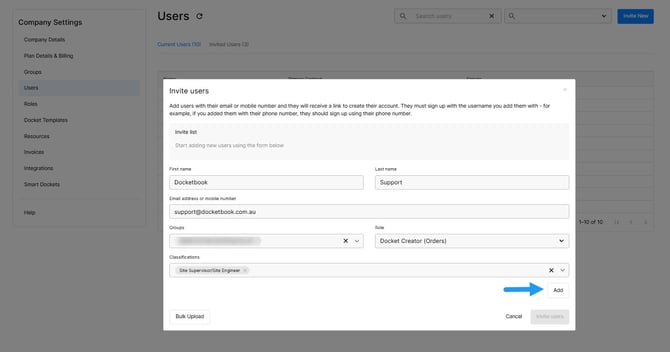
3. Once completed, click Add
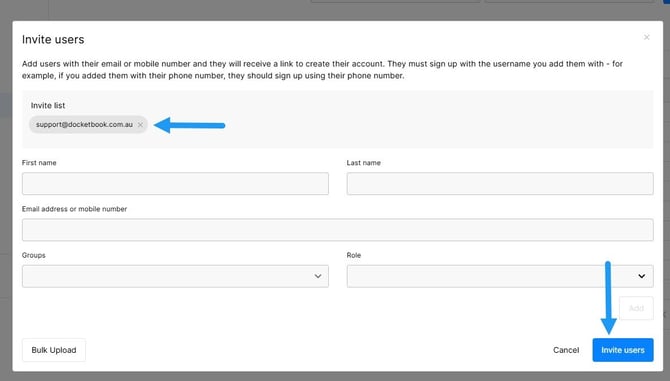
4. You'll see the user's details in the Invite List and then be able to select "Invite Users"