![Docketbook-logos_reverse-horizontal.png]](https://help.docketbook.com.au/hs-fs/hubfs/Docketbook-logos_reverse-horizontal.png?height=40&name=Docketbook-logos_reverse-horizontal.png)
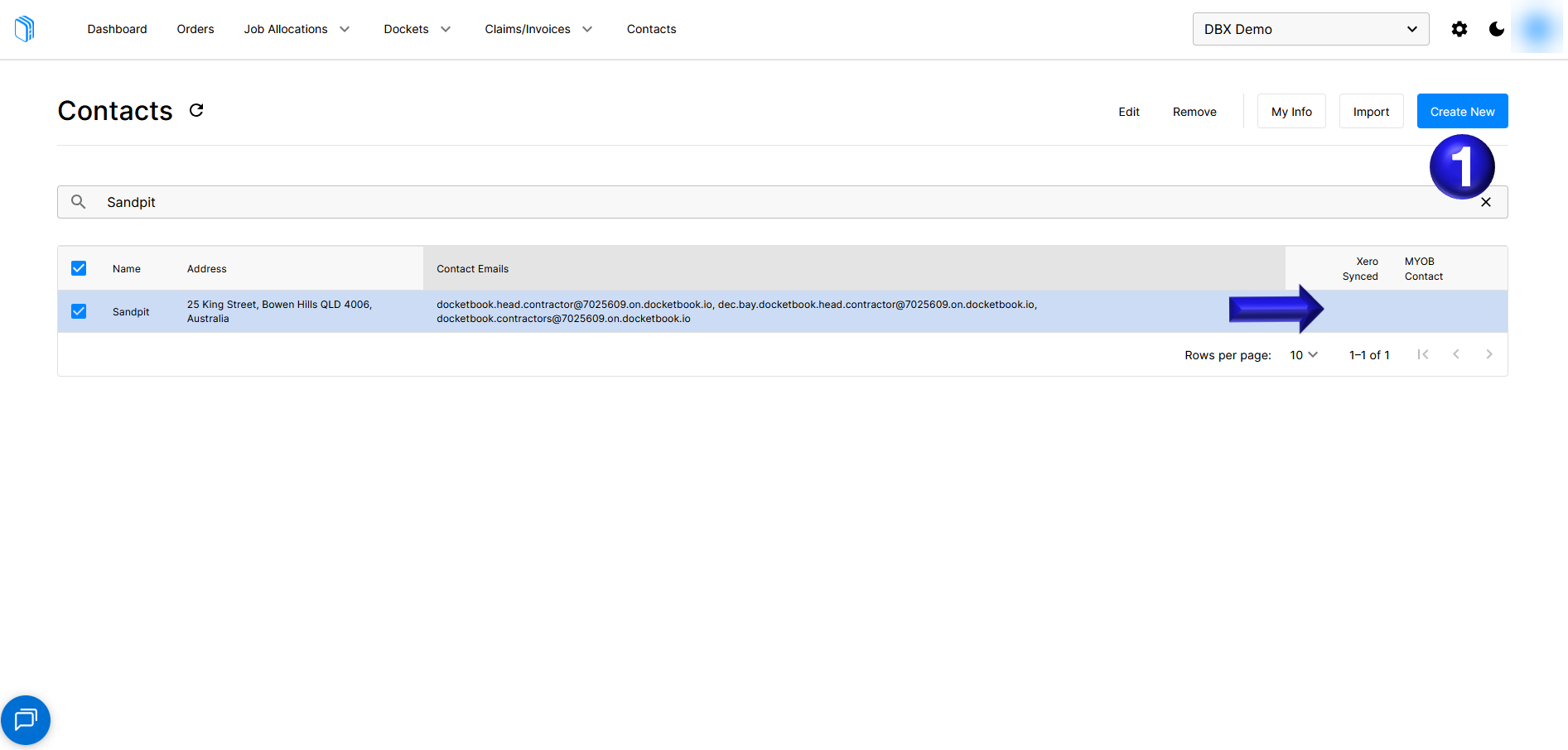
If your existing contact is unable to be linked to Xero or Myob you can create a new contact in Docketbook that you will then link to Xero or Myob
- If the existing contact will not sync to Xero or Myob we can select Create New to create a new contact with the same details as the contact in Docketbook
- Fill in the Display Name to match the existing contact and then Select Xero Contact and select your Xero contact as usual
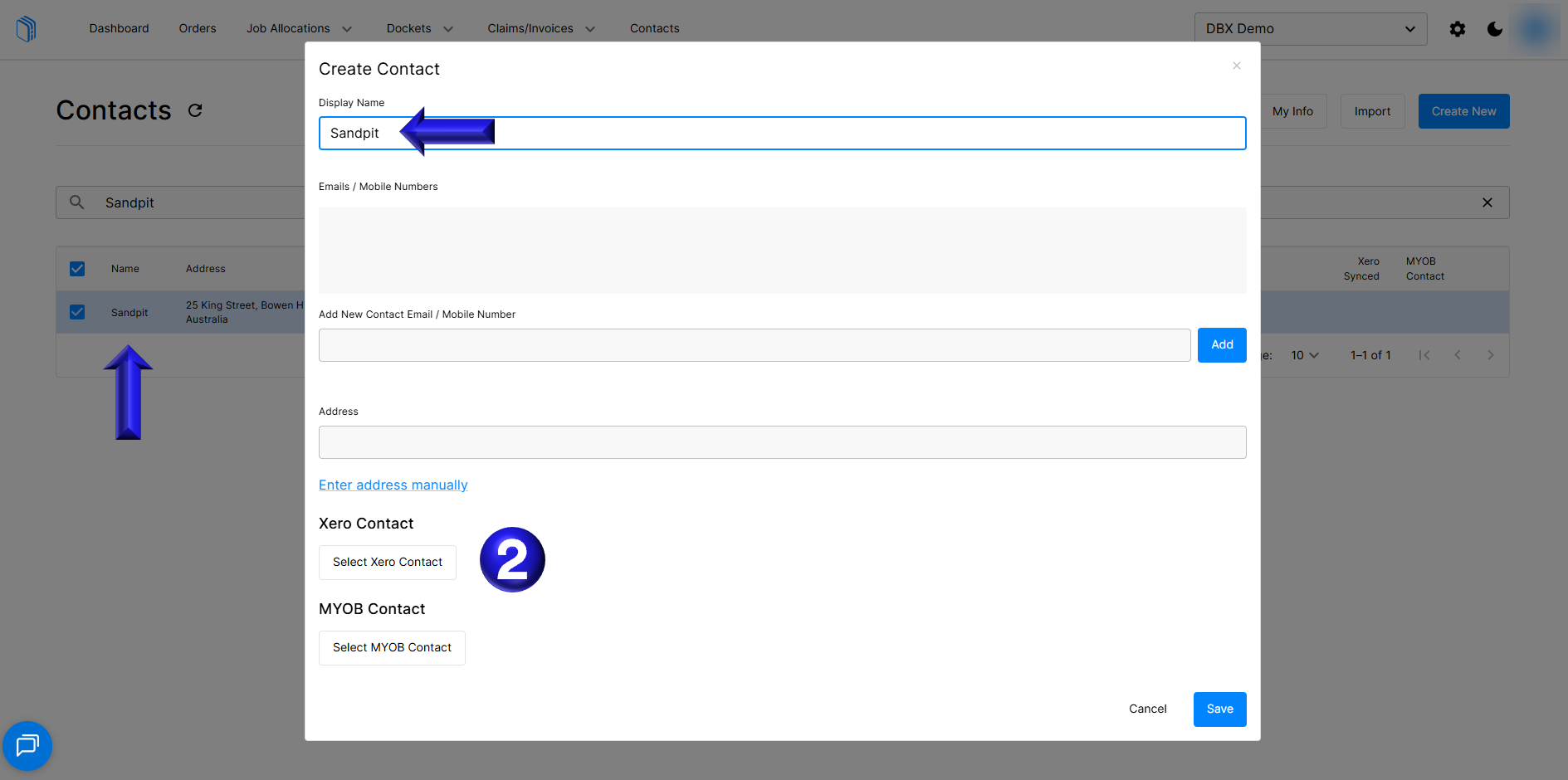
- If you are using Myob you follow the same steps as above but use Select MYOB Contact instead to select your Myob contact as usual
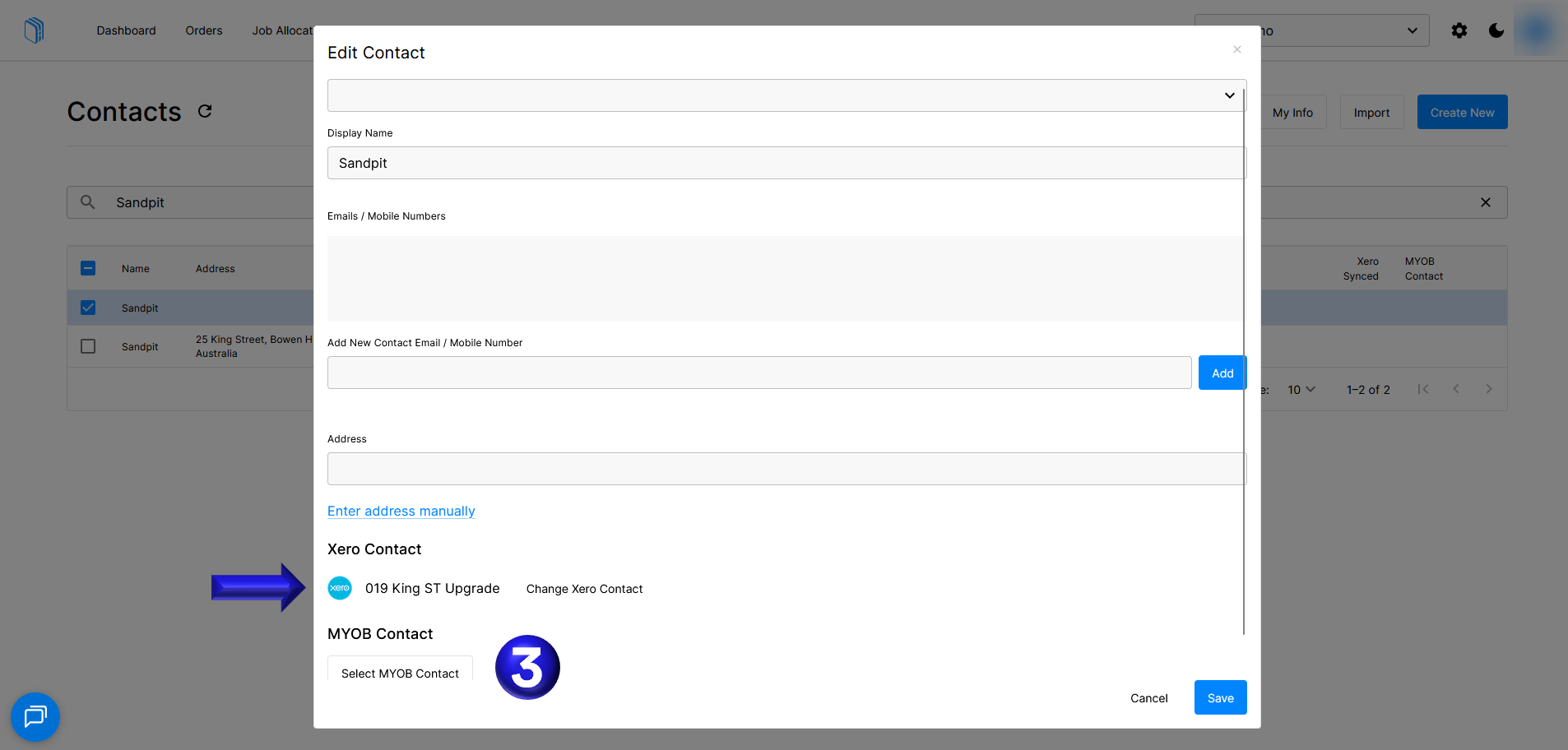
- You can then select Save to save the contact linking the Xero or Myob contact to your newly created contact
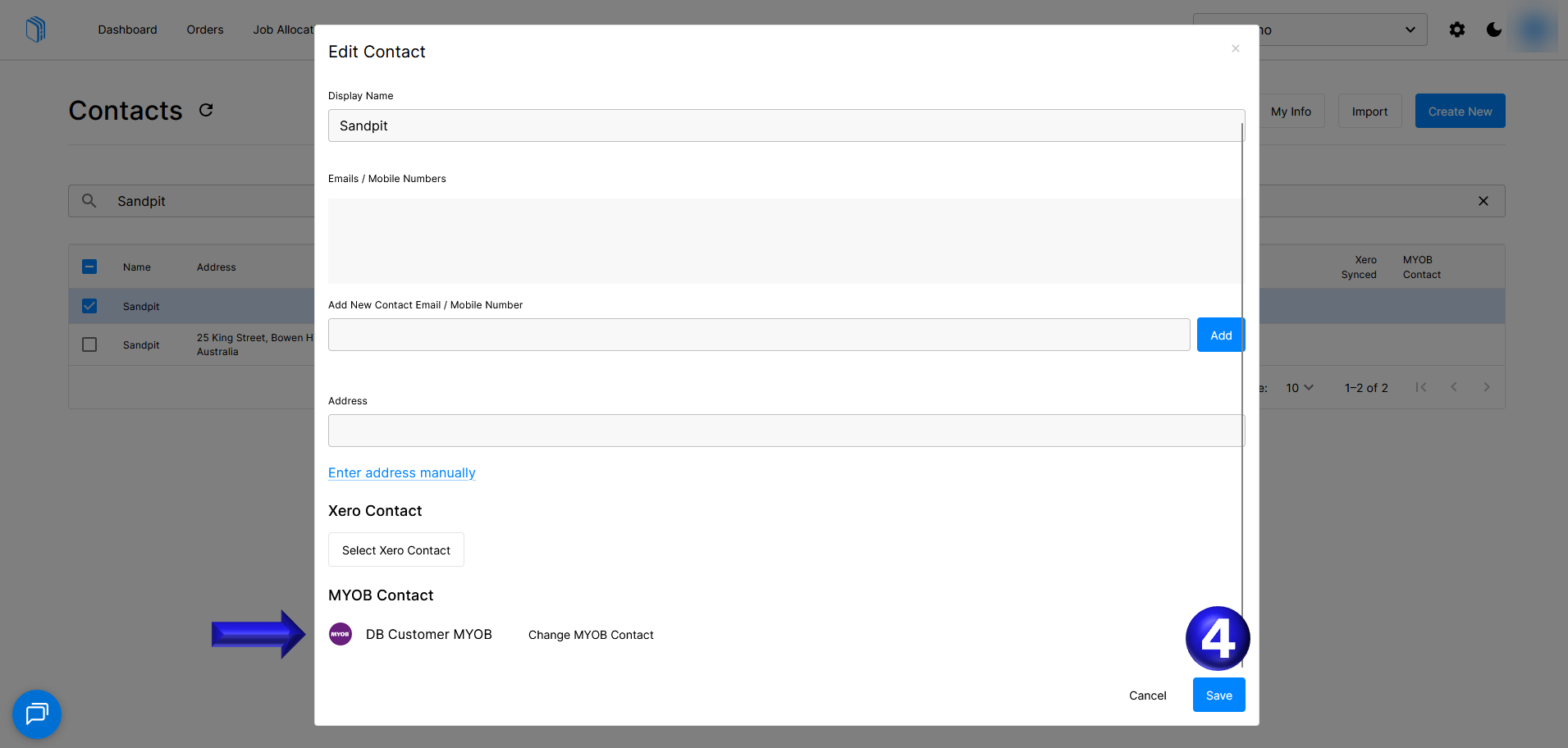
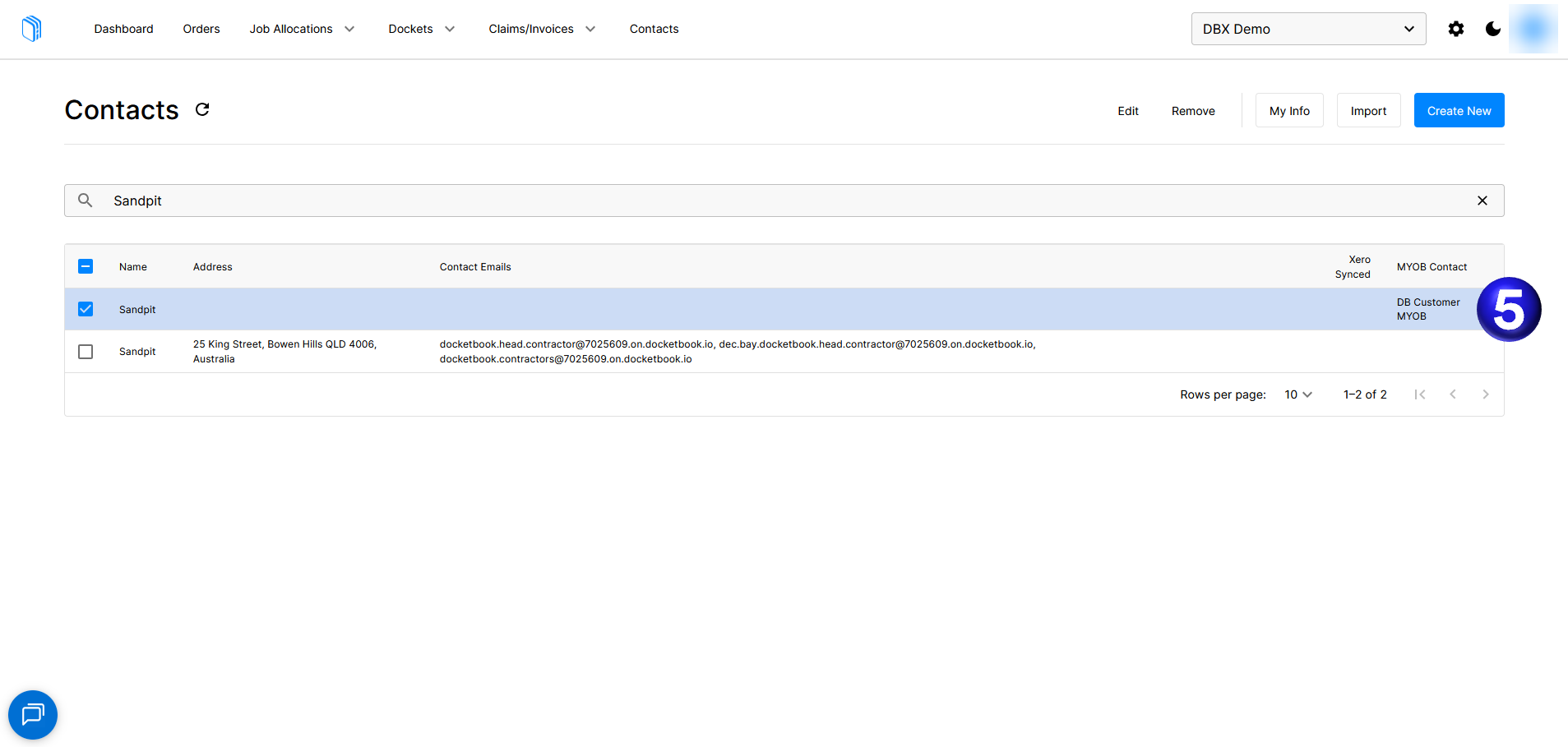
- You can then see that the Xero or Myob contact is now sync'd to the Docketbook contact you just created.
If you need any further help, please contact support@docketbook.com.au