![Docketbook-logos_reverse-horizontal.png]](https://help.docketbook.com.au/hs-fs/hubfs/Docketbook-logos_reverse-horizontal.png?height=40&name=Docketbook-logos_reverse-horizontal.png)
NOTE: Please ensure you have the correct user access Docket Creator (Orders). For more information, click here.
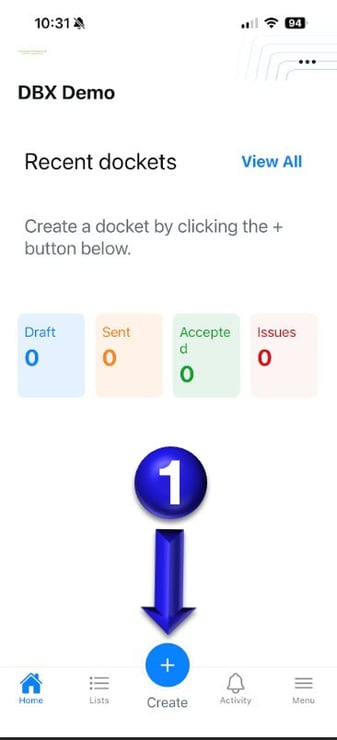
1. Once logged in to Docketbook App you will then be able to select the Create + button to create a Docket from an Order.
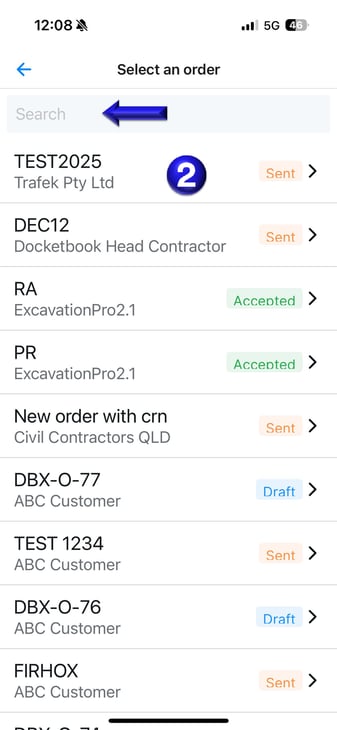
2. Once selected, you will be prompted to select or use the Search tab to find the Purchase Order you want to create a Docket from.
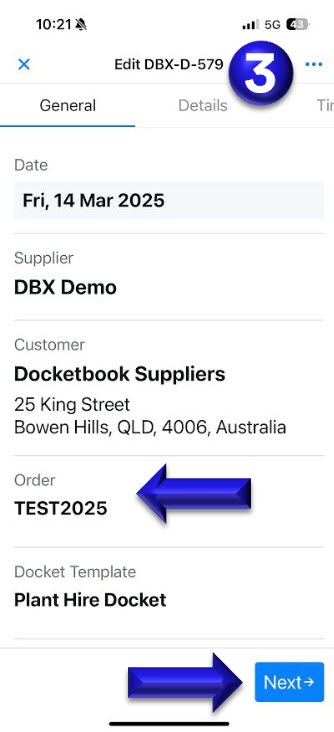
3. You will then be inside a New Docket number with Order Number Attached for you to begin filling in your Docket.
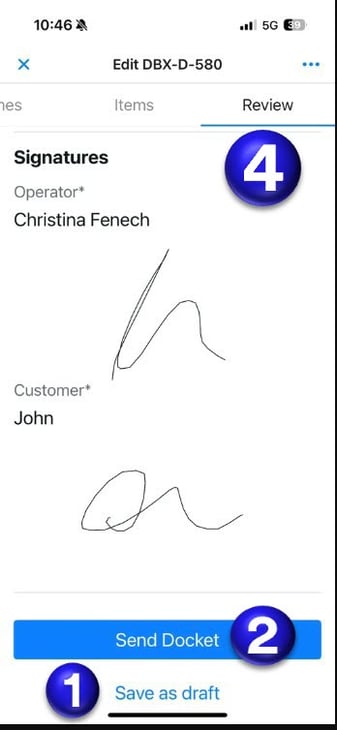
4. Once your Docket is completed, you will be in the Review Tab where you can scroll down to the bottom of Docket, first click (1) Save as Draft and then select (2) Send
If you have any questions or need any help, please feel free to contact support@docketbook.com.au