![Docketbook-logos_reverse-horizontal.png]](https://help.docketbook.com.au/hs-fs/hubfs/Docketbook-logos_reverse-horizontal.png?height=40&name=Docketbook-logos_reverse-horizontal.png)
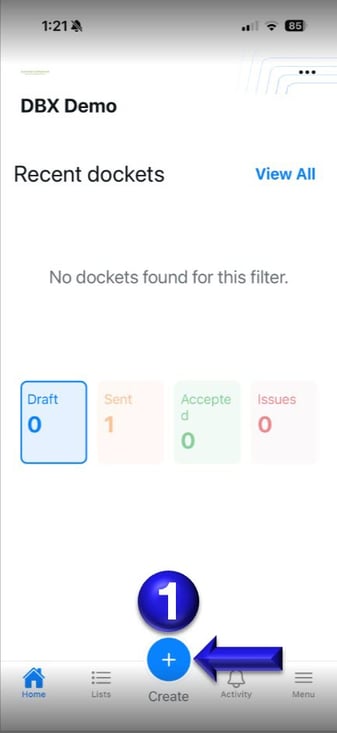
1. Inside the Docketbook App, click the Create + button
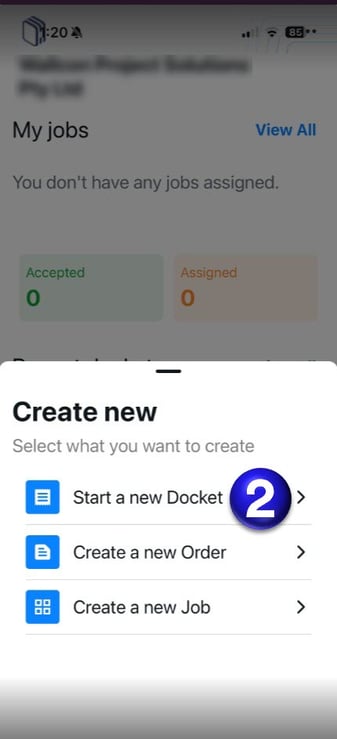
2. From here you can then select "Start a Docket"
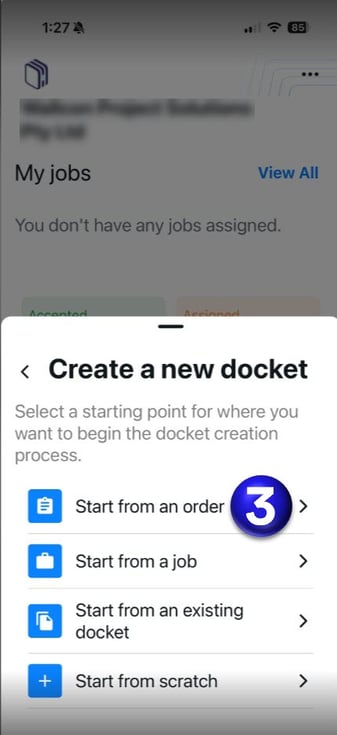
3. Once selected you can then click "Start From an Order"
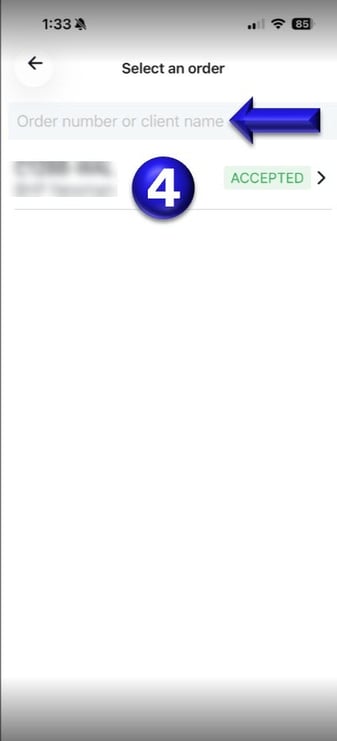
4. Once selected, you will be prompted to select or use the Search tab to find the Purchase Order you want to create a Docket from.
If you need any further help, please contact support@docketbook.com.au