![Docketbook-logos_reverse-horizontal.png]](https://help.docketbook.com.au/hs-fs/hubfs/Docketbook-logos_reverse-horizontal.png?height=40&name=Docketbook-logos_reverse-horizontal.png)
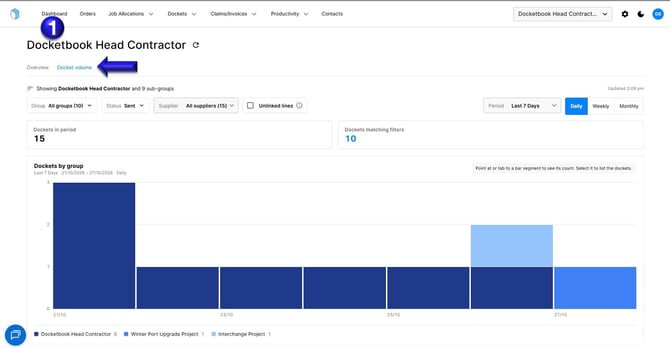
From the Dashboard tab, select Docket Volume to have a view of your company's Docket Volume in a graph view.
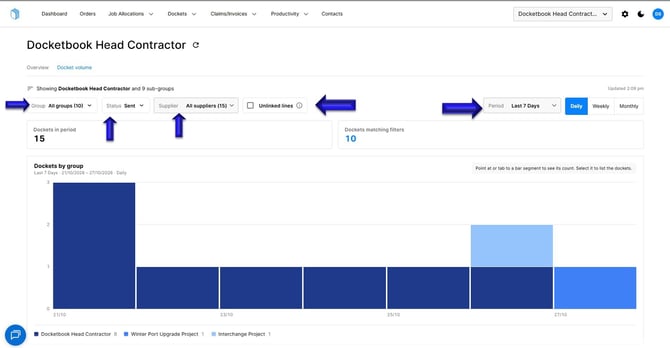
In this view, use the Groups, Status, Suppliers and Unlinked lines filters to find the dockets you want to see. You can also switch between daily, weekly and monthly view.
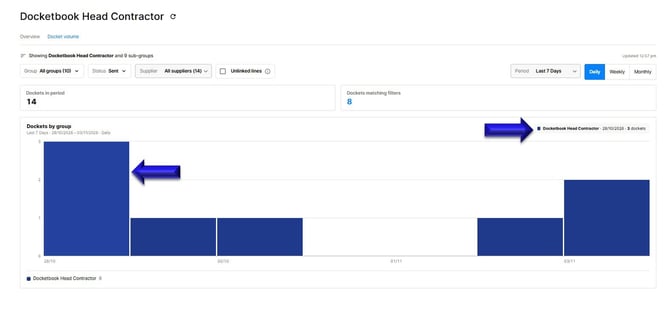
If you use your computer mouse to point at a bar segment you will be able to see its count.
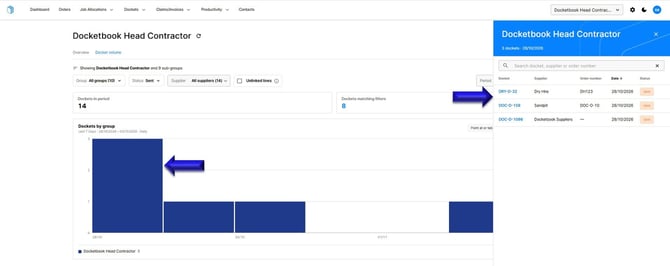
If you select the bar segment you'll be able to view the Dockets.
If you need further help, please contact support@docketbook.com.au