![Docketbook-logos_reverse-horizontal.png]](https://help.docketbook.com.au/hs-fs/hubfs/Docketbook-logos_reverse-horizontal.png?height=40&name=Docketbook-logos_reverse-horizontal.png)
If the advice in the help article Xero Error Syncing does not resolve your issue you can try these further steps to export your invoice to Xero or Myob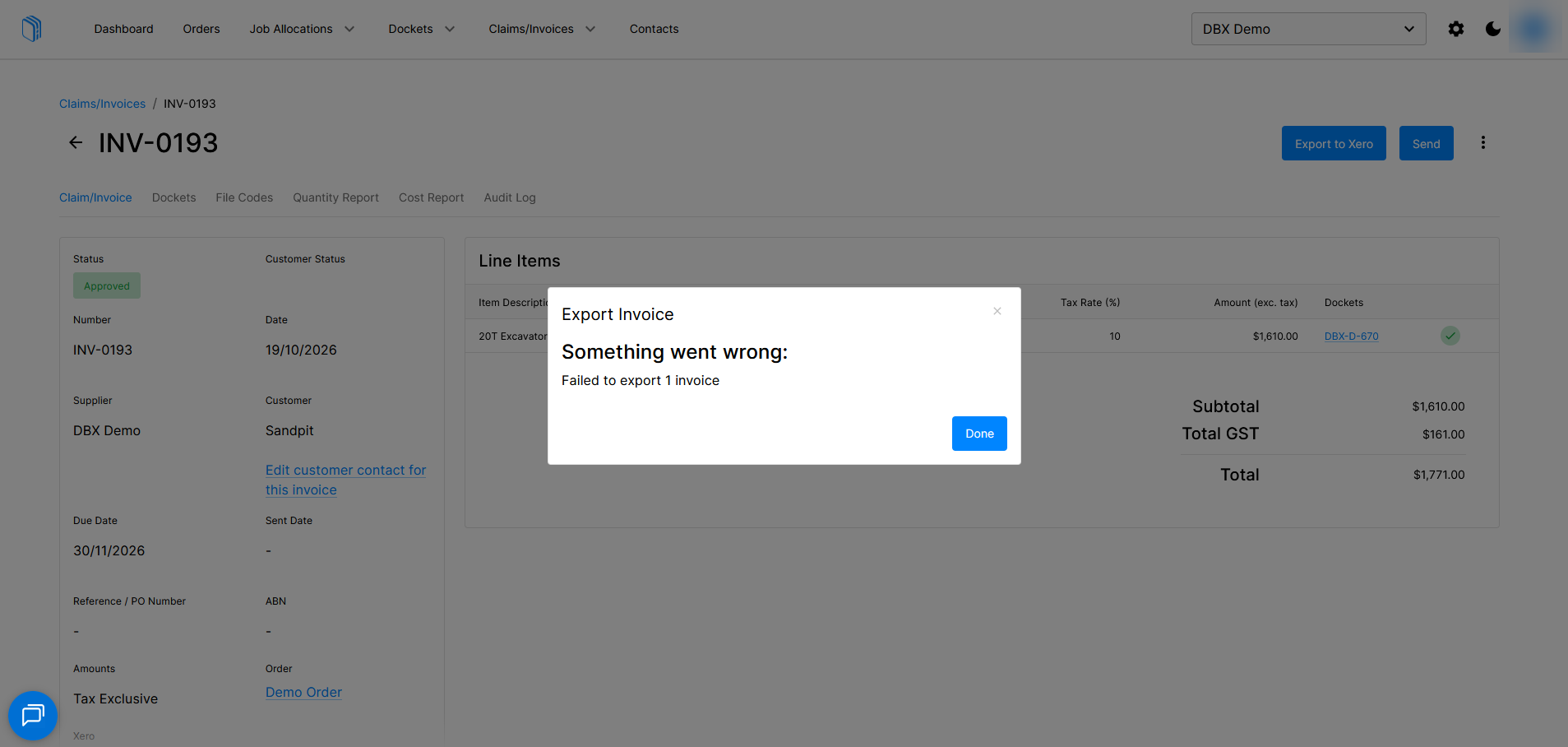
- If you receive an error indicating that your invoice failed to export to either Xero or Myob and earlier troubleshooting steps have not resolved the problem you can use Revert to Draft to return an approved invoice into draft status.
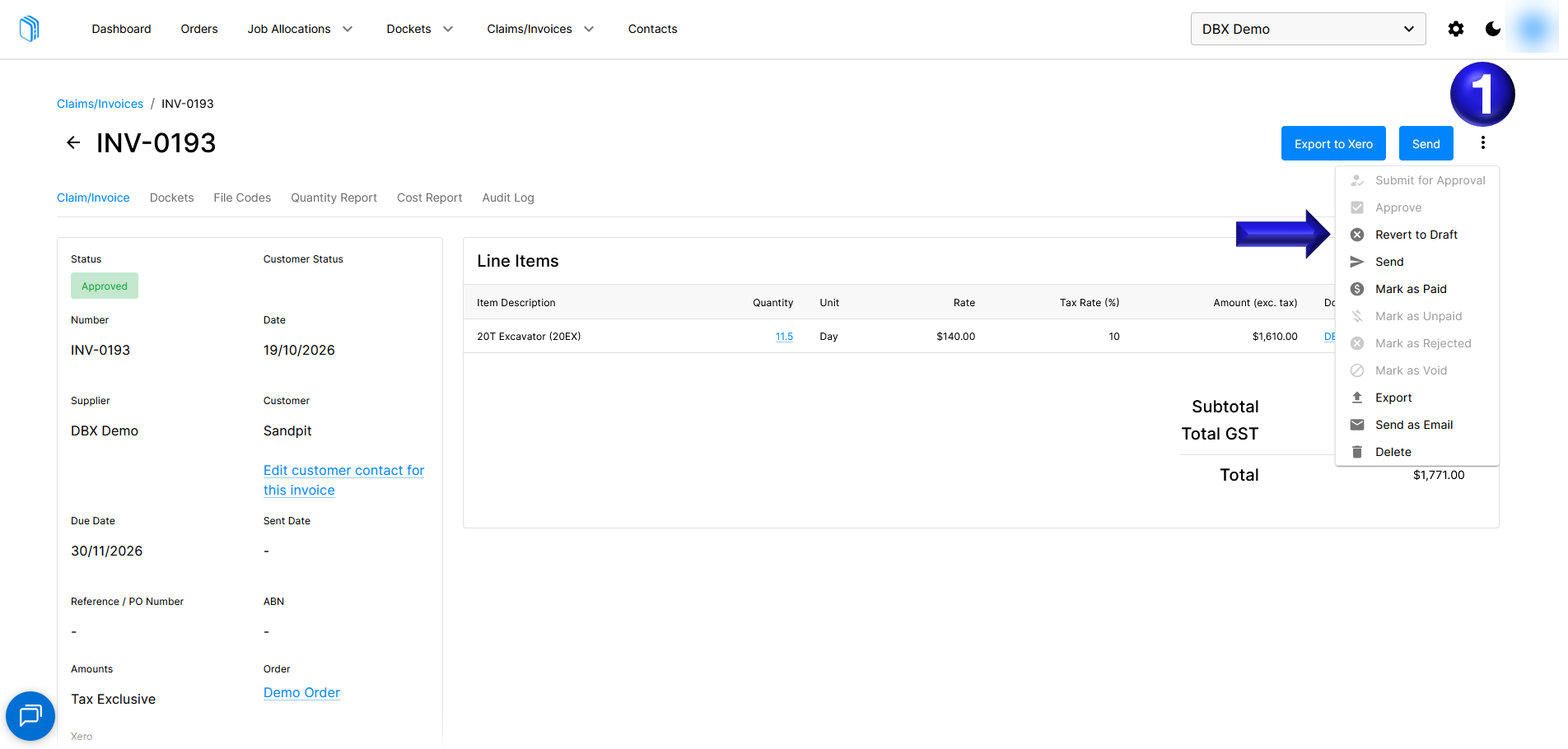
- Once the invoice is in draft status you will be able to select the Edit option with a pencil icon which allows the invoice to be amended.
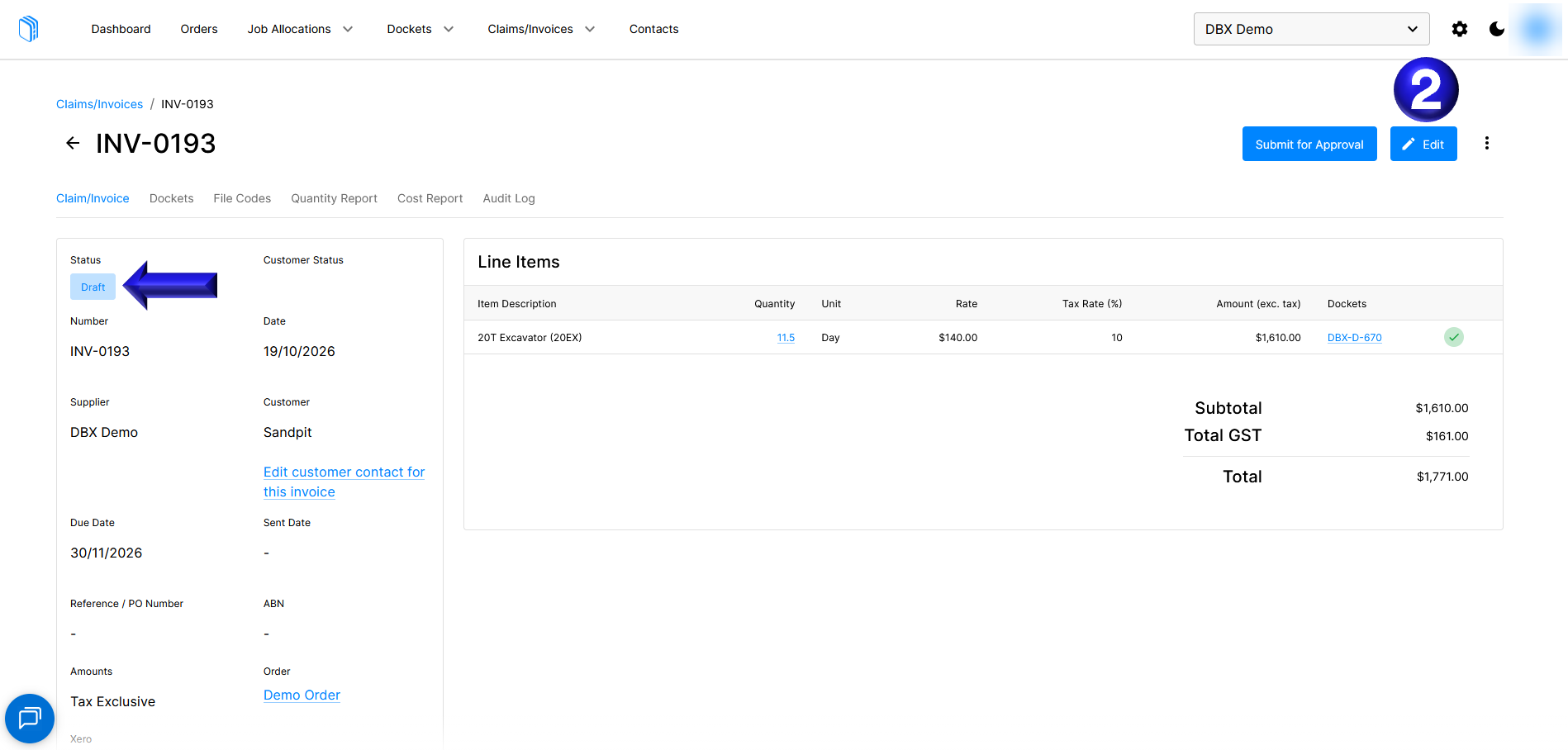
- From here we can select the drop-down box and re-select the correct customer contact address and select Save. If the customer contact is not linked to Xero or Myob you can follow the steps in the article on syncing a contact with Xero or Myob
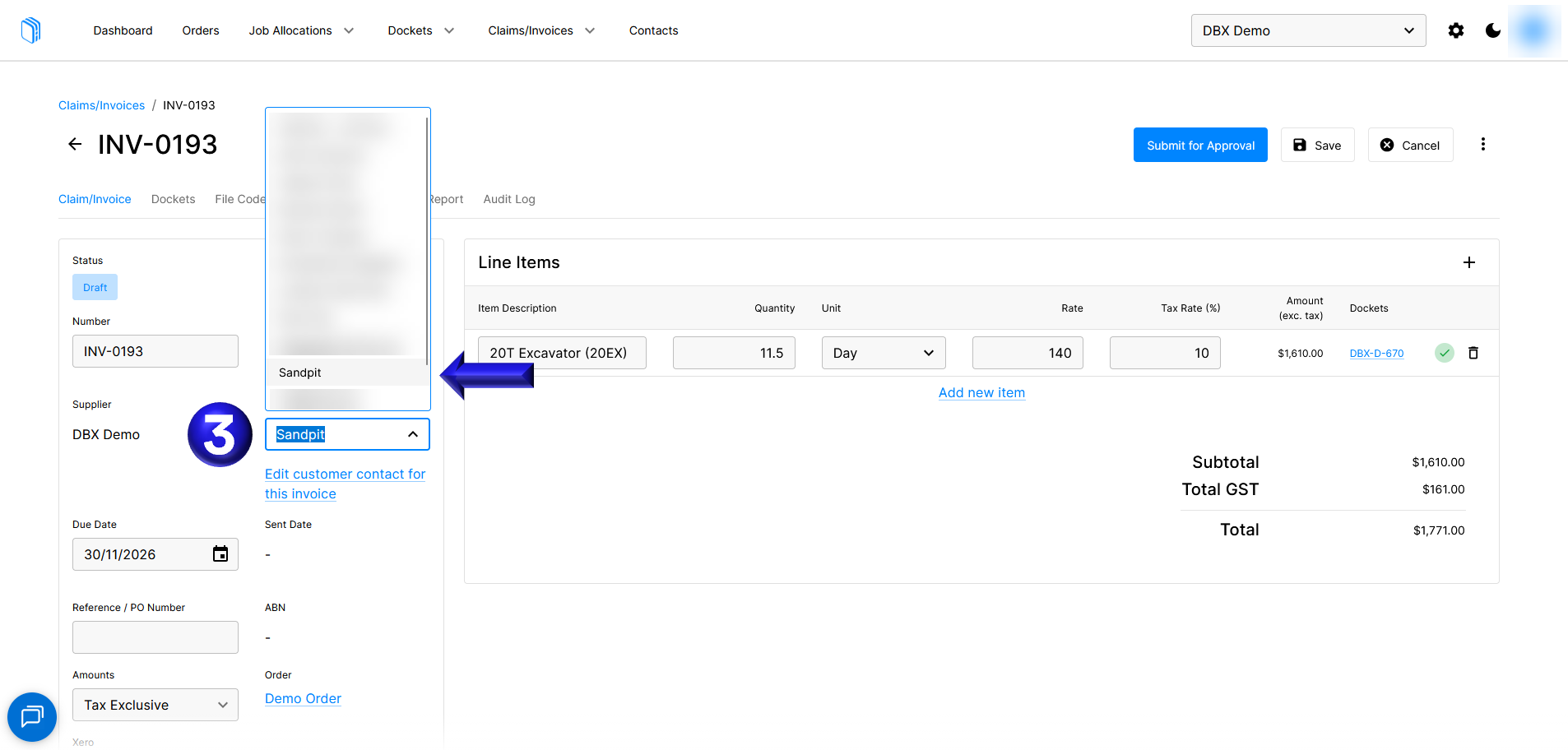
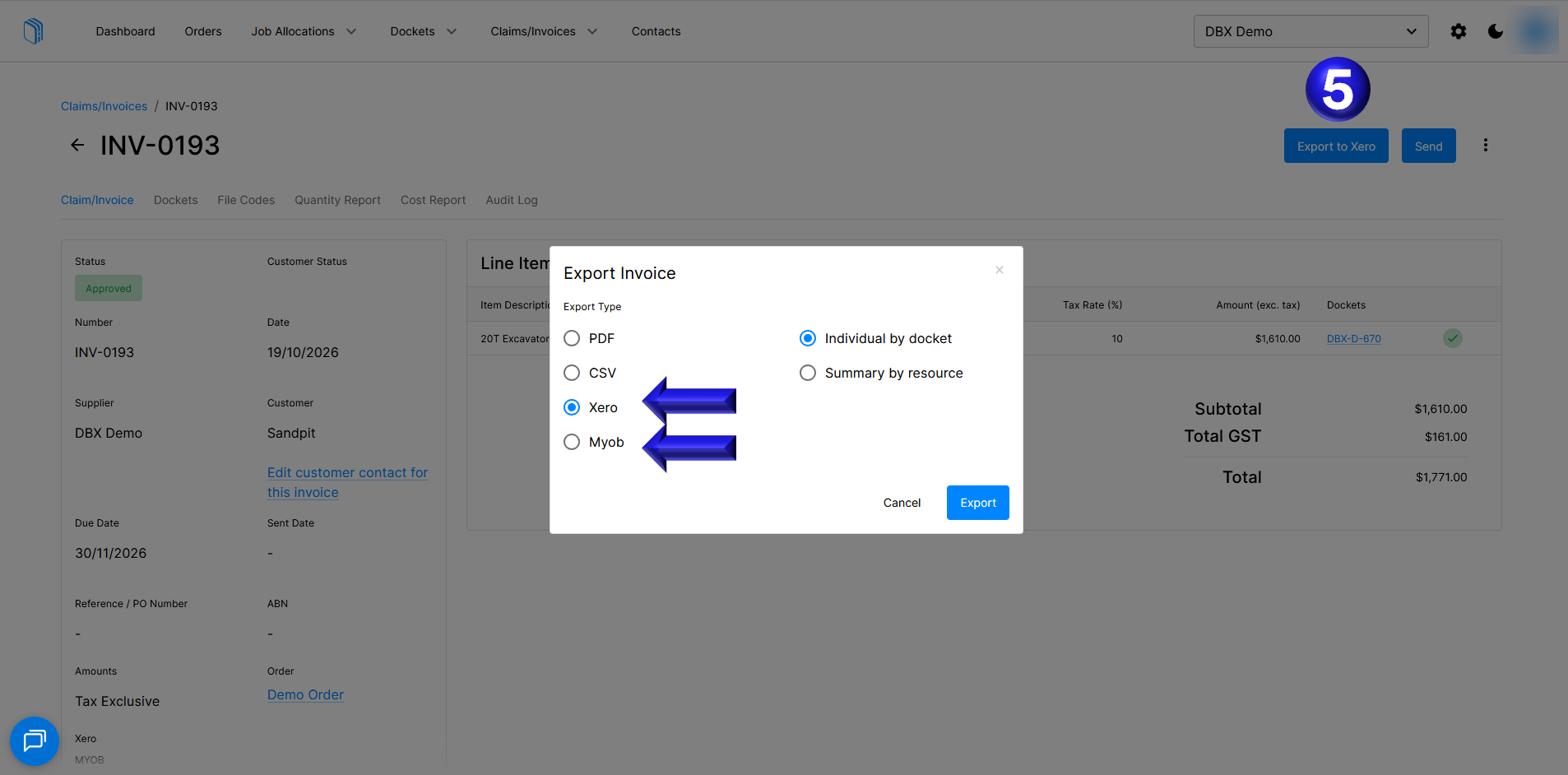
- You can then Approve the invoice and proceed to Export the invoice to Xero or Myob
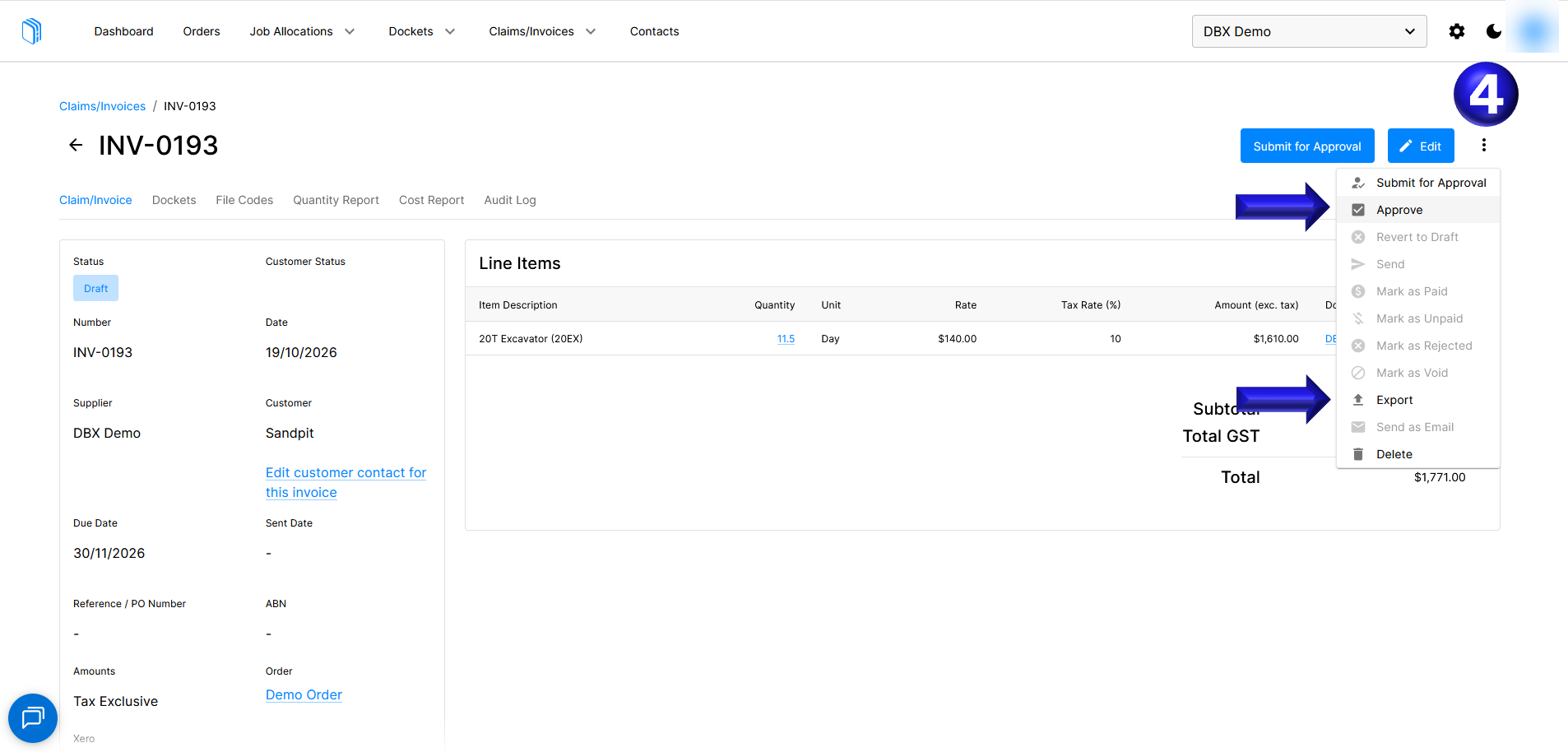
- Here we will select Export to Xero.
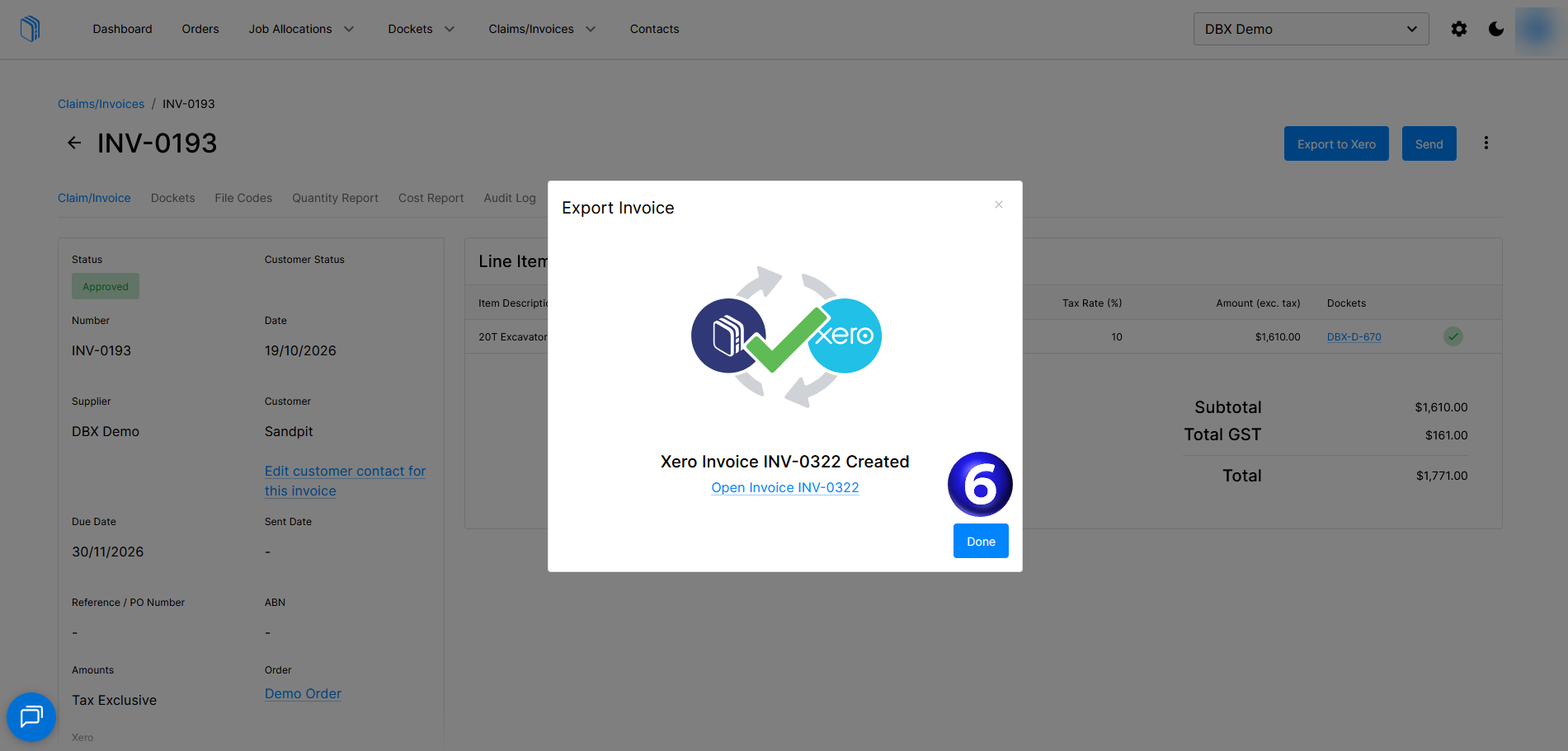
- And now the Invoice succesfully syncs to Xero
You can contact support@docket.com.au if you need any further help