![Docketbook-logos_reverse-horizontal.png]](https://help.docketbook.com.au/hs-fs/hubfs/Docketbook-logos_reverse-horizontal.png?height=40&name=Docketbook-logos_reverse-horizontal.png)
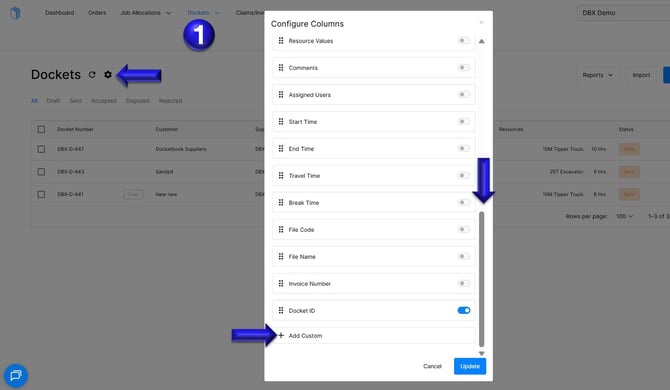
1. Click on the Dockets tab, then access the settings icon. From there, scroll down to the bottom of the Configure Columns page and select the option to + Add Custom.
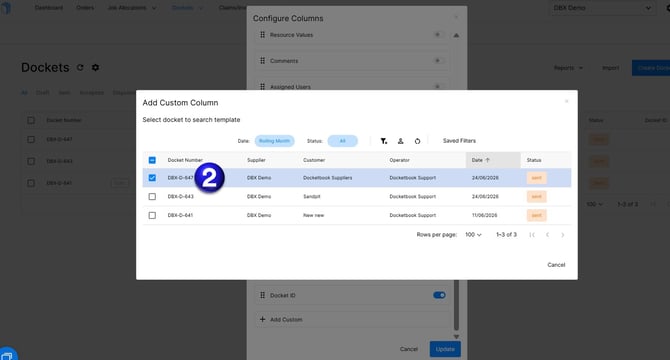
2. You will then be able to double click to select a Docket.
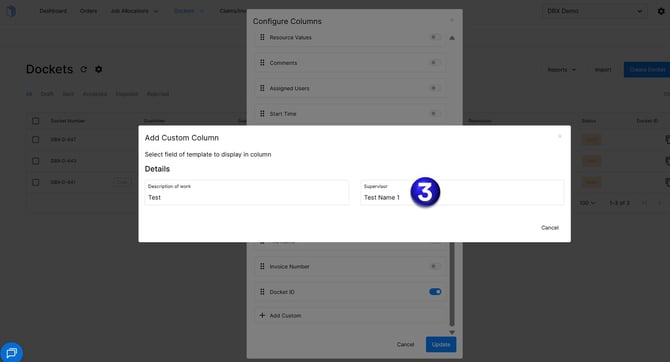
3. Select the Supervisor Name Field
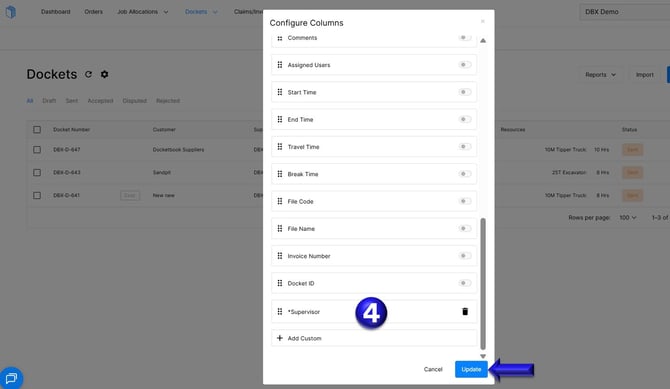
4. Once you have the Supervisor in the Configure Column list, select Update
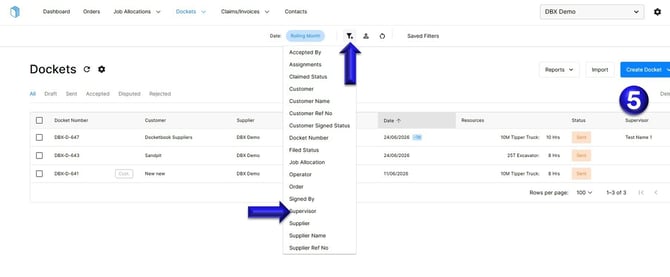
5. Once the Supervisor is added to your columns you can then click the filter icon and select Supervisor.
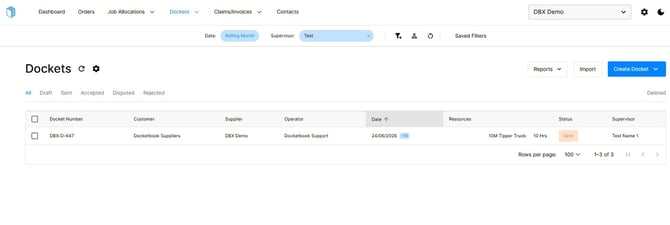
6. You will then have the option to type in the Supervisor's name, allowing you to filter the results and view only the Dockets associated with that individual.
For any further help, please contact support@docketbook.com.au