![Docketbook-logos_reverse-horizontal.png]](https://help.docketbook.com.au/hs-fs/hubfs/Docketbook-logos_reverse-horizontal.png?height=40&name=Docketbook-logos_reverse-horizontal.png)
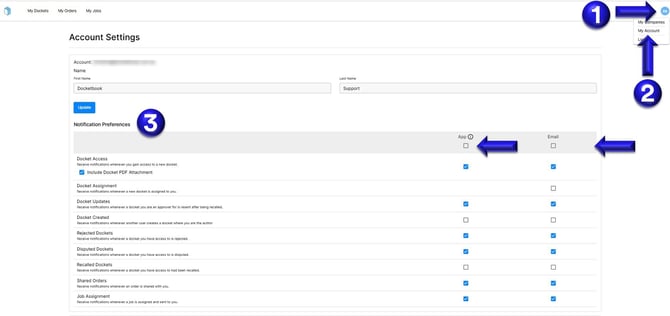
1. Using the Docketbook web browser, select the Blue circle icon on the top right hand corner of the screen
2. Click My Account
3. From the Notification Prefrences section, you will then be able to tick to select what notifications you want to receive through the Docketbook App or via Email.
If you need further help, please contact support@docketbook.com.au