![Docketbook-logos_reverse-horizontal.png]](https://help.docketbook.com.au/hs-fs/hubfs/Docketbook-logos_reverse-horizontal.png?height=40&name=Docketbook-logos_reverse-horizontal.png)
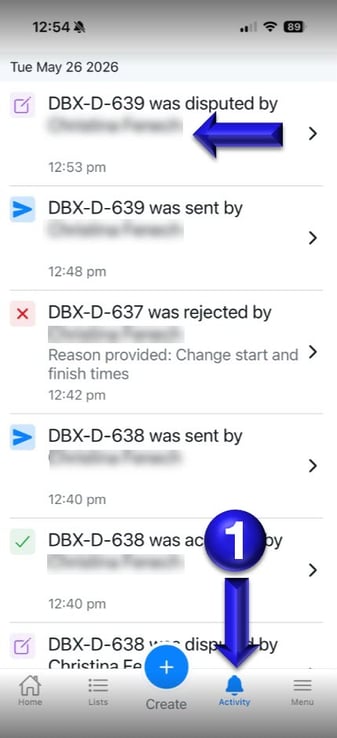
1. Inside the Docketbook App, click the Activity tab at the bottom of the screen. From here you can see and select the disputed Docket.
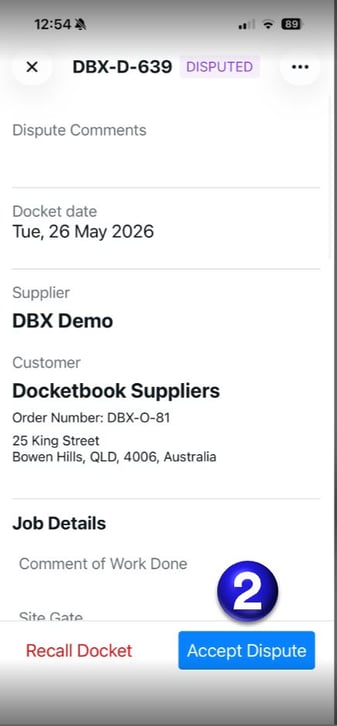
2. Once you've selected the Disputed Docket, you can then click Accept Dispute as shown below.
If you need any further help, please contact support@docketbook.com.au