![Docketbook-logos_reverse-horizontal.png]](https://help.docketbook.com.au/hs-fs/hubfs/Docketbook-logos_reverse-horizontal.png?height=40&name=Docketbook-logos_reverse-horizontal.png)
Note: This task can only be done if a user has the role Docket Creator (Dockets), Administrator or Super User access on Docketbook. For more information on User Roles, click here.
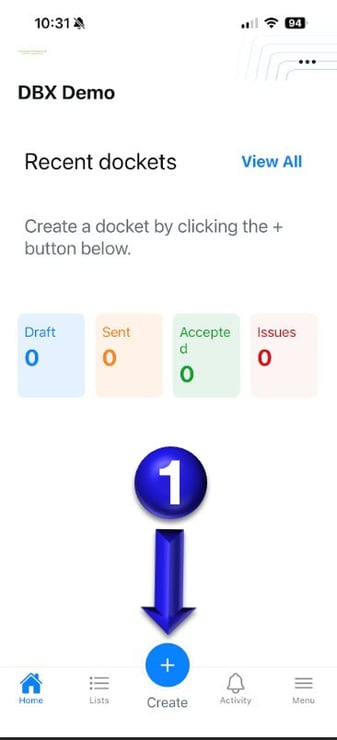
1. Once logged in to Docketbook App you will then be able to select the Create + button.
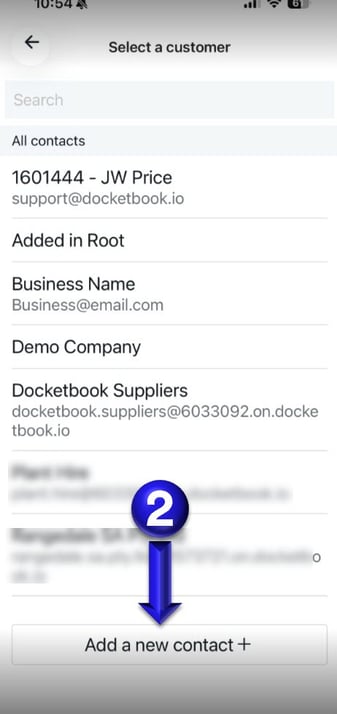
2. From the Select a customer page, you can see at the bottom of the screen the button "Add a new contact +" to click.
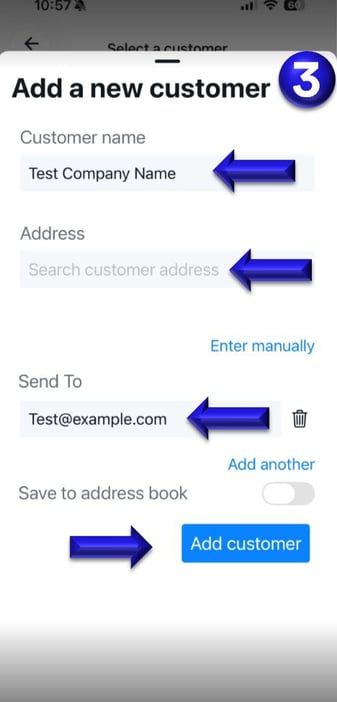
3. You can then add the new Company Name, Address and Email. Once completed, you can click Add Customer to continue to begin creating your Docket.
If you have any issues, please contact support@docketbook.com.au