![Docketbook-logos_reverse-horizontal.png]](https://help.docketbook.com.au/hs-fs/hubfs/Docketbook-logos_reverse-horizontal.png?height=40&name=Docketbook-logos_reverse-horizontal.png)
1. In the Dockets tab, select a Docket in Draft status then select "Details"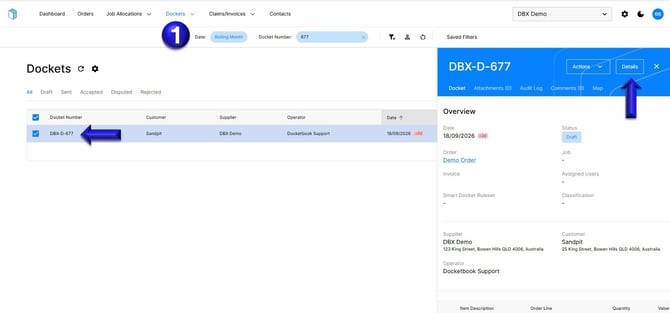
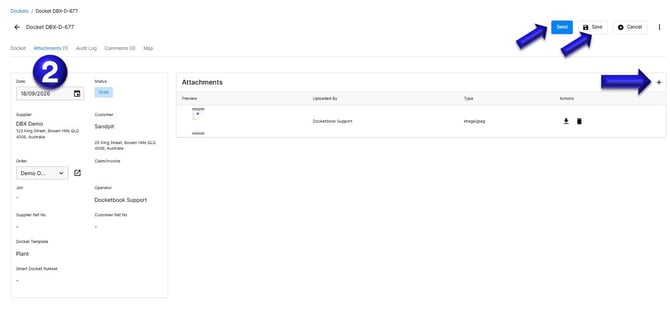
2. Inside the Docket, select the Attachments tab where you can then click the + symbol to upload an image from your computer. Once uploaded, you can then click Save or Send to complete the Docket.
If you have any further questions, please contact support@docketbook.com.au