![Docketbook-logos_reverse-horizontal.png]](https://help.docketbook.com.au/hs-fs/hubfs/Docketbook-logos_reverse-horizontal.png?height=40&name=Docketbook-logos_reverse-horizontal.png)
NOTE" To be able to create a Docket and add photos, you need to have the correct Docket Creator User Access for more information, click here.
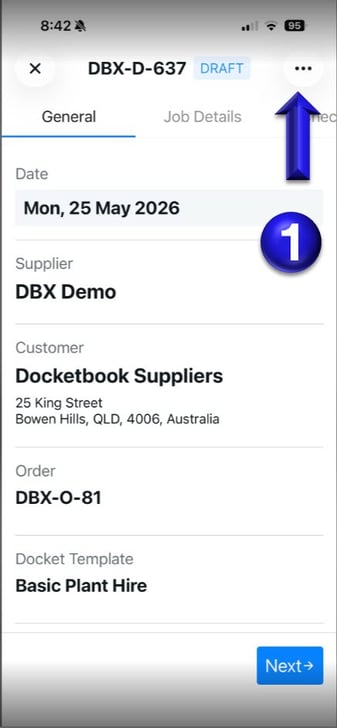
1. Inside your Docket, click the 3 dots on the top right corner.
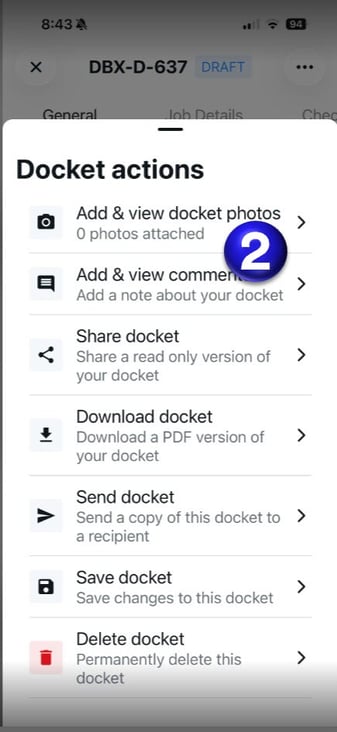
2. From here, select Add & view docket photos
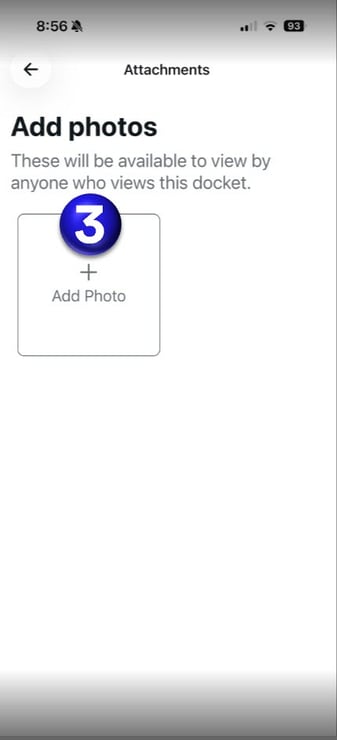
3. You will then be able to select + Add Photos
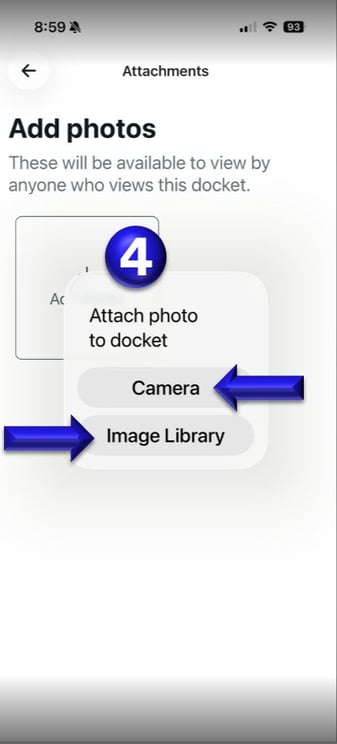
4. You will then be able to select to add photo's from your Camera or Image Library.
If you need any further help, please contact support@docketbook.com.au