![Docketbook-logos_reverse-horizontal.png]](https://help.docketbook.com.au/hs-fs/hubfs/Docketbook-logos_reverse-horizontal.png?height=40&name=Docketbook-logos_reverse-horizontal.png)
To add a company logo to your Docketbook account, you need to have either Super User or Administrator Access on Docketbook, for more information click here.
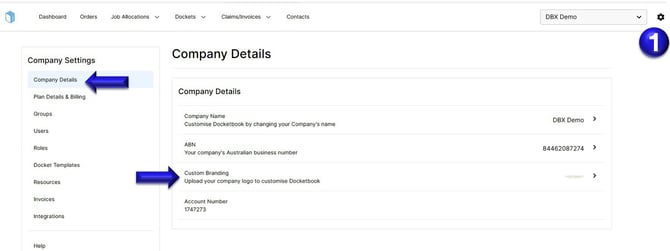
1. Click the settings tog on the top right hand corner of the screen, then inside Company Details, you can then select Custom Branding
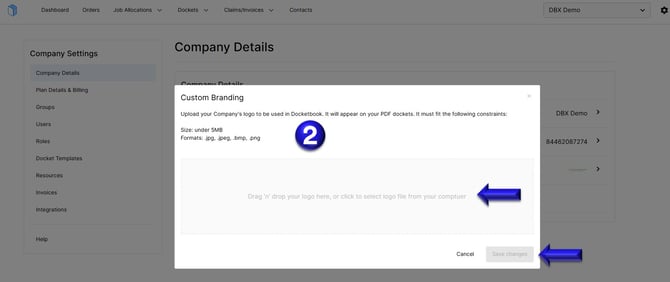
2. Inside this page, you can then click to upload or Drag and Drop your logo image. Once uploaded, you can select Save Changes.
If you need any further help, please contact support@docketbook.com.au