![Docketbook-logos_reverse-horizontal.png]](https://help.docketbook.com.au/hs-fs/hubfs/Docketbook-logos_reverse-horizontal.png?height=40&name=Docketbook-logos_reverse-horizontal.png)
Note: This task can only be completed by someone with Super User or Administrator access on Docketbook. For more information on user roles, click here.
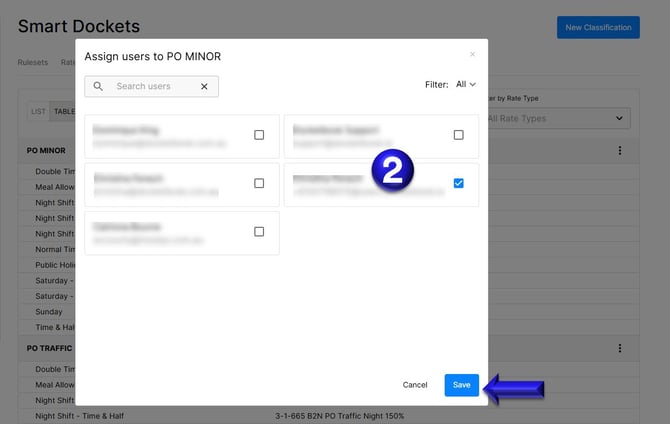
1. Click the settings tog on the top right hand corner of the screen, then select "Smart Dockets" where you can then click "Classifications". Inside this section you can then see the Roles and click the 3 dots on the top right hand side to select "Assign User"
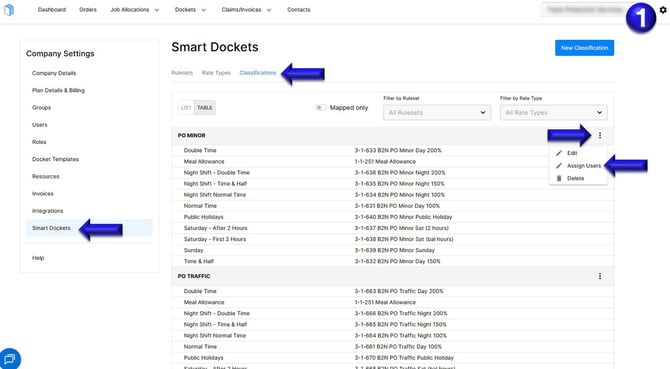
2. You will then see a list of all Docketbook users on your account and can assign by selecting each person to the appropriate classification. Don't forget to click Save to update the changes.