![Docketbook-logos_reverse-horizontal.png]](https://help.docketbook.com.au/hs-fs/hubfs/Docketbook-logos_reverse-horizontal.png?height=40&name=Docketbook-logos_reverse-horizontal.png)
Note: You need to either have Super User or Administrator access to be able to complete the steps below. For more information on user roles, click here.
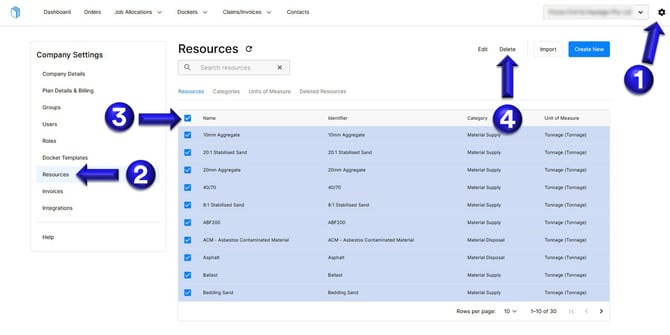
1. Select the settings tog on the top right hand corner of the web browser.
2. Then select the Resources tab
3. Click the top box on the top of Resources to select all items
4. Select Delete
If you need any further help, please contact support@docketbook.com.au