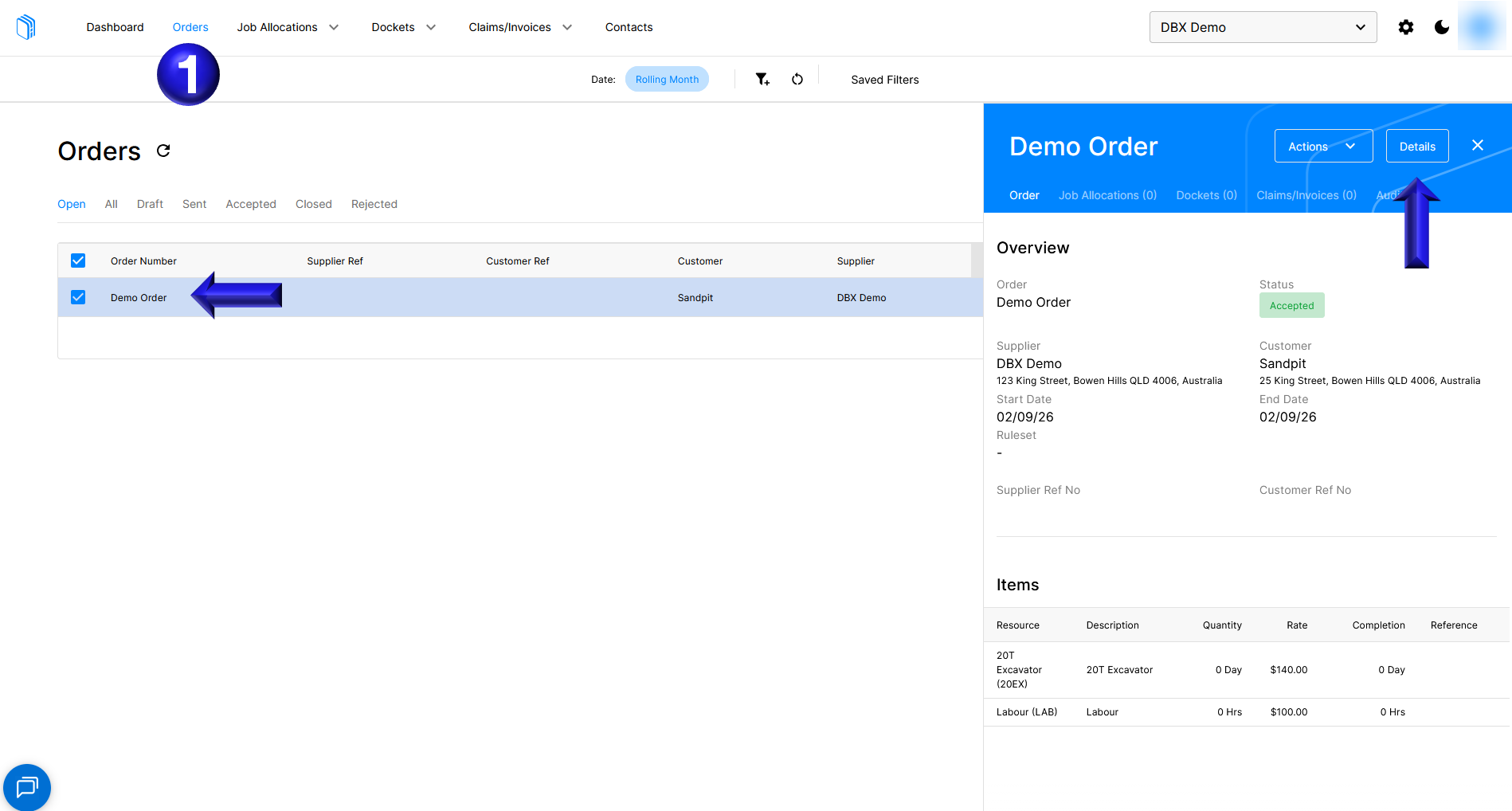
- On the Orders tab, select the Order to open the side panel then select Details
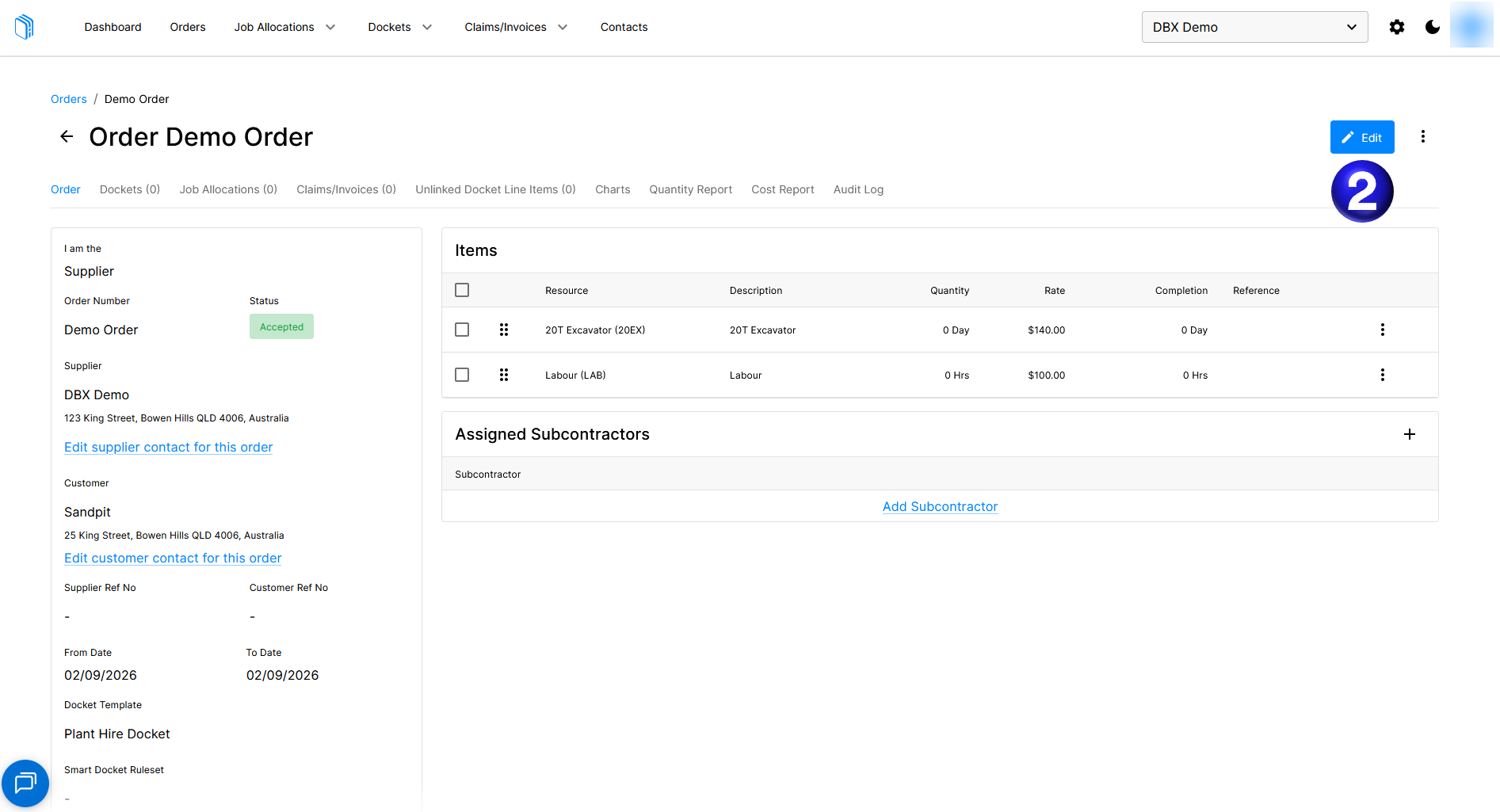
- Inside the Order select Edit
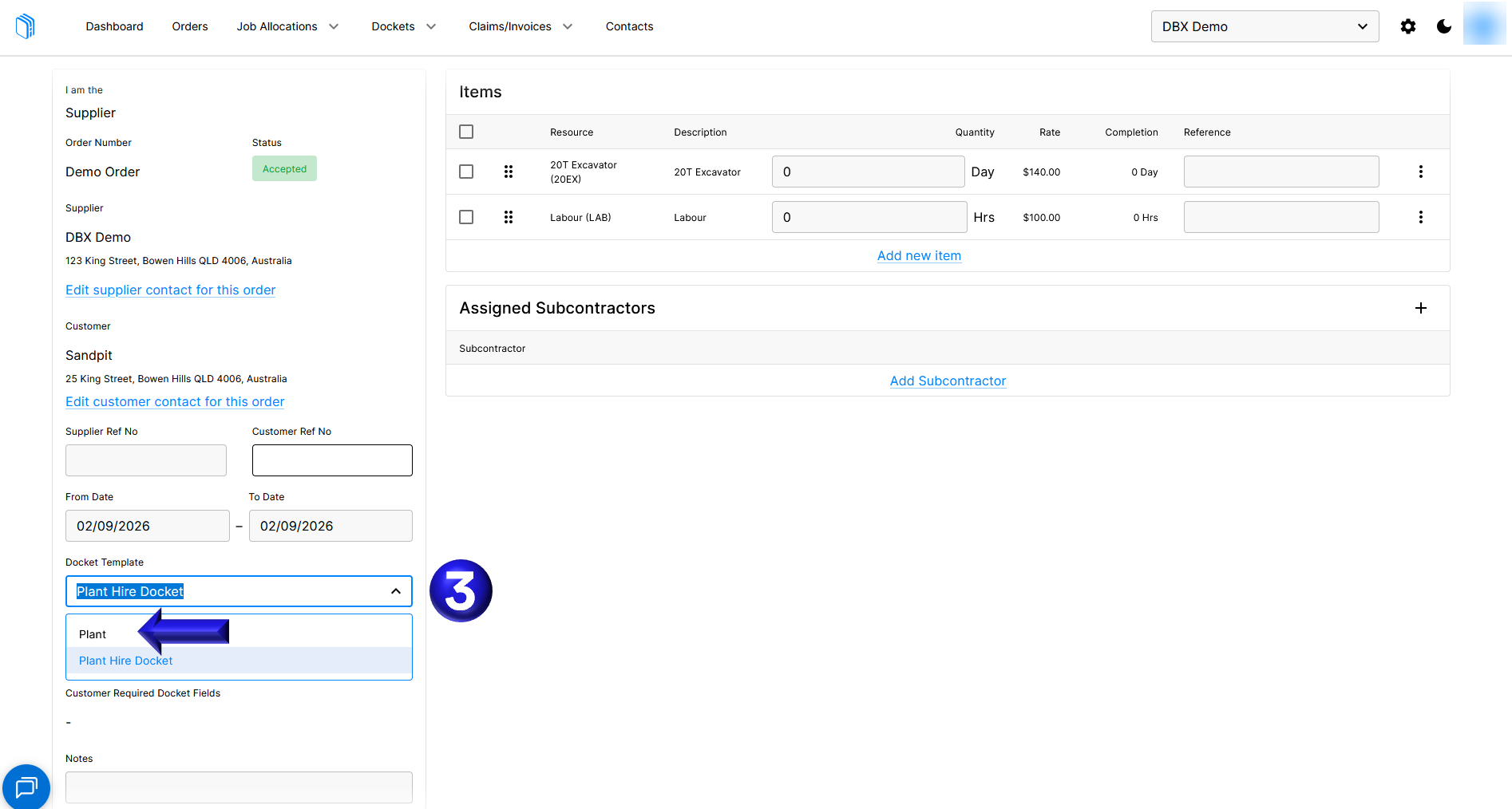
- You can then select the Docket Template and change the template
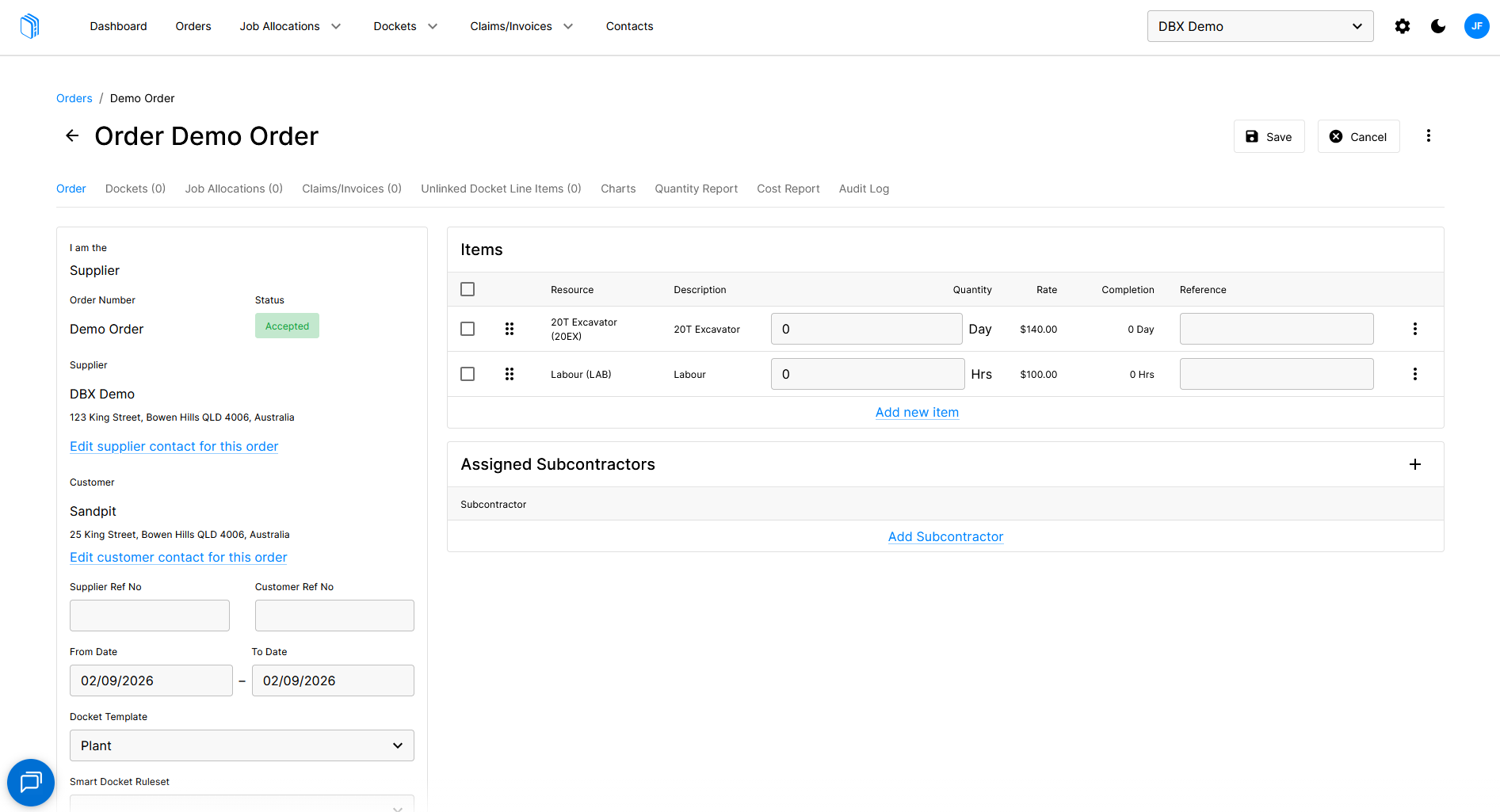
- The last step is to verify the Docket Template changed to the intended template and finally save the change to the Order
English
![Docketbook-logos_reverse-horizontal.png]](https://help.docketbook.com.au/hs-fs/hubfs/Docketbook-logos_reverse-horizontal.png?height=40&name=Docketbook-logos_reverse-horizontal.png)