![Docketbook-logos_reverse-horizontal.png]](https://help.docketbook.com.au/hs-fs/hubfs/Docketbook-logos_reverse-horizontal.png?height=40&name=Docketbook-logos_reverse-horizontal.png)
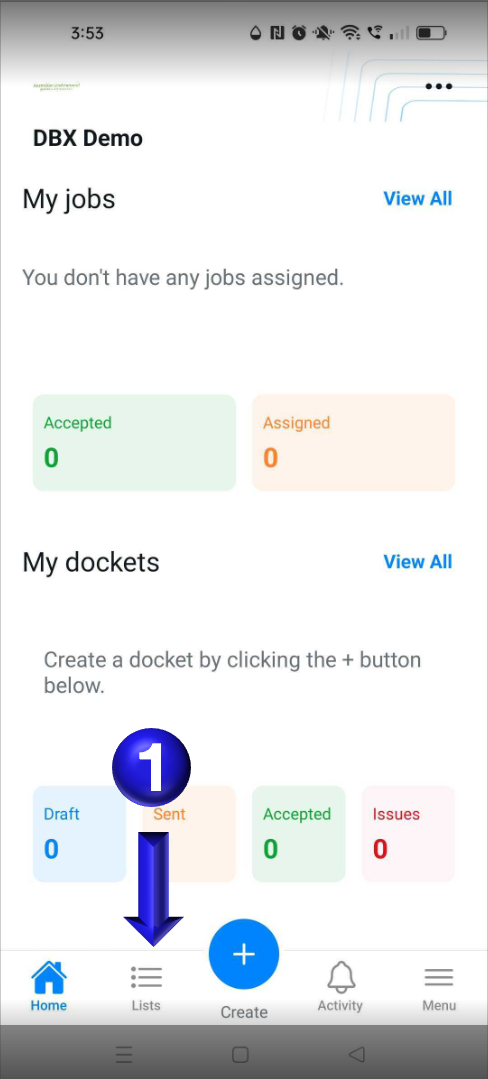
- Historical dockets you have access to can be opened on the app by selecting the lists option in the bottom on the app
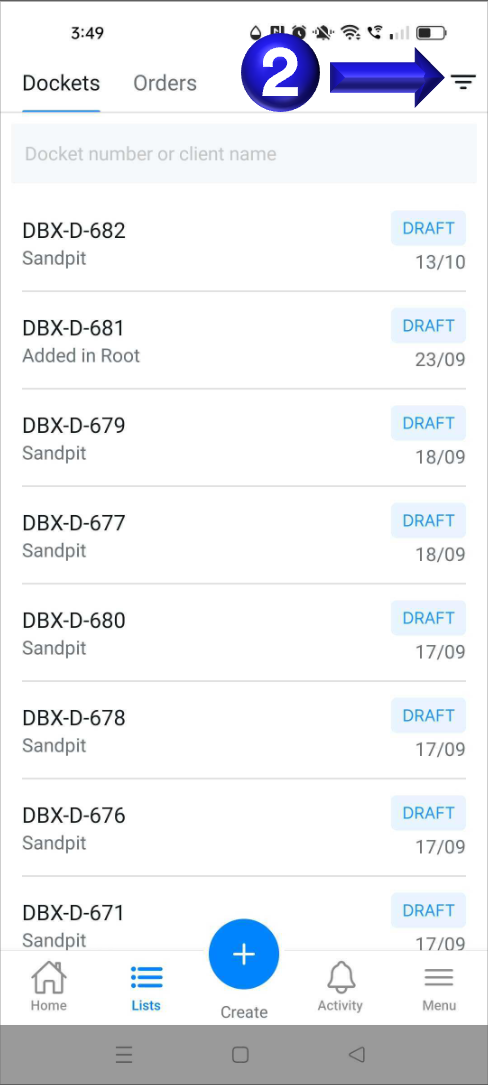
- You can then select the small filter icon in the top right corner that will bring up the available filtering options
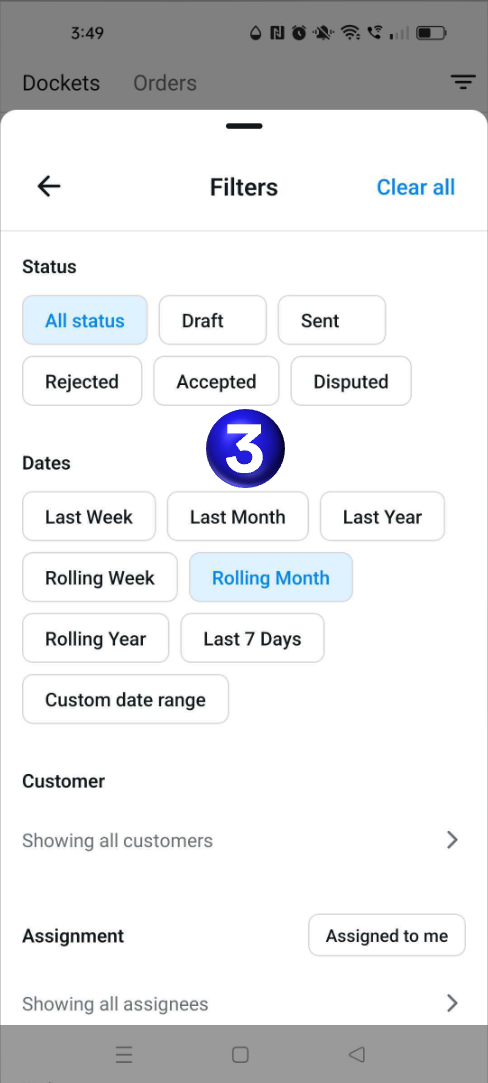
- Now you can select one of the provided date filters such as Last Month to display dockets in the specified date range
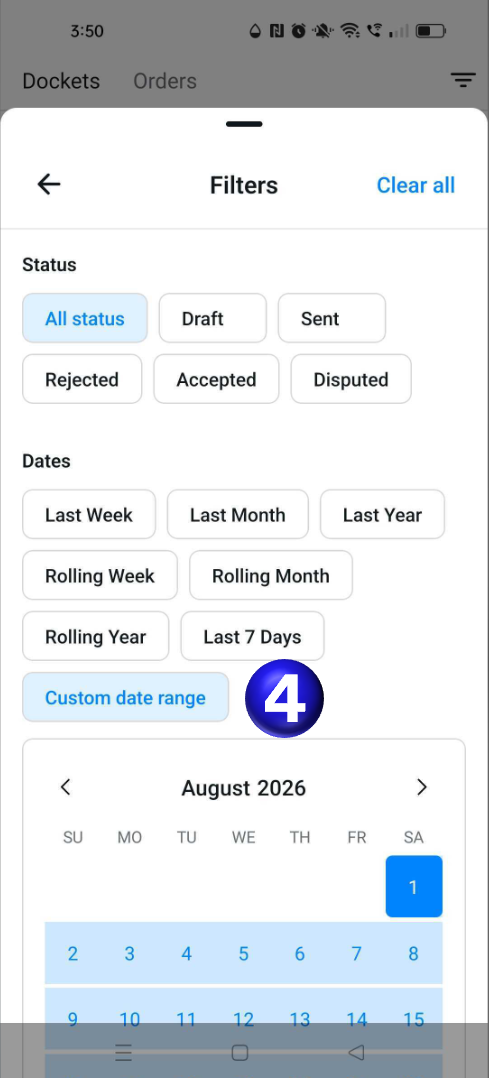
- If you require a finer filter range you can select a Custom date range and select the start and end dates you want to view dockets from
If you need any further help, please contact support@docketbook.com.au