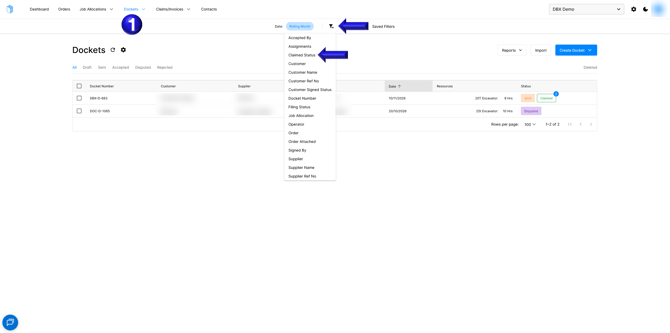
- First navigate to the Dockets tab and add the filter for Claimed Status
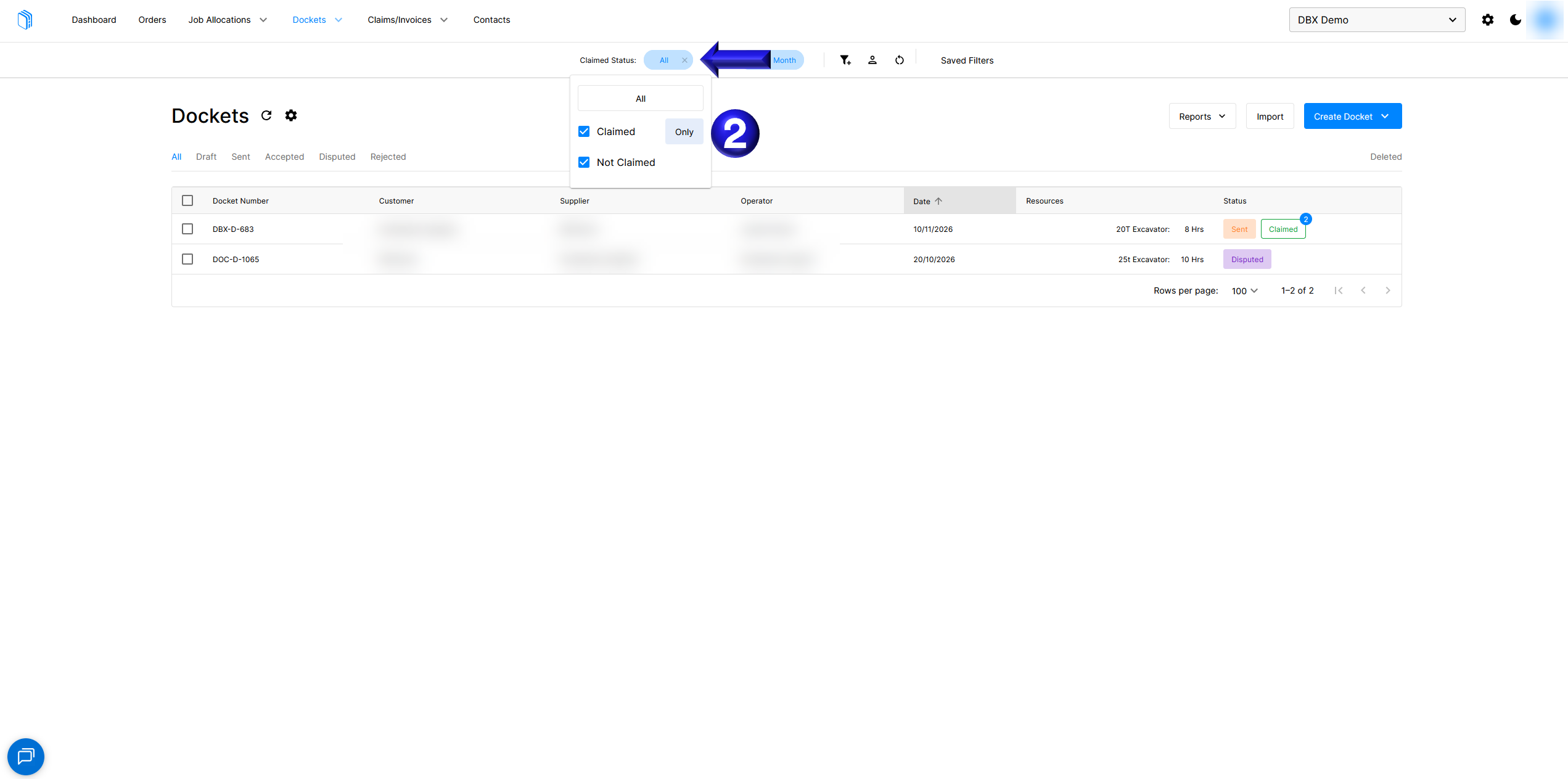
- You can then use this filter to view only claimed or unclaimed dockets to help manage your claims
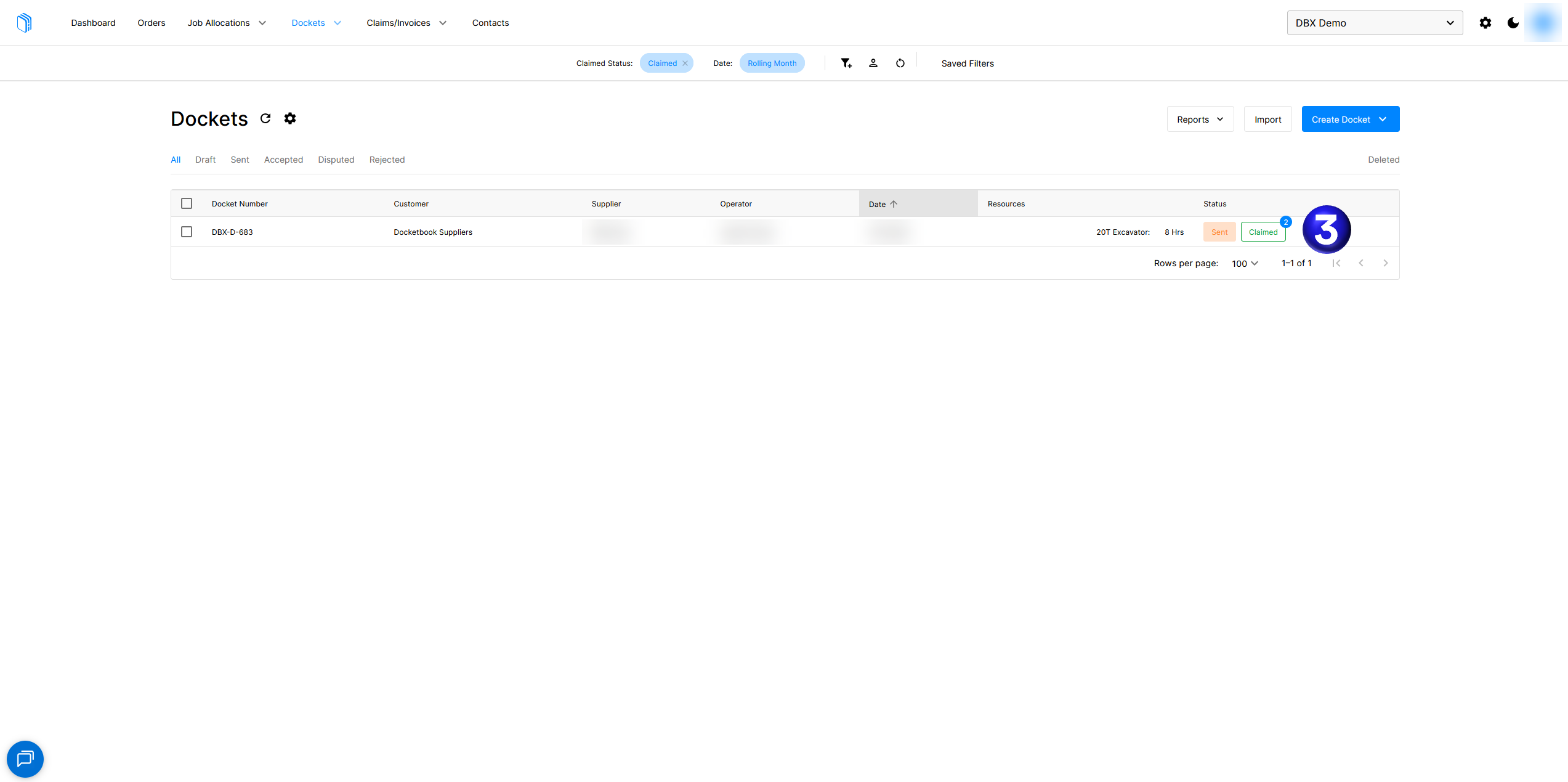
- Dockets show with their claimed status including a number in the top right corner to identify if a docket has been claimed multiple times.
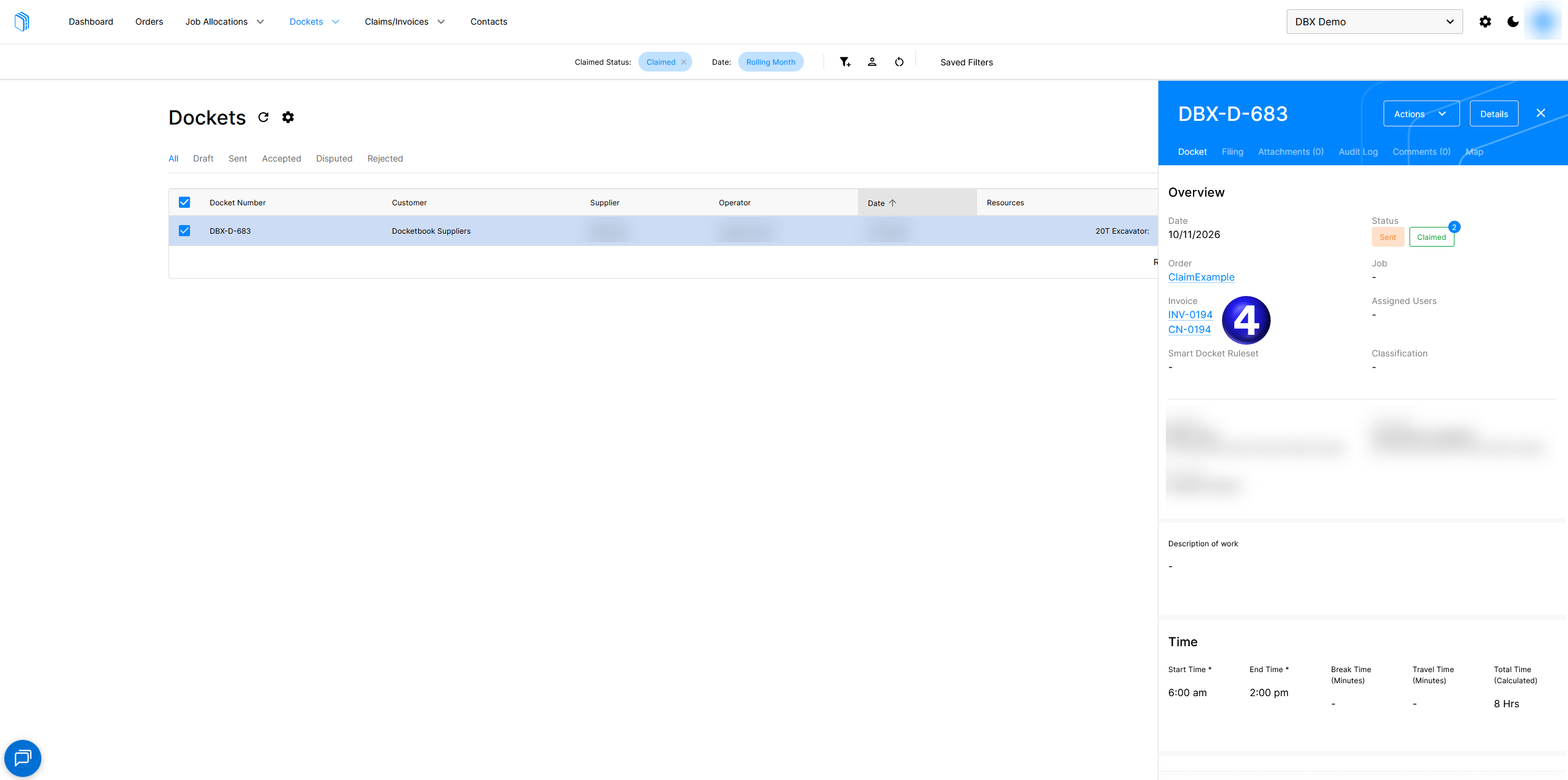
- You can then select a docket and view the invoices that are claiming the docket
English
![Docketbook-logos_reverse-horizontal.png]](https://help.docketbook.com.au/hs-fs/hubfs/Docketbook-logos_reverse-horizontal.png?height=40&name=Docketbook-logos_reverse-horizontal.png)