![Docketbook-logos_reverse-horizontal.png]](https://help.docketbook.com.au/hs-fs/hubfs/Docketbook-logos_reverse-horizontal.png?height=40&name=Docketbook-logos_reverse-horizontal.png)
Note: To be able to close a purchase Order, you need to have either Administrator or Super User access on Docketbook. For more information on user roles, click here.
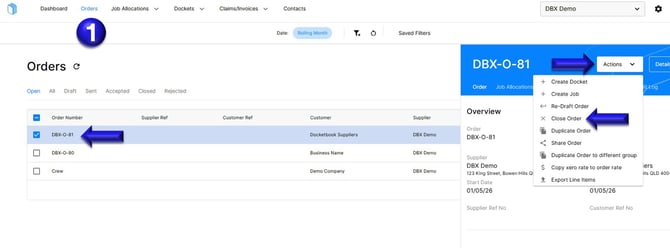
1. On the Orders tab, select the Order to Open then click Actions where you can select "Close Order"
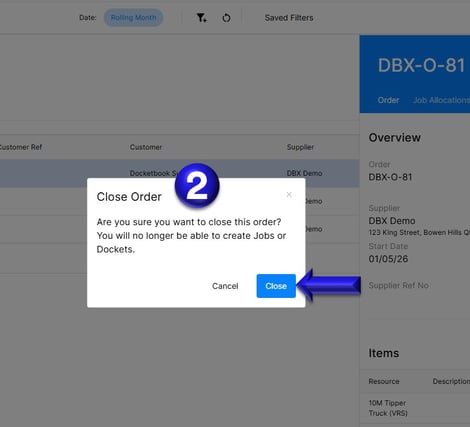
2. Once selected a pop up box will then ask "Are you sure you want to close this order? You will no longer be able to create Jobs or Dockets." Where you can then confirm by clicking "Close"
If you need any further help, please contact support@docketbook.com.au