![Docketbook-logos_reverse-horizontal.png]](https://help.docketbook.com.au/hs-fs/hubfs/Docketbook-logos_reverse-horizontal.png?height=40&name=Docketbook-logos_reverse-horizontal.png)
Disputing dockets is a feature used by Customers when the Supplier has provided a docket with incorrect values to try and assist the Supplier in providing the correct information in the Docket. If you use File Codes as part of your cost coding process you should use the Dispute & File option where available.
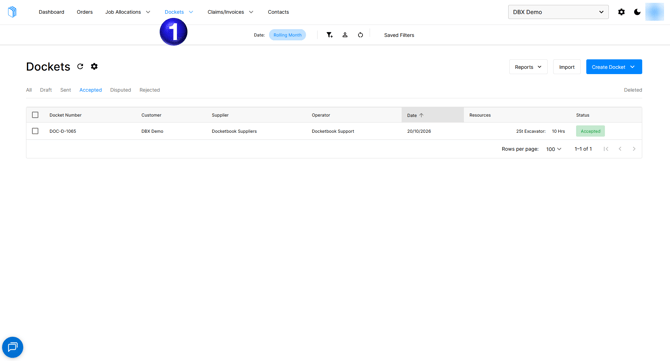
- First navigate to the Dockets tab to view dockets that may need to be Disputed
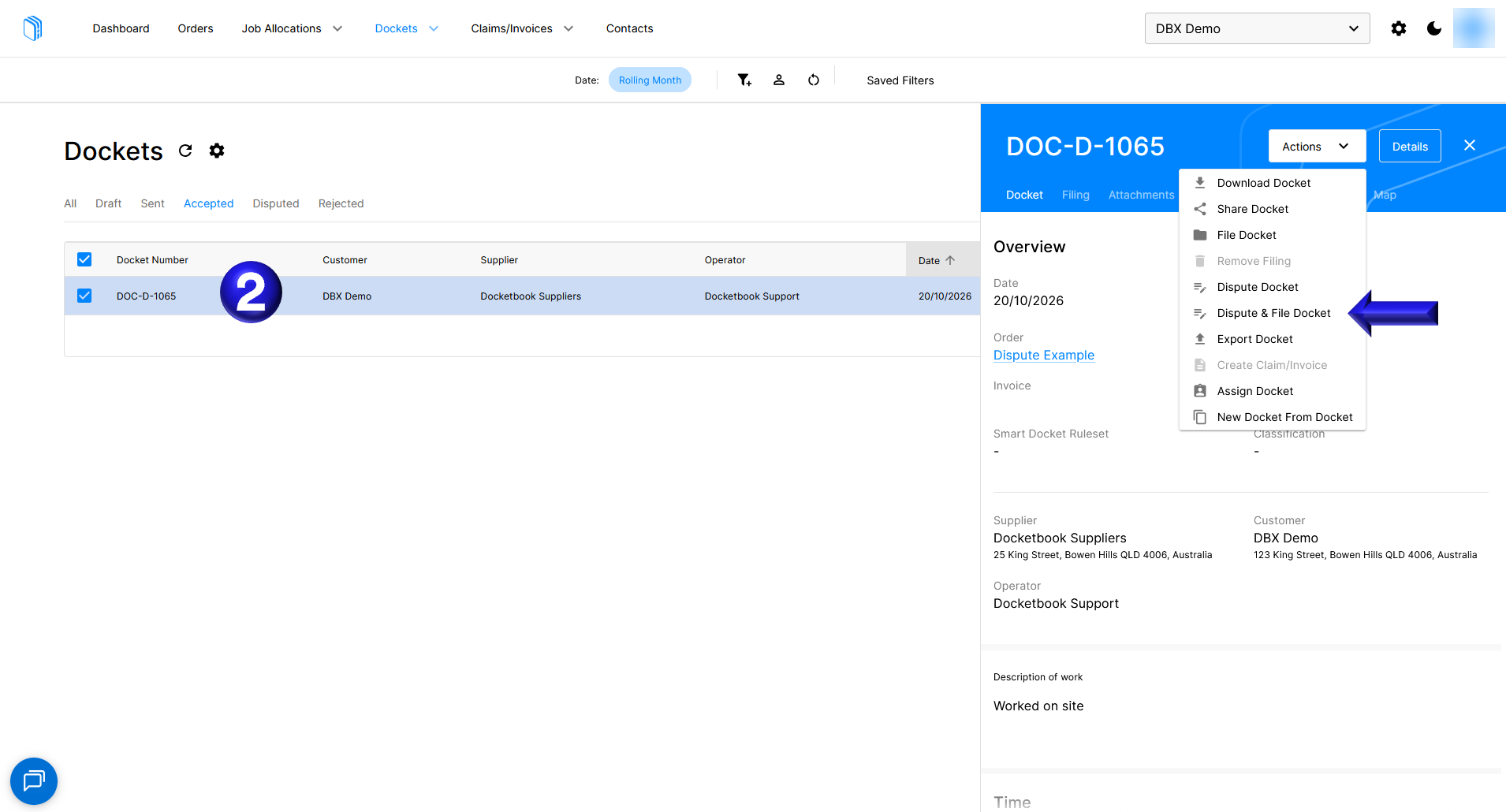
- When you identify a docket that needs to be disputed you can select the docket and using the Actions dropdown choose the Dispute & File Docket option
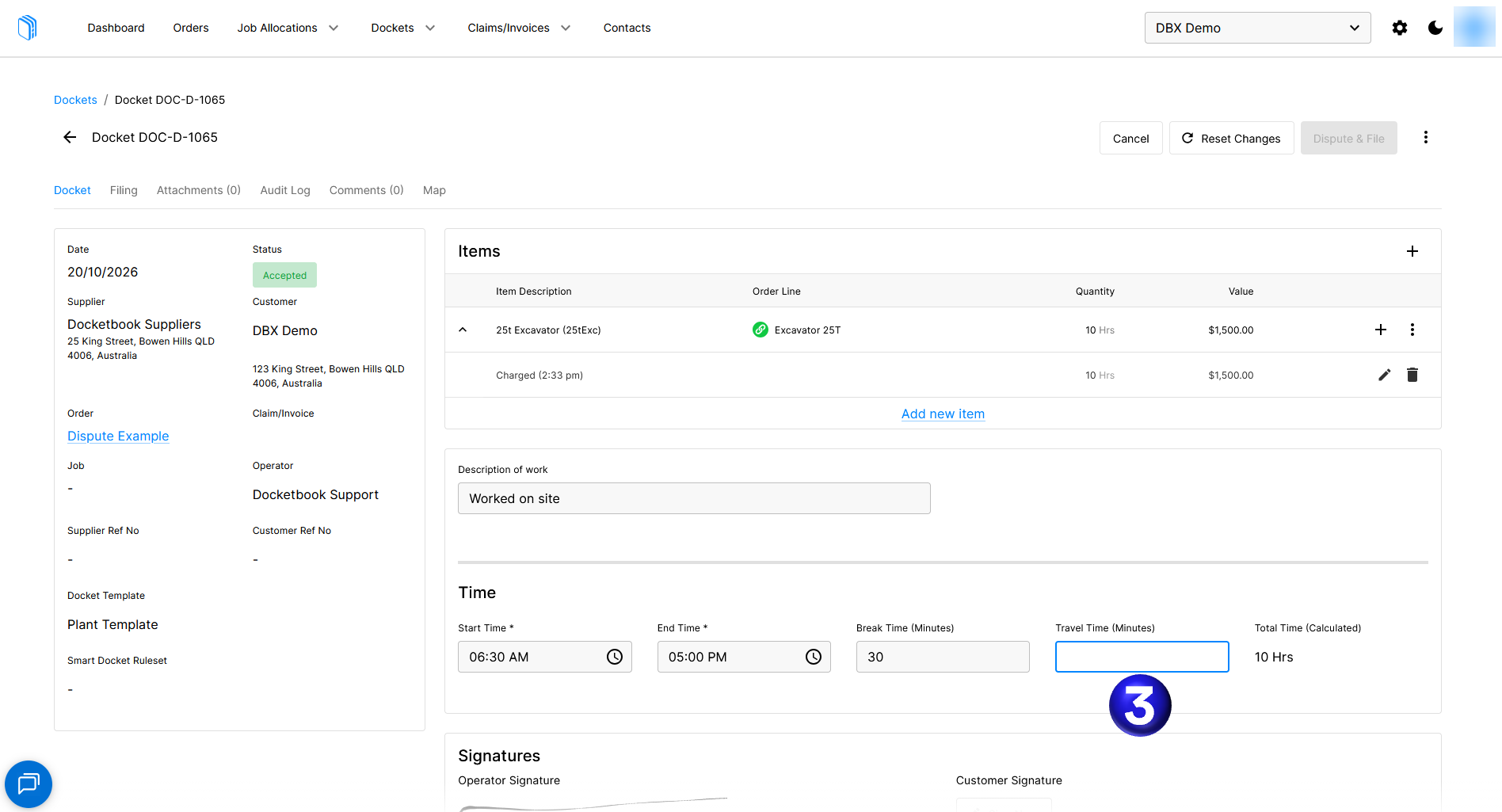
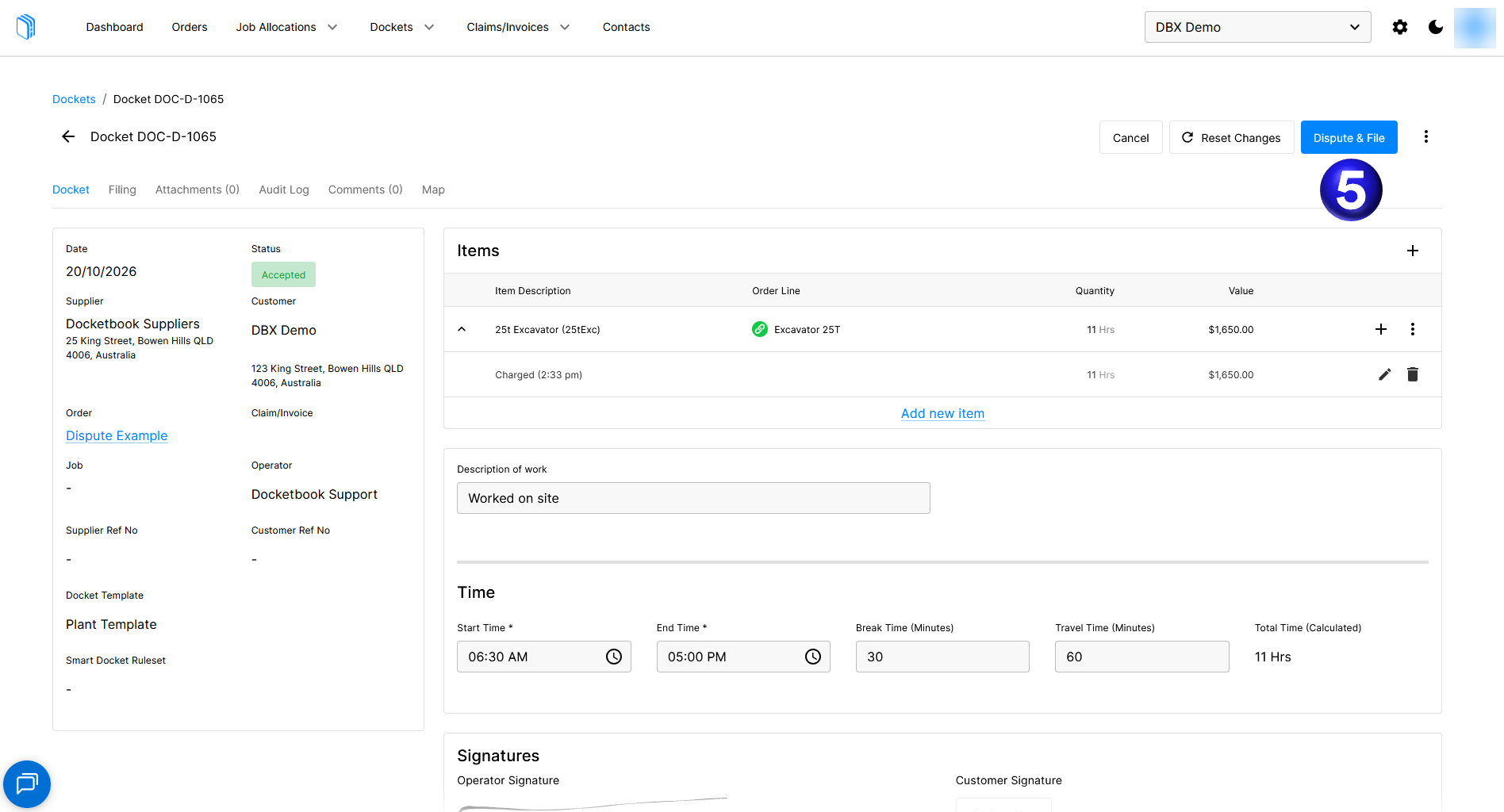
- You may need to complete a section of the docket that was not completed by the operator such as filling in the Travel Time
- Additionally you may want to amend the values on a line item to reflect the Total Time worked and can be done by selecting the pencil icon next to the existing line
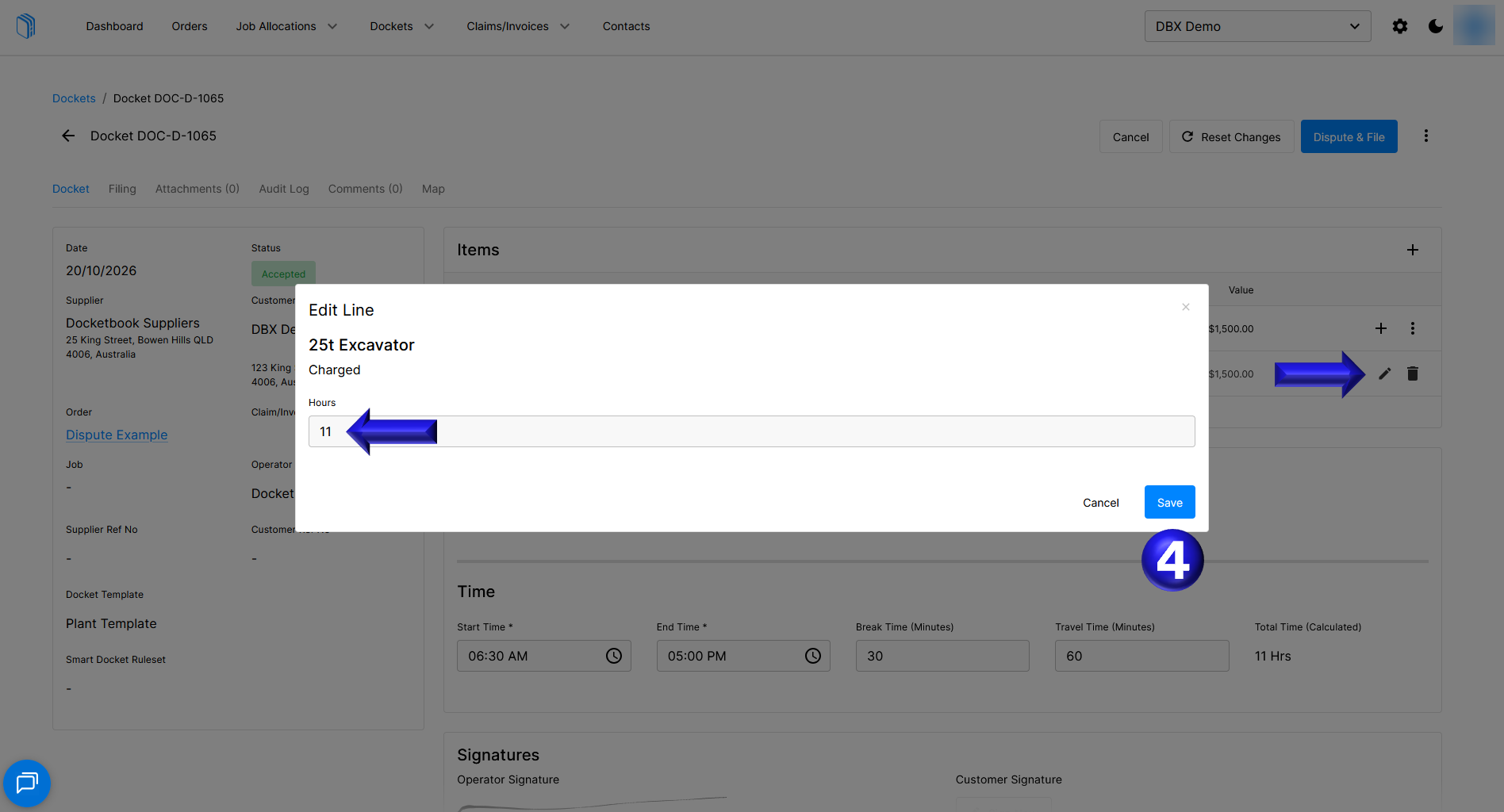
- Once you have made the necessary amendments you can then Dispute & File the docket
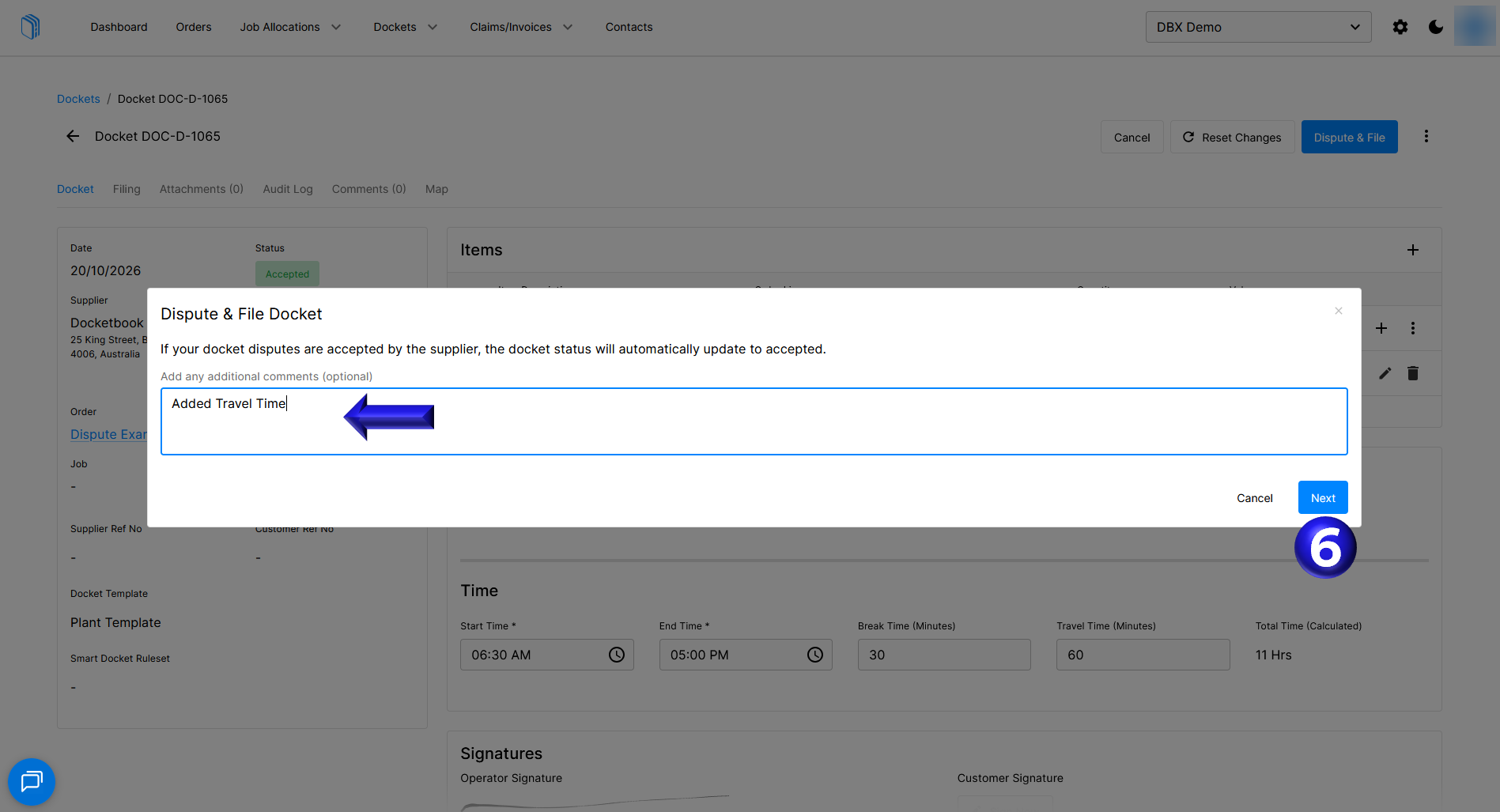
- Comments can optionally be added for the supplier to understand why the docket is being disputed
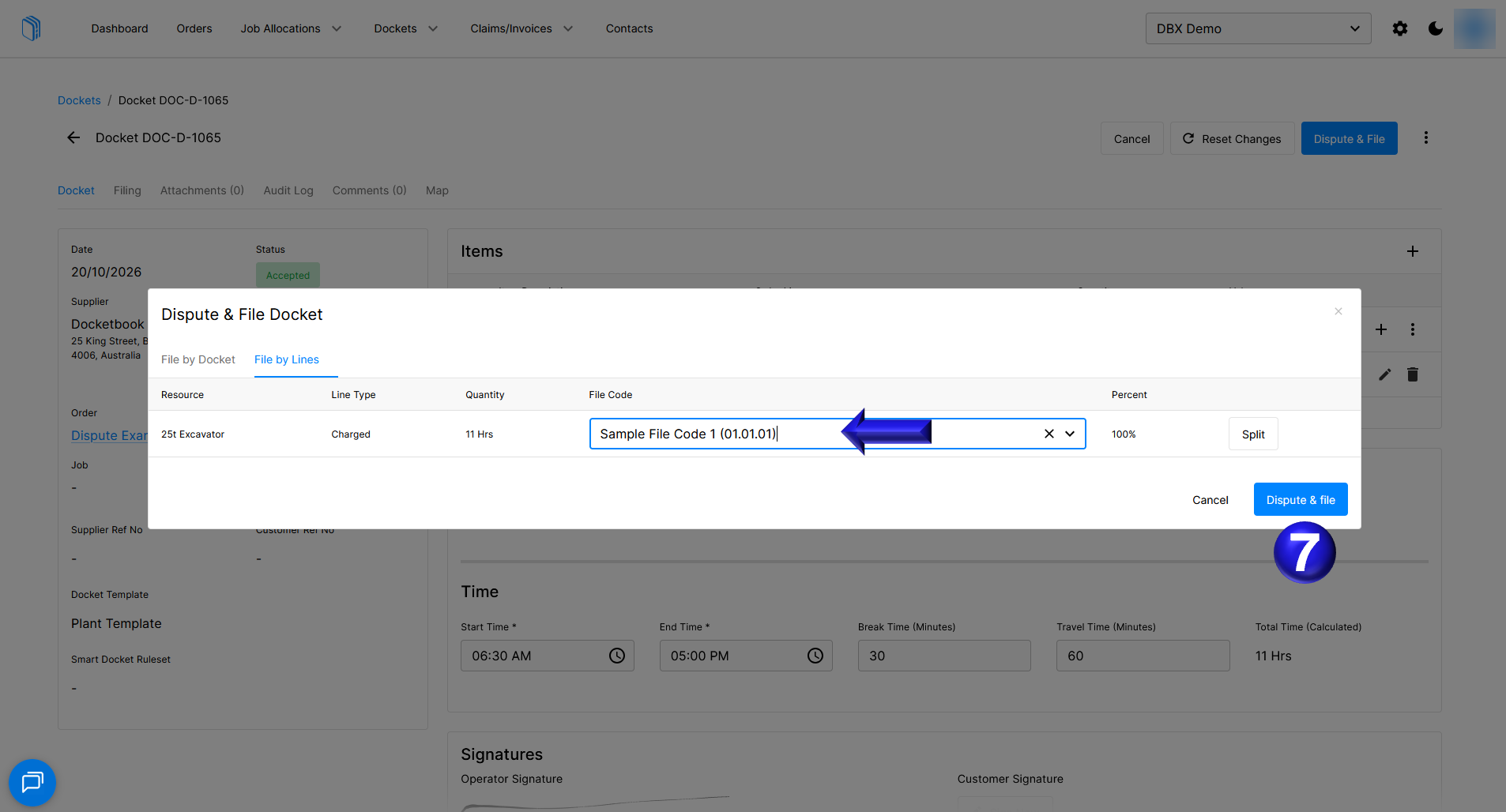
- If you selected Dispute & File you will then be prompted to complete filing the docket from its proposed dispute
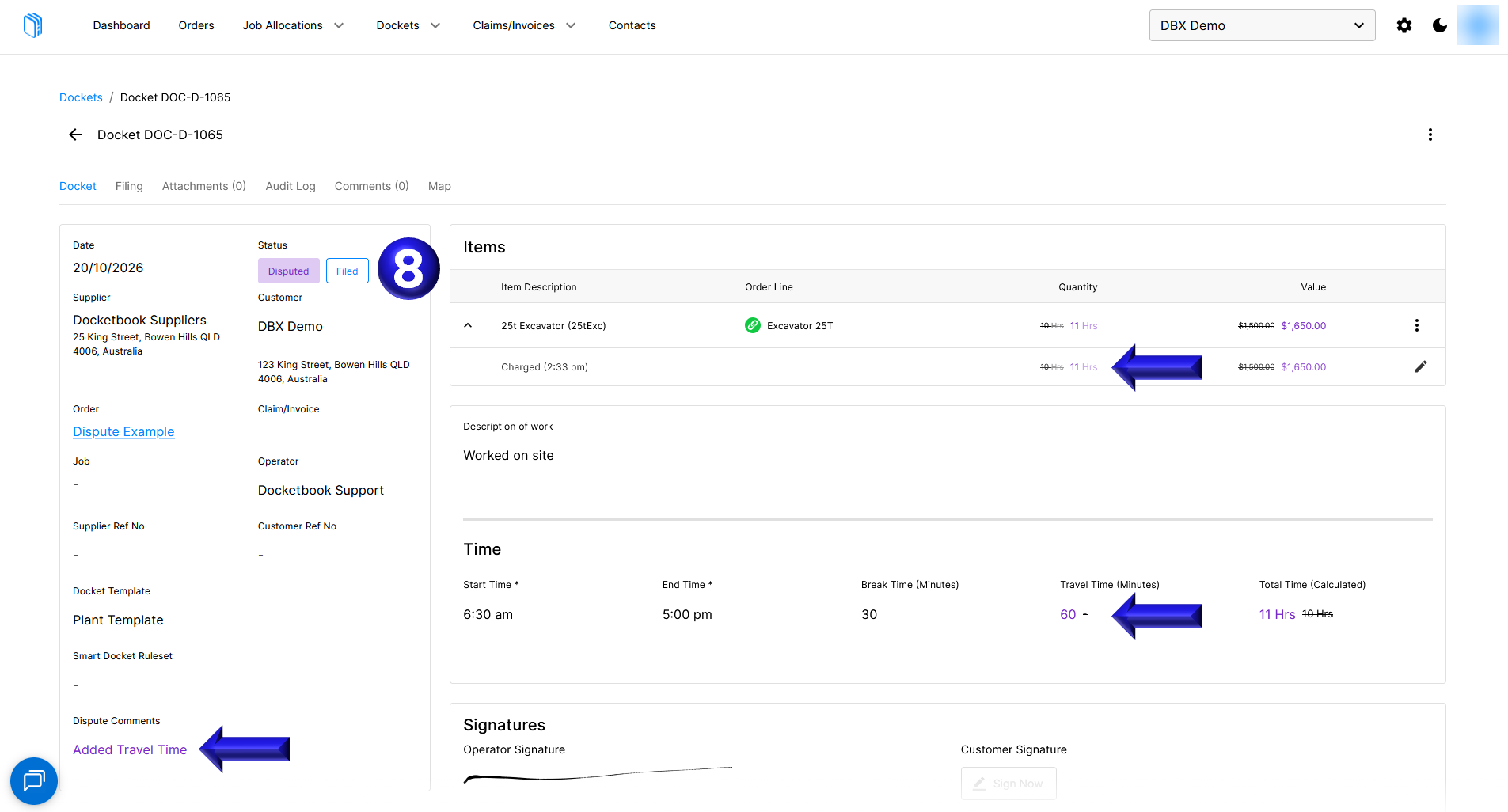
- Once you complete Disputing & Filing the docket you are then presented with the Docket in the Disputed status, indicating the proposed filing and showing any changes made as part of the dispute in purple text
If you need further help, please contact support@docketbook.com.au