![Docketbook-logos_reverse-horizontal.png]](https://help.docketbook.com.au/hs-fs/hubfs/Docketbook-logos_reverse-horizontal.png?height=40&name=Docketbook-logos_reverse-horizontal.png)
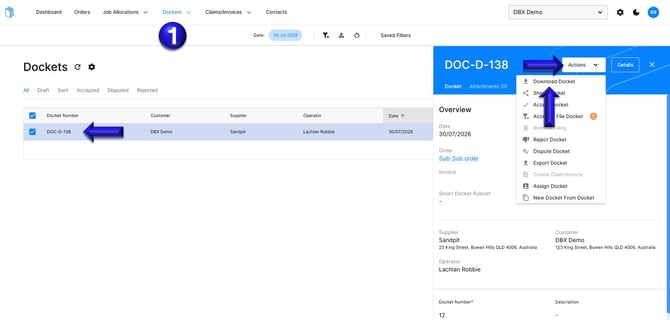
How to Download one (1) Docket
1. In the Dockets tab, select a Docket to open, then click Actions where you can select "Download Docket"
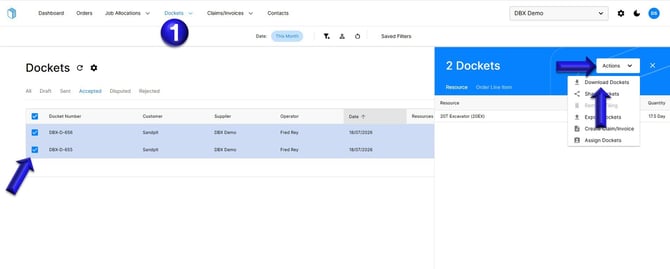
How to Download multiple Dockets.
1. In the Dockets tab, select multiple Dockets to open, then click Actions where you can select Download Dockets.
If you need further help, please contact support@docketbook.com.au