![Docketbook-logos_reverse-horizontal.png]](https://help.docketbook.com.au/hs-fs/hubfs/Docketbook-logos_reverse-horizontal.png?height=40&name=Docketbook-logos_reverse-horizontal.png)
Note: You will need to have either Super User or Administrator Access to be able to complete the steps below. For more information on User Roles, click here.
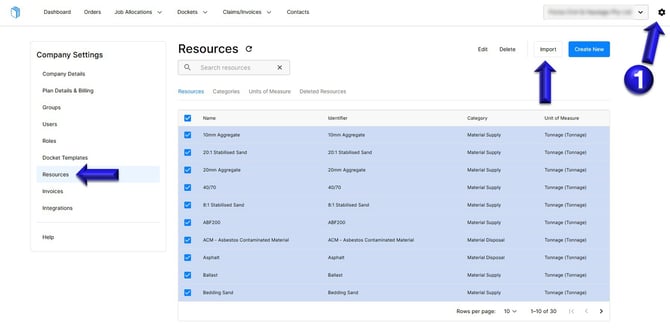
1. Select the settings tog on the top right hand corner of the web browser screen. Then select the Resources tab where you can then click "Import".
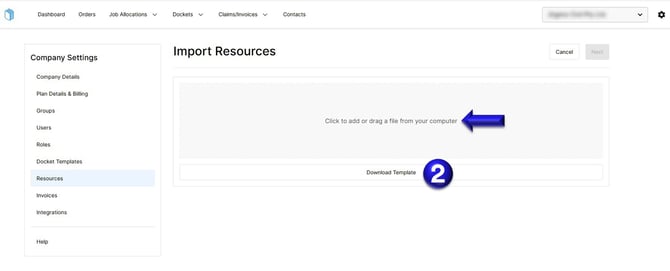
2. From this screen, click Download Template to enter all required resources, then drag the completed file into the grey area and follow the prompts to upload.
If you need any further help please contact support@docketbook.com.au