![Docketbook-logos_reverse-horizontal.png]](https://help.docketbook.com.au/hs-fs/hubfs/Docketbook-logos_reverse-horizontal.png?height=40&name=Docketbook-logos_reverse-horizontal.png)
To be able to link resources to line items you will need to have Docketbook user access as "Super User" or "Administrator". For more information on user roles, click the help page link below.
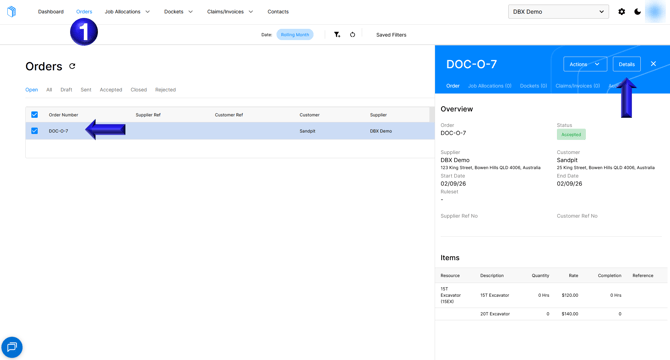
- On the Orders tab select the order with a newly added line item that needs to be linked and then click Details
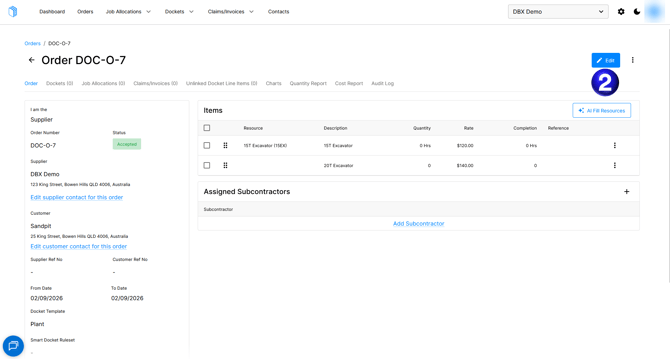
- Inside the Order select Edit
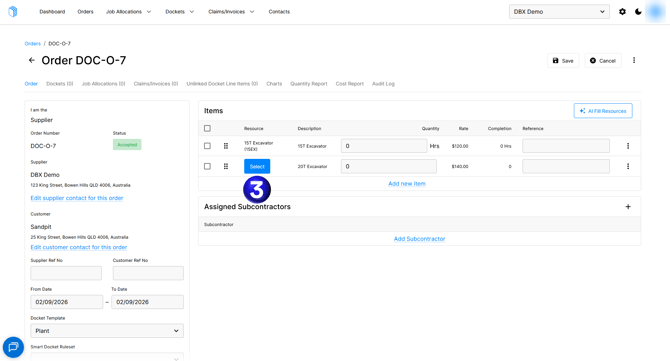
- You can then Select a resource
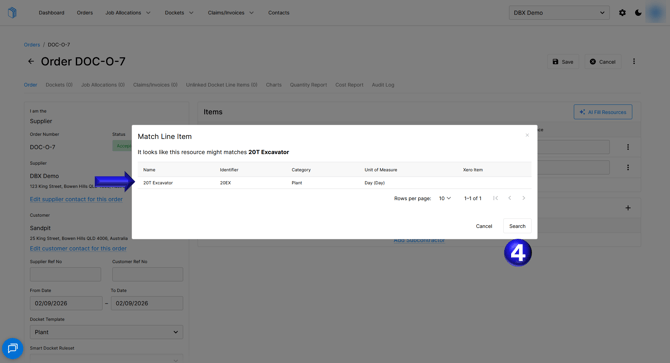
- The tool will then suggest resources that might match the line item and if an appropriate resource is not found you can search for an appropriate resource
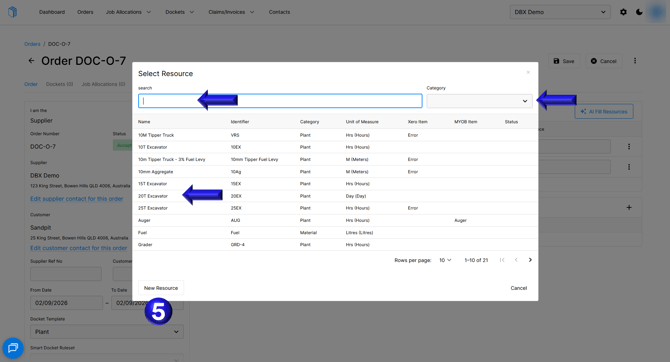
- You can then search for a resource, filter by a category, select the appropriate resource if it is found, or create a new resource if no resource is found.
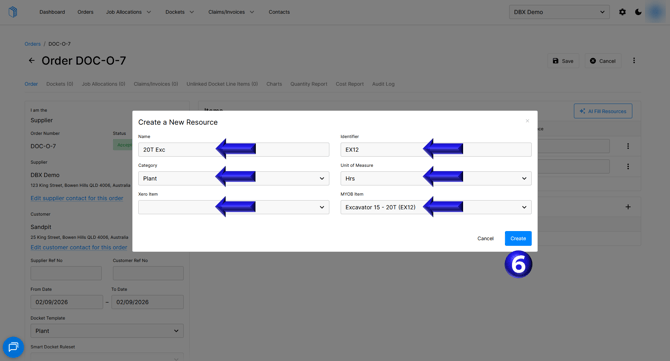
- You can then create the required resource and include a link to a Xero or MYOB item if you have the associated integration which will then create and link that resource to the line item.