![Docketbook-logos_reverse-horizontal.png]](https://help.docketbook.com.au/hs-fs/hubfs/Docketbook-logos_reverse-horizontal.png?height=40&name=Docketbook-logos_reverse-horizontal.png)
1. Inside the Docketbook App, you can select the Issues tab which will show you any Dockets that have been rejected.
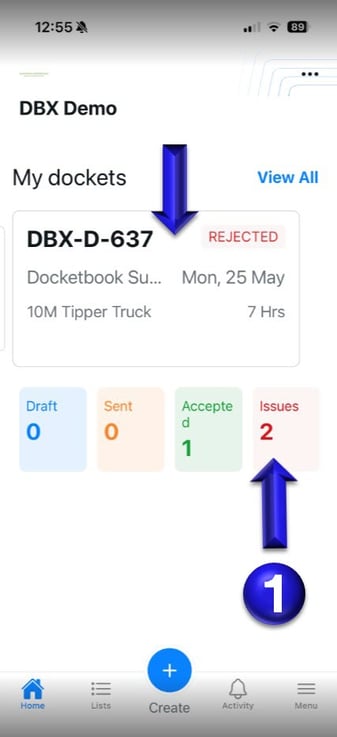
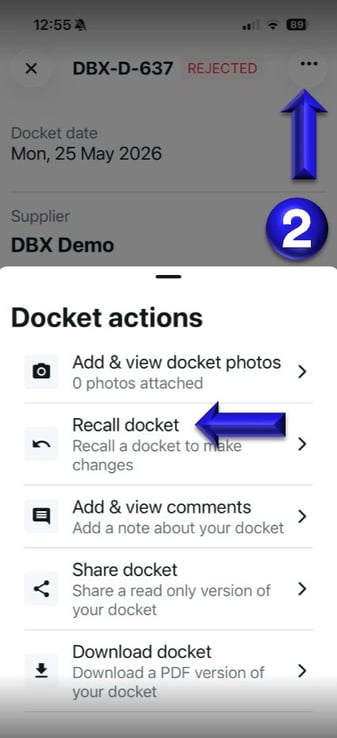
2. Once you've selected a Rejected Docket to Open, you can then click the 3 dots on the top right corner of the Docket to select Recall Docket and make changes to then resend for approval.
If you need further help, please contact support@docketbook.com.au