![Docketbook-logos_reverse-horizontal.png]](https://help.docketbook.com.au/hs-fs/hubfs/Docketbook-logos_reverse-horizontal.png?height=40&name=Docketbook-logos_reverse-horizontal.png)
This article is intended for Head Contractors, Customers and Order owners to help manage lines when new rates are added to an Order or temporary items are available such as a fuel levy.
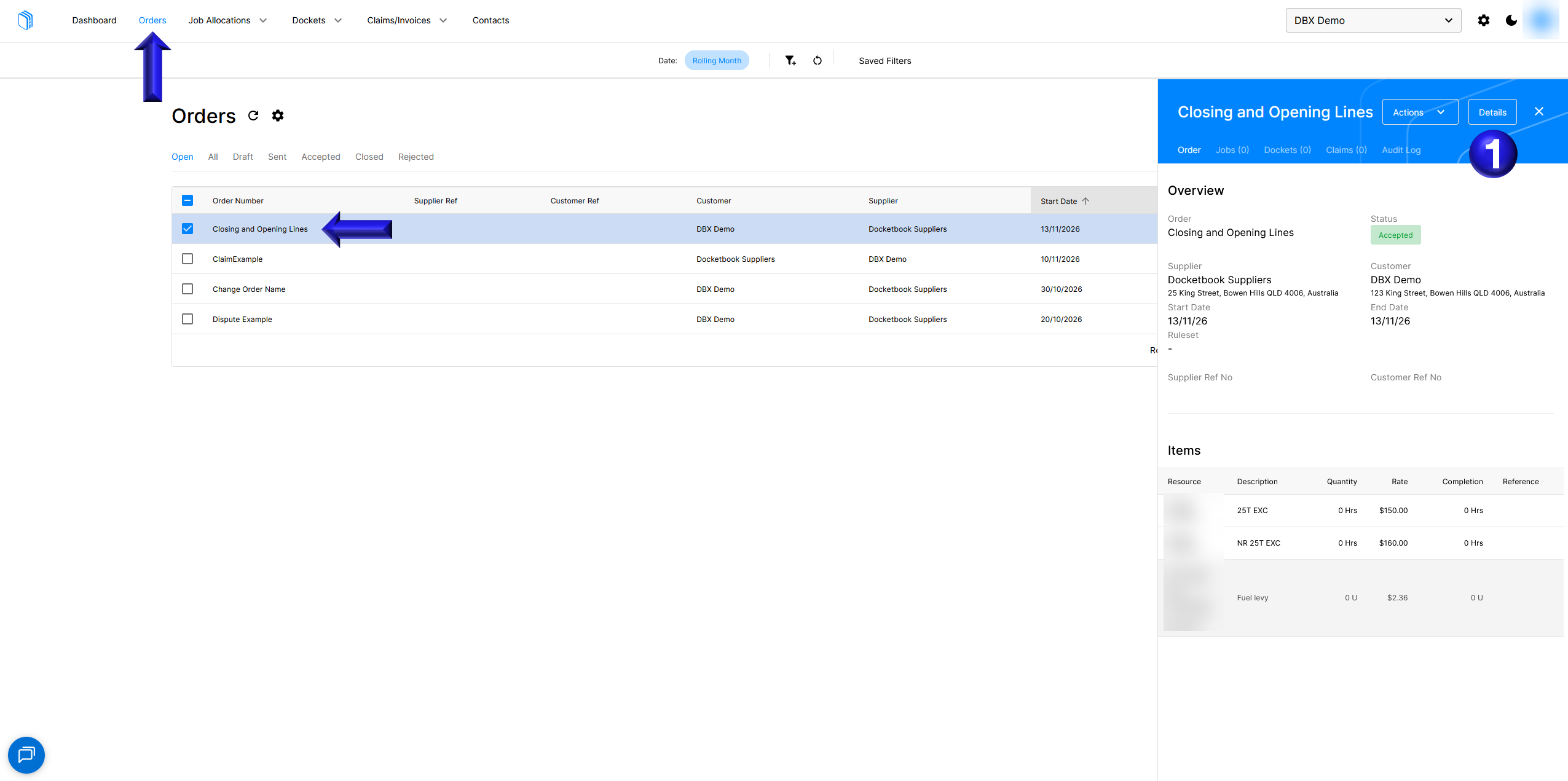
- Firstly navigate to the Order screen, select the Order you wish to manage and select Details
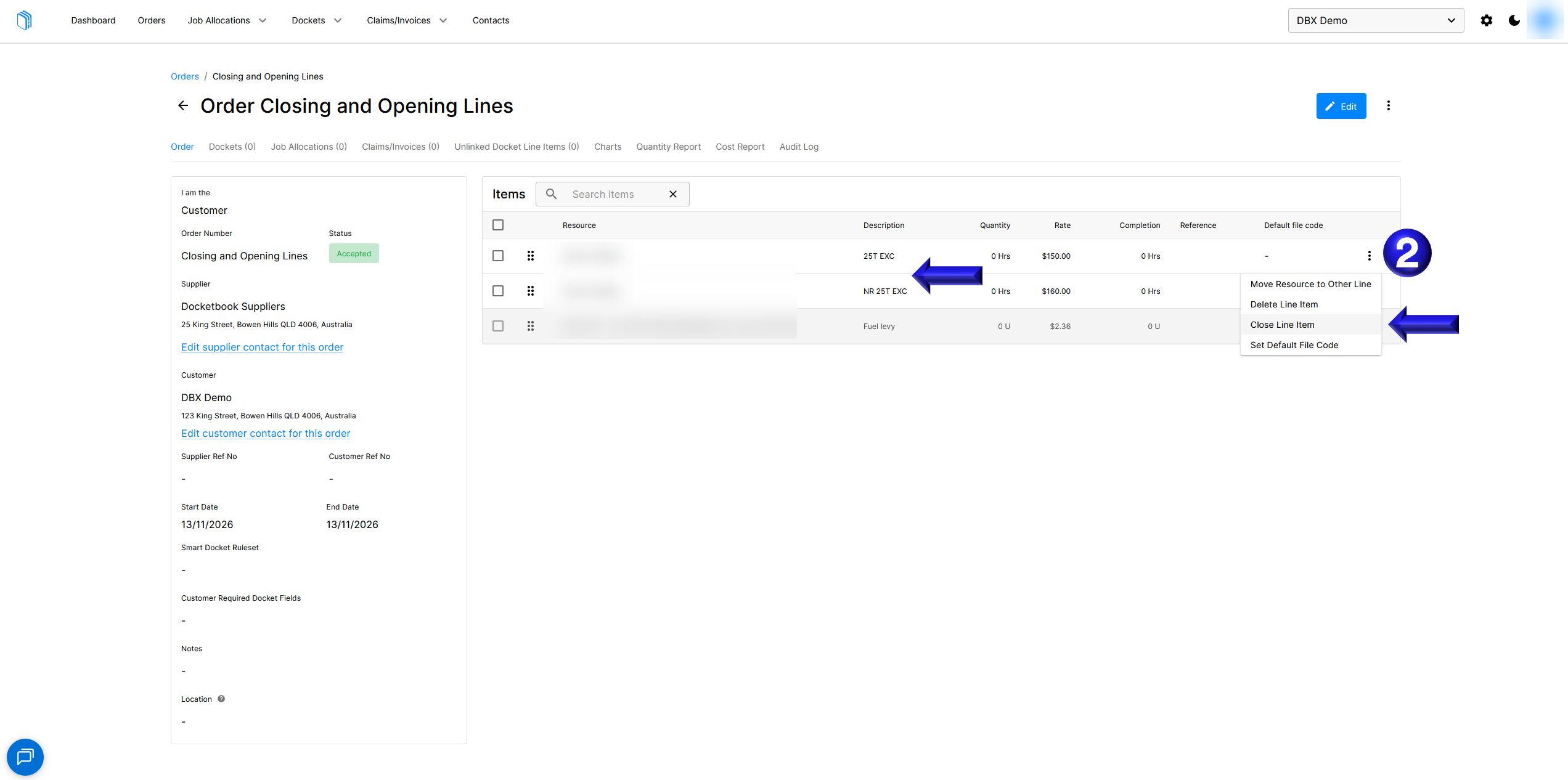
- This brings you to the details page for the Order where you can now manage lines by selecting Close Line Item for an old rate that is no longer reflective of the EBA
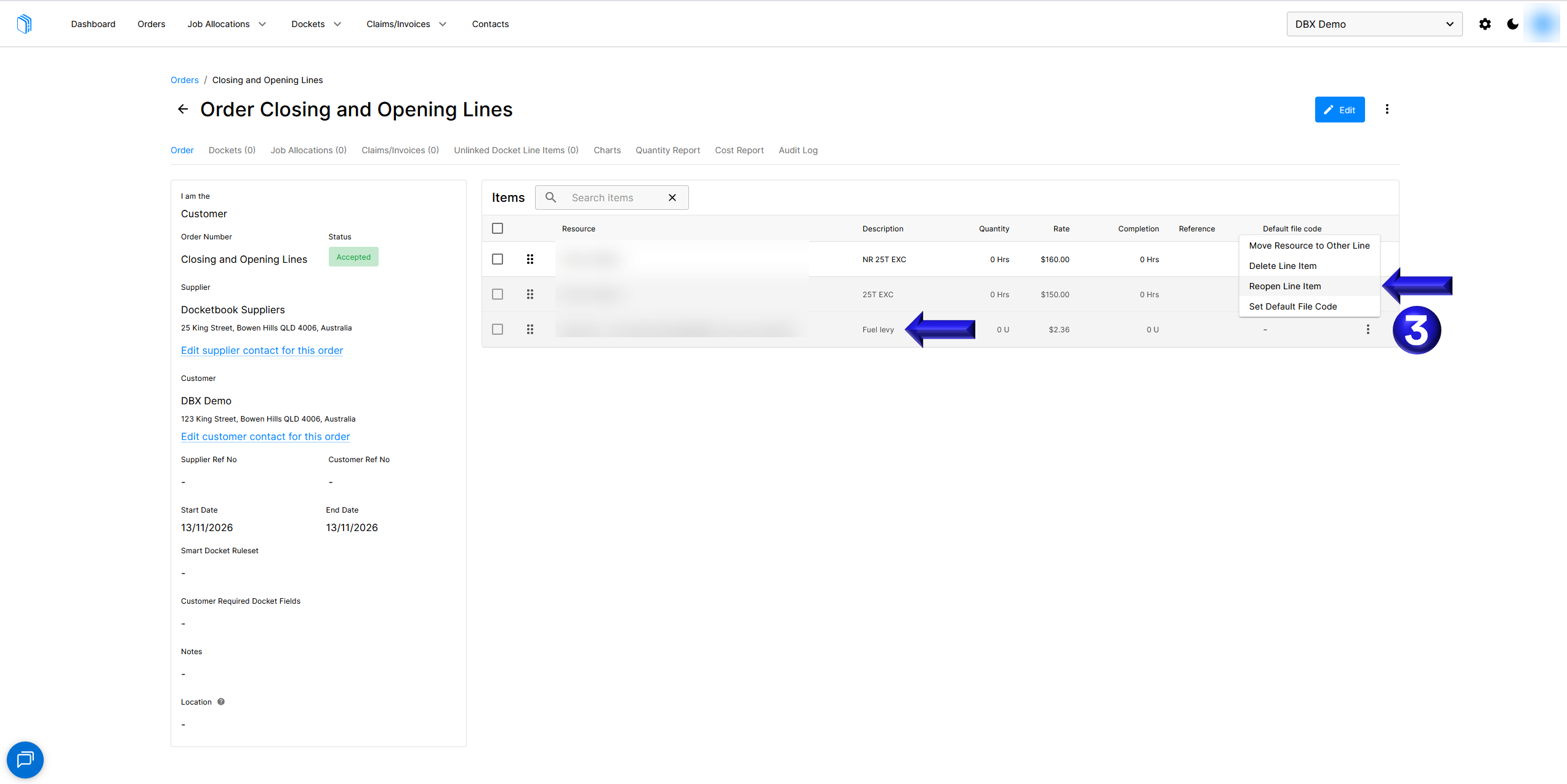
- You can then also Reopen Line Item for a temporary line such as a Fuel Levy that has been re-enabled
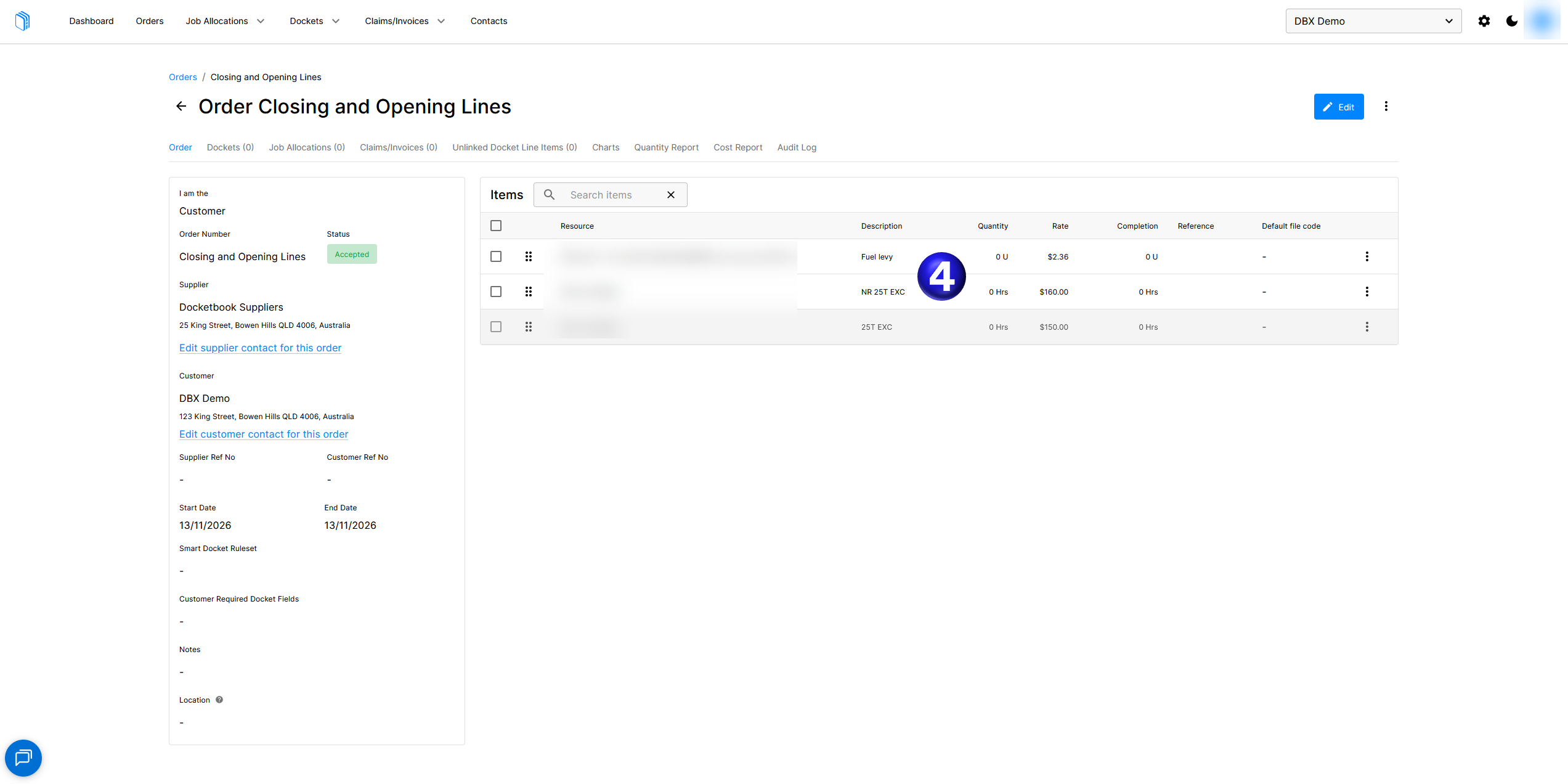
- You can then see that the Lines have been managed to re-enable the Fuel Levy and disable the old rate