-
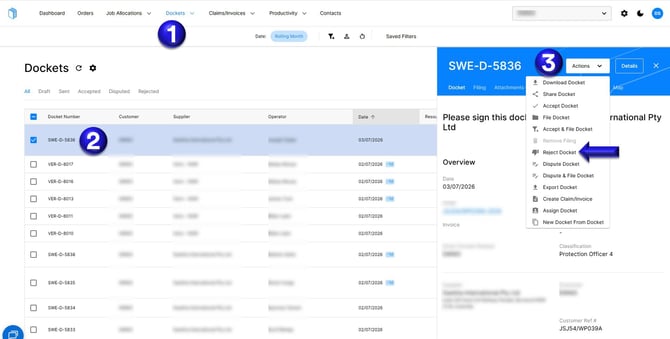
Select the Dockets tab on Docketbook
-
Select the Docket that needs to be rejected to review its details.
-
You can then select Actions then Reject Docket
-
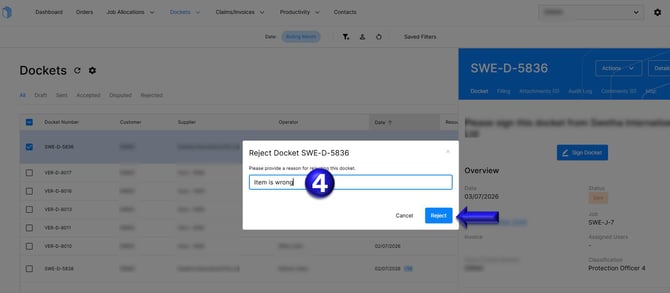
Then provide a reason for rejection and click Reject to confirm.
![Docketbook-logos_reverse-horizontal.png]](https://help.docketbook.com.au/hs-fs/hubfs/Docketbook-logos_reverse-horizontal.png?height=40&name=Docketbook-logos_reverse-horizontal.png)
Select the Dockets tab on Docketbook
Select the Docket that needs to be rejected to review its details.
You can then select Actions then Reject Docket
Then provide a reason for rejection and click Reject to confirm.