![Docketbook-logos_reverse-horizontal.png]](https://help.docketbook.com.au/hs-fs/hubfs/Docketbook-logos_reverse-horizontal.png?height=40&name=Docketbook-logos_reverse-horizontal.png)
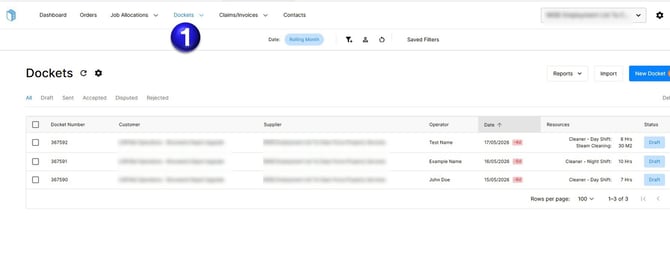
1. The first step is to click the Dockets tab where you can see all your Dockets.
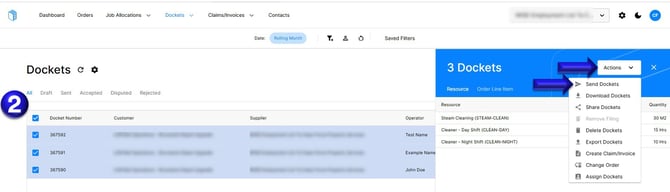
2. You can then select the Dockets individually or click the Box next to Docket Number to Select All Dockets. Once you have the Draft Dockets selected, you can then click Actions then select "Send Dockets"
If you need any further help, please contact support@docketbook.com.au