![Docketbook-logos_reverse-horizontal.png]](https://help.docketbook.com.au/hs-fs/hubfs/Docketbook-logos_reverse-horizontal.png?height=40&name=Docketbook-logos_reverse-horizontal.png)
- First start by selecting the Menu option on the home screen of the app
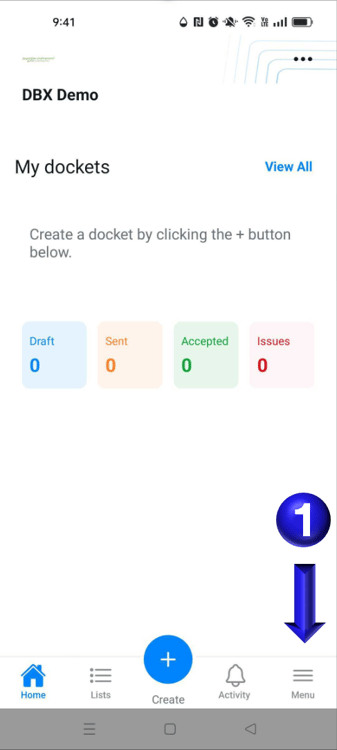
- You will then be able to select the Notification preferences option to take you to the notifications page
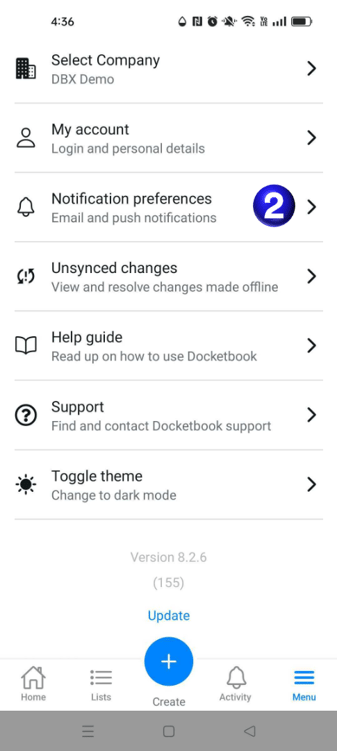
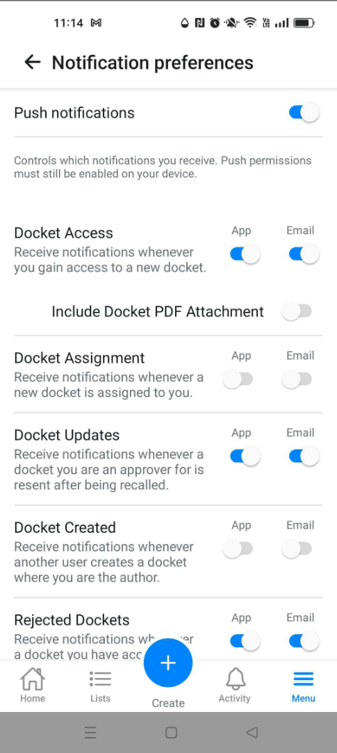
- You will then be able to adjust the notifications you wish pushed to your device and what email notifications you may want enabled.
If you need any further help, please contact support@docketbook.com.au