- Inside the Docketbook App, select the Menu tab to bring up the Menu options
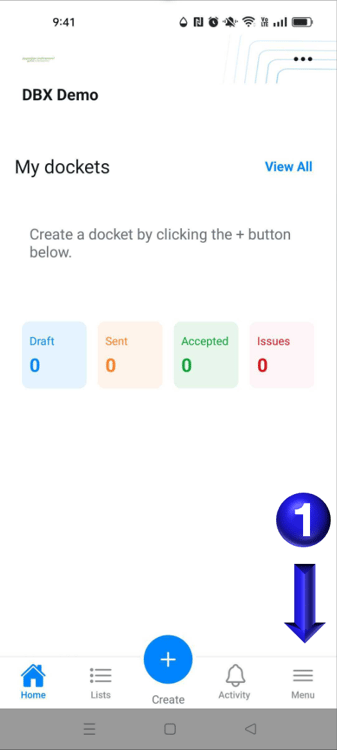
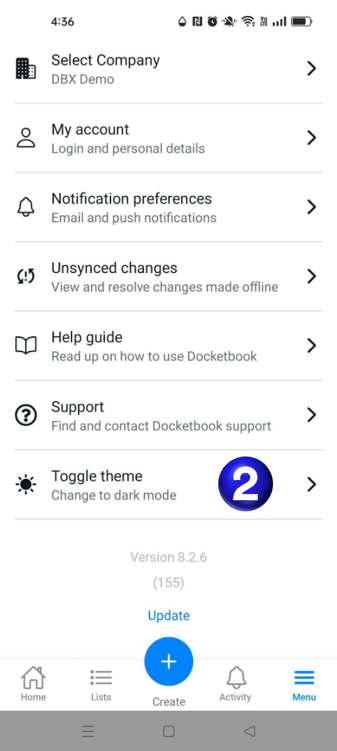
- You can then select the option for Toggle theme to toggle from light to dark theme
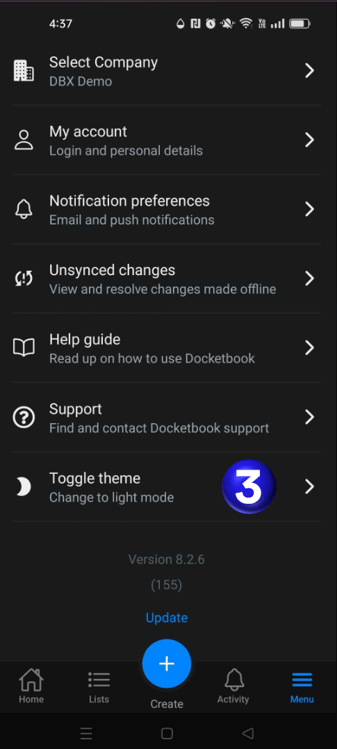
- You can then select the Toggle theme option again to toggle back to the light theme from the dark theme
If you need any further help, please contact support@docketbook.com.au
English
![Docketbook-logos_reverse-horizontal.png]](https://help.docketbook.com.au/hs-fs/hubfs/Docketbook-logos_reverse-horizontal.png?height=40&name=Docketbook-logos_reverse-horizontal.png)