![Docketbook-logos_reverse-horizontal.png]](https://help.docketbook.com.au/hs-fs/hubfs/Docketbook-logos_reverse-horizontal.png?height=40&name=Docketbook-logos_reverse-horizontal.png)
Customer required fields can be used to require a Supplier to input information on a docket that the Head Contractor or Customer requires for a docket to be sent.
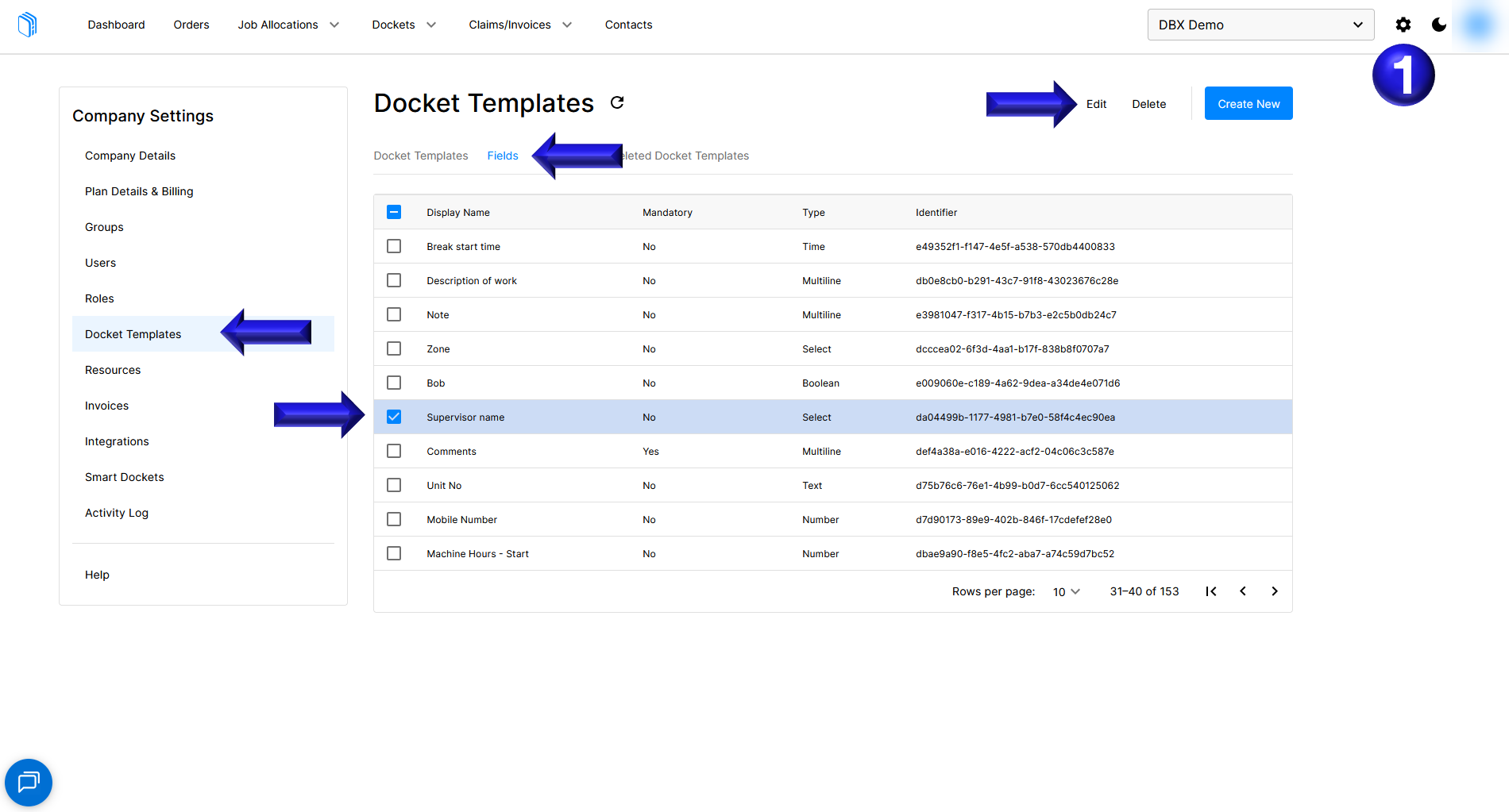
- To update a Customer required field such as the Supervisor name select the settings cog in the top right corner, followed by Docket Templates, then the Fields tab, finally selecting the intended field to update Supervisor name as well as selecting the Edit option.
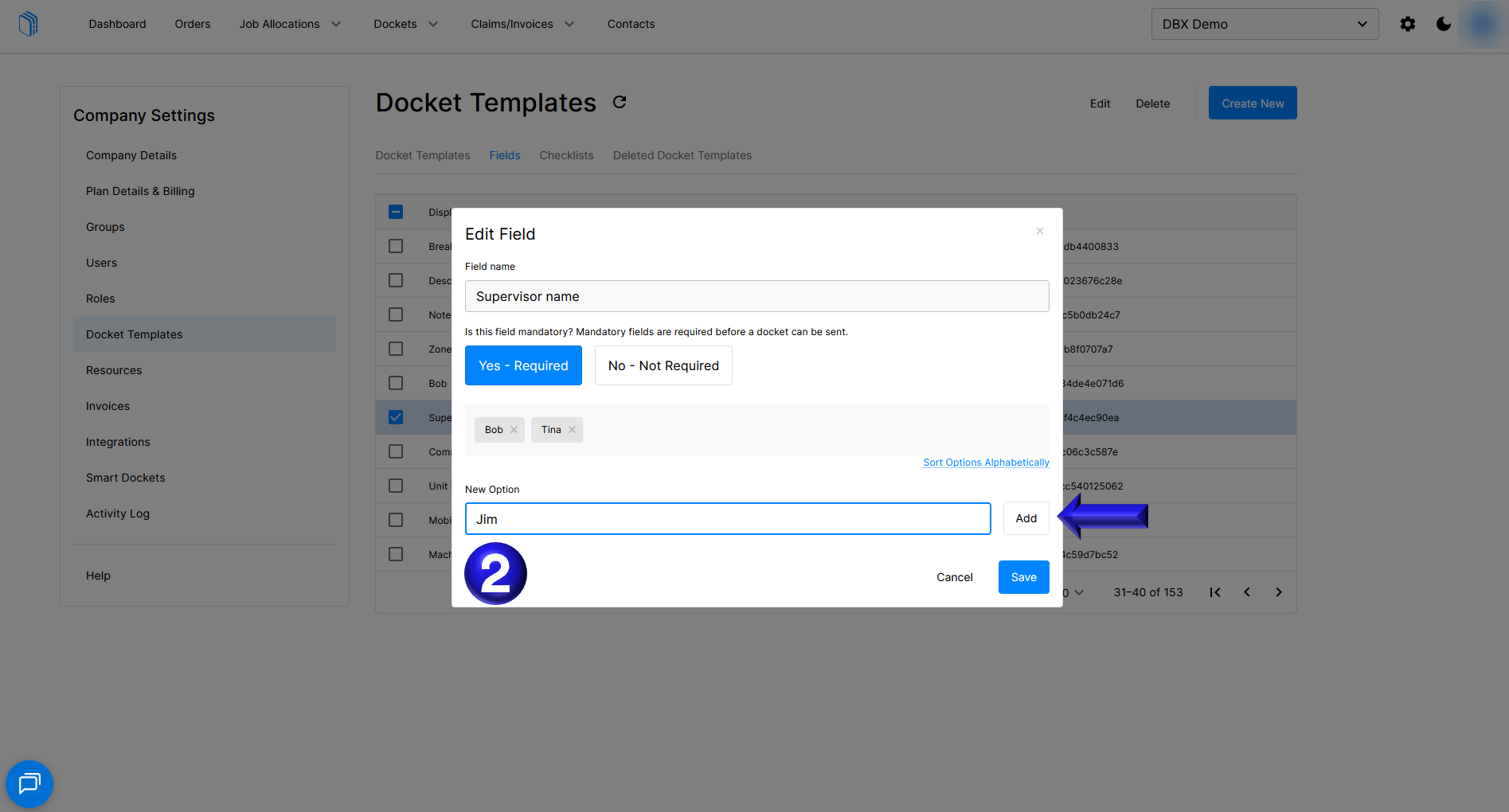
- Once the field is open for editing you can add a new option to a select field for a Supervisor Jim and selecting Add.
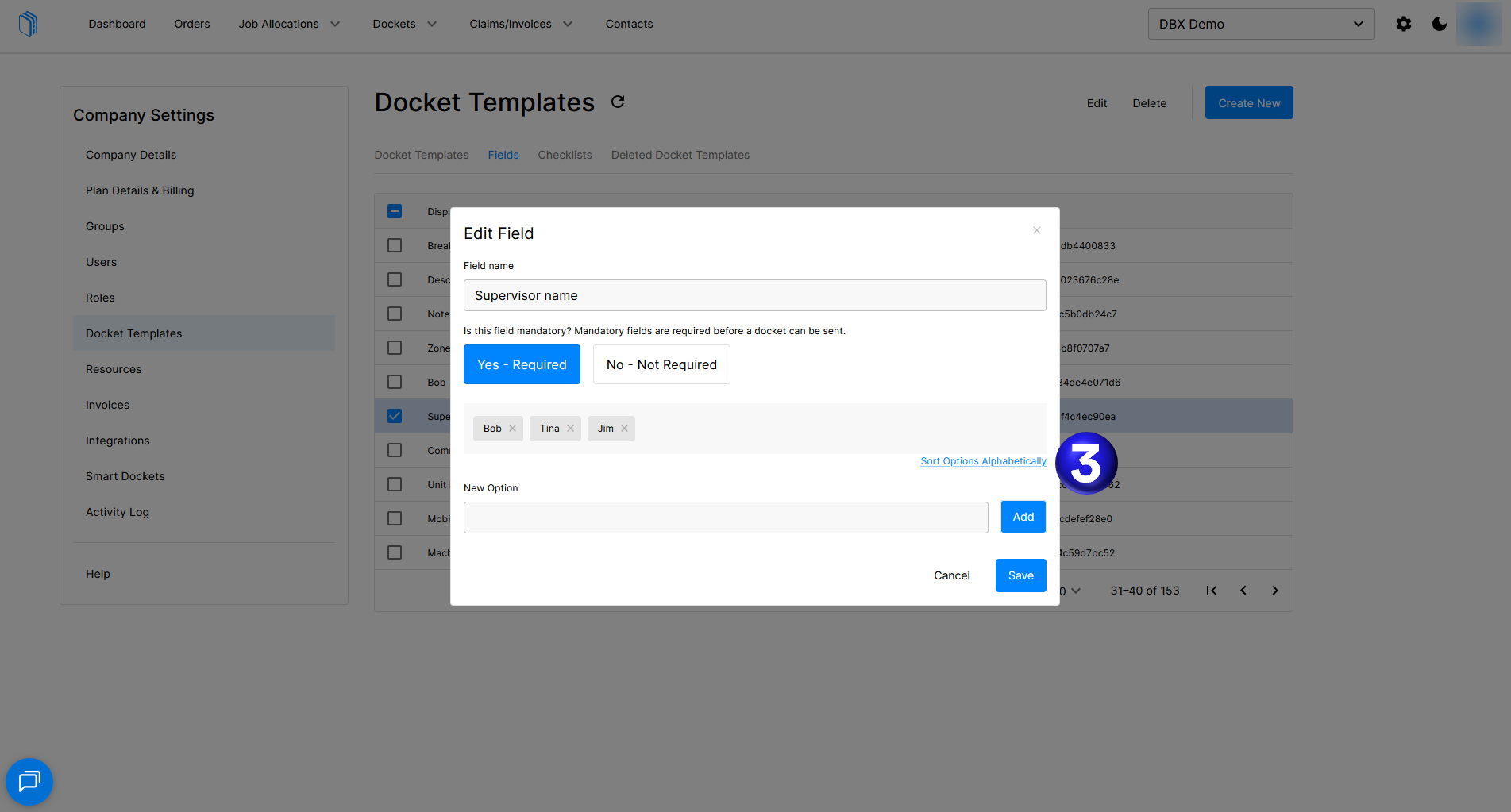
- After your new Supervisor Jim has been added you can then use the Sort Options Alphabetically to rearrange the options to alphabetical order.
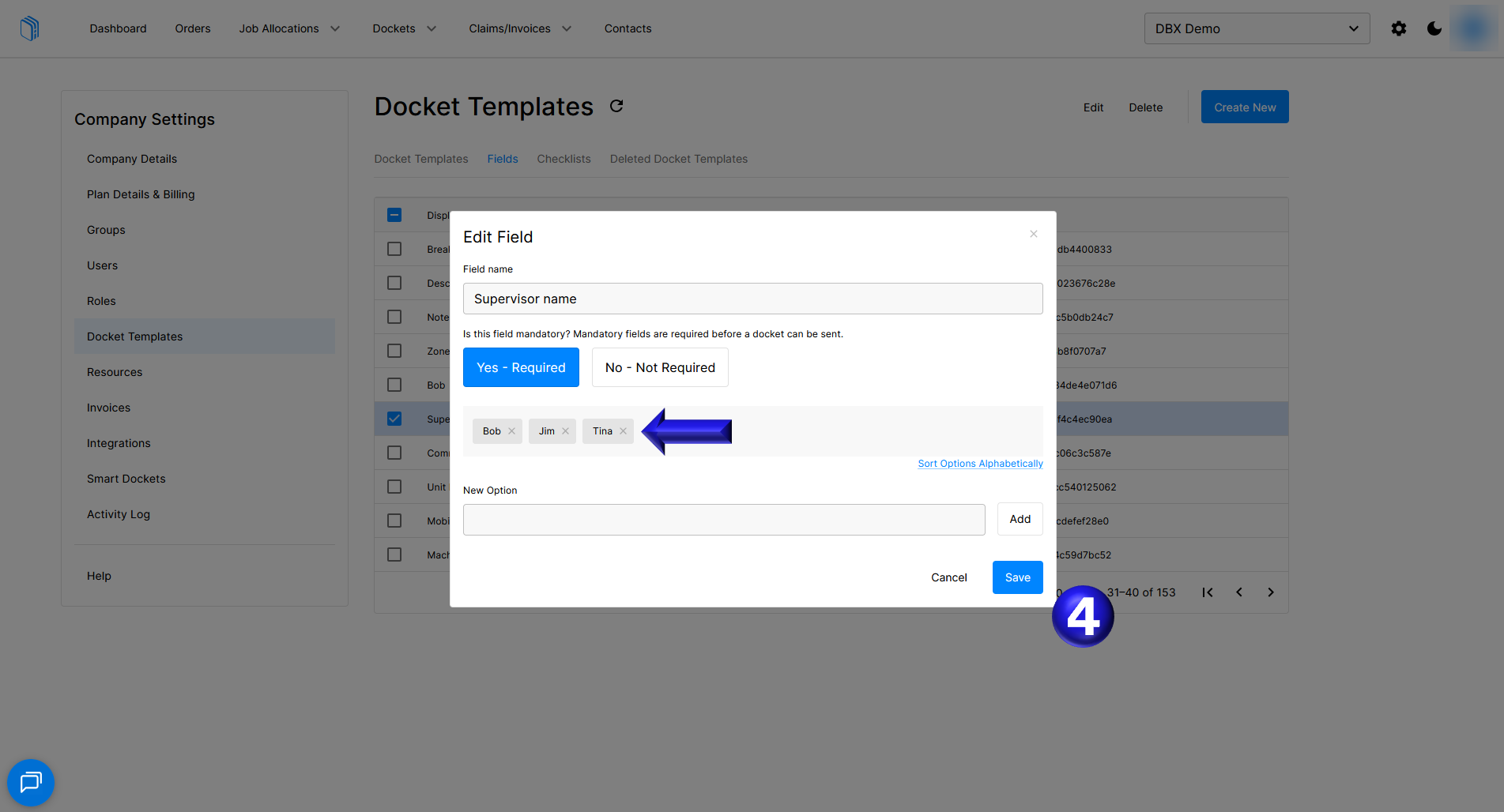
- Once sorted you can then remove any Supervisors who are no longer relevant by selecting the cross next to their name and select Save.
If you need any further help, please contact support@docketbook.com.au