![Docketbook-logos_reverse-horizontal.png]](https://help.docketbook.com.au/hs-fs/hubfs/Docketbook-logos_reverse-horizontal.png?height=40&name=Docketbook-logos_reverse-horizontal.png)
Note: You need to either have Super User access to be able to manage resources. For more information on user roles, click here.
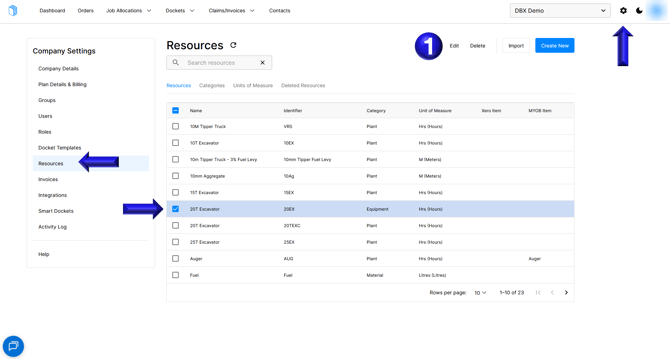
- Click the cog icon in the top-right corner, then select Resources from the panel. Choose the resource you want to update, then select Edit.
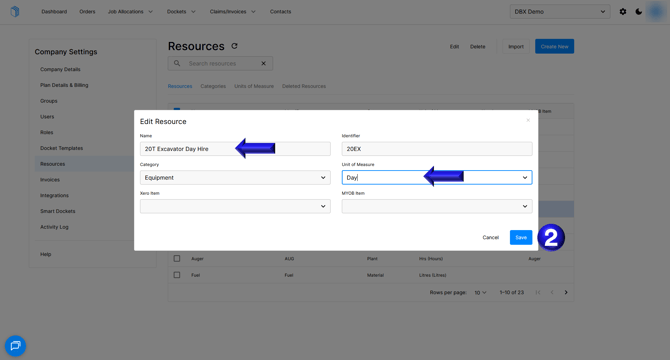
- You can then update the Name, Identifier, Category, and Unit of Measure and optionally link to Xero or MYOB if you have the accounting integration setup
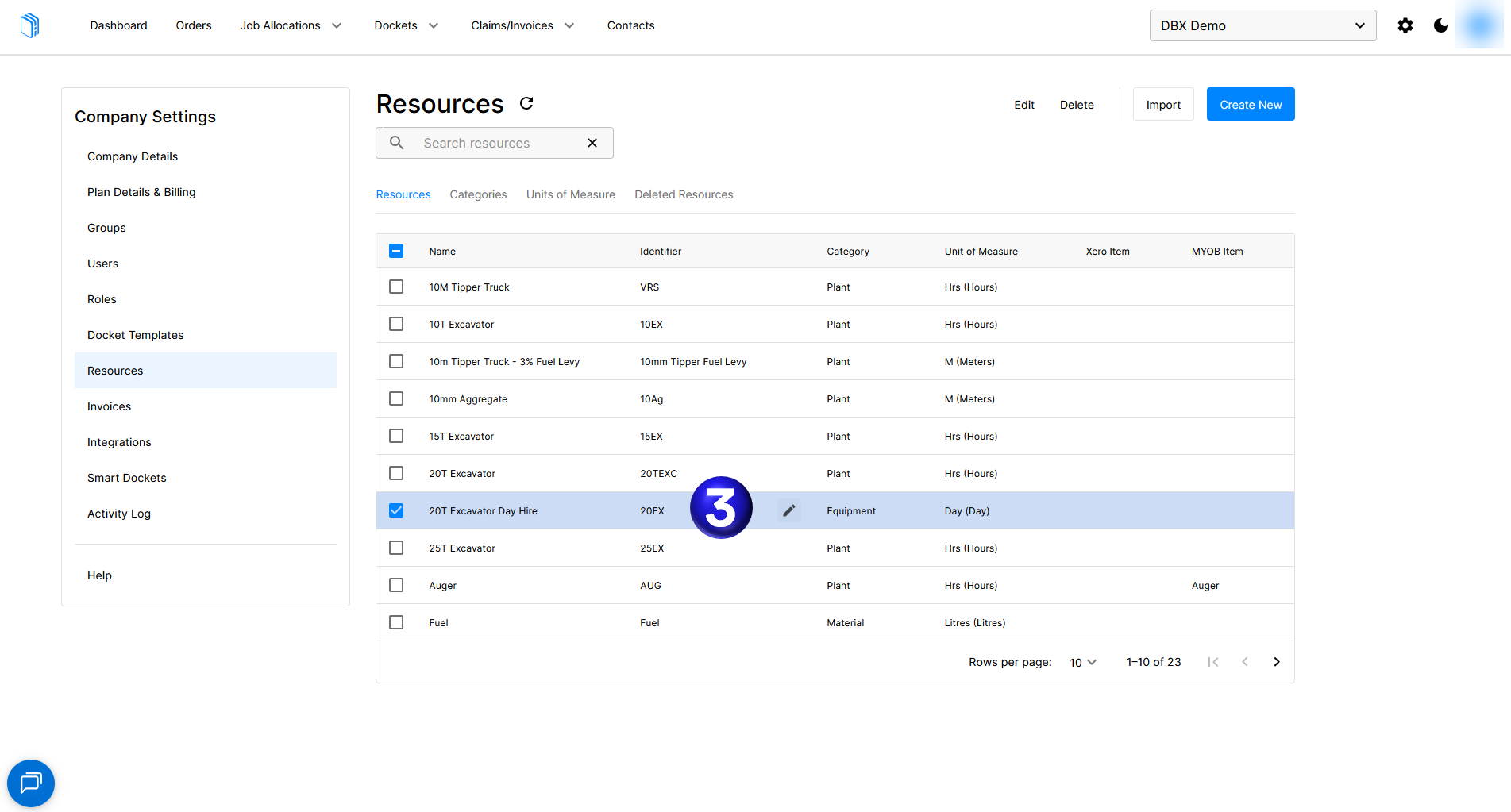
- You can also quickly edit the Identifier from the resources page by positioning your mouse over the Identifier column and selecting the pencil
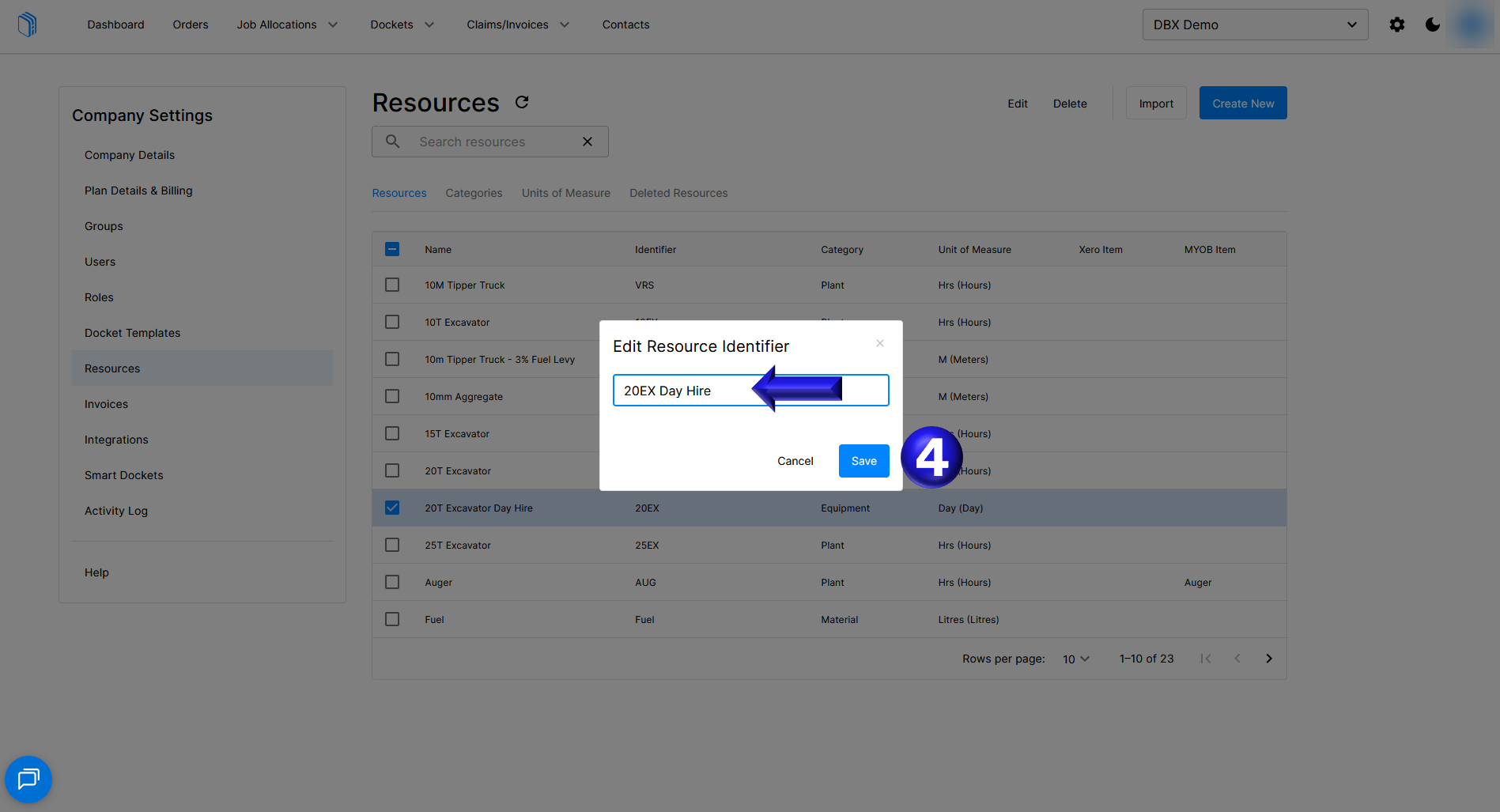
- You can then update the Identifier and save the update
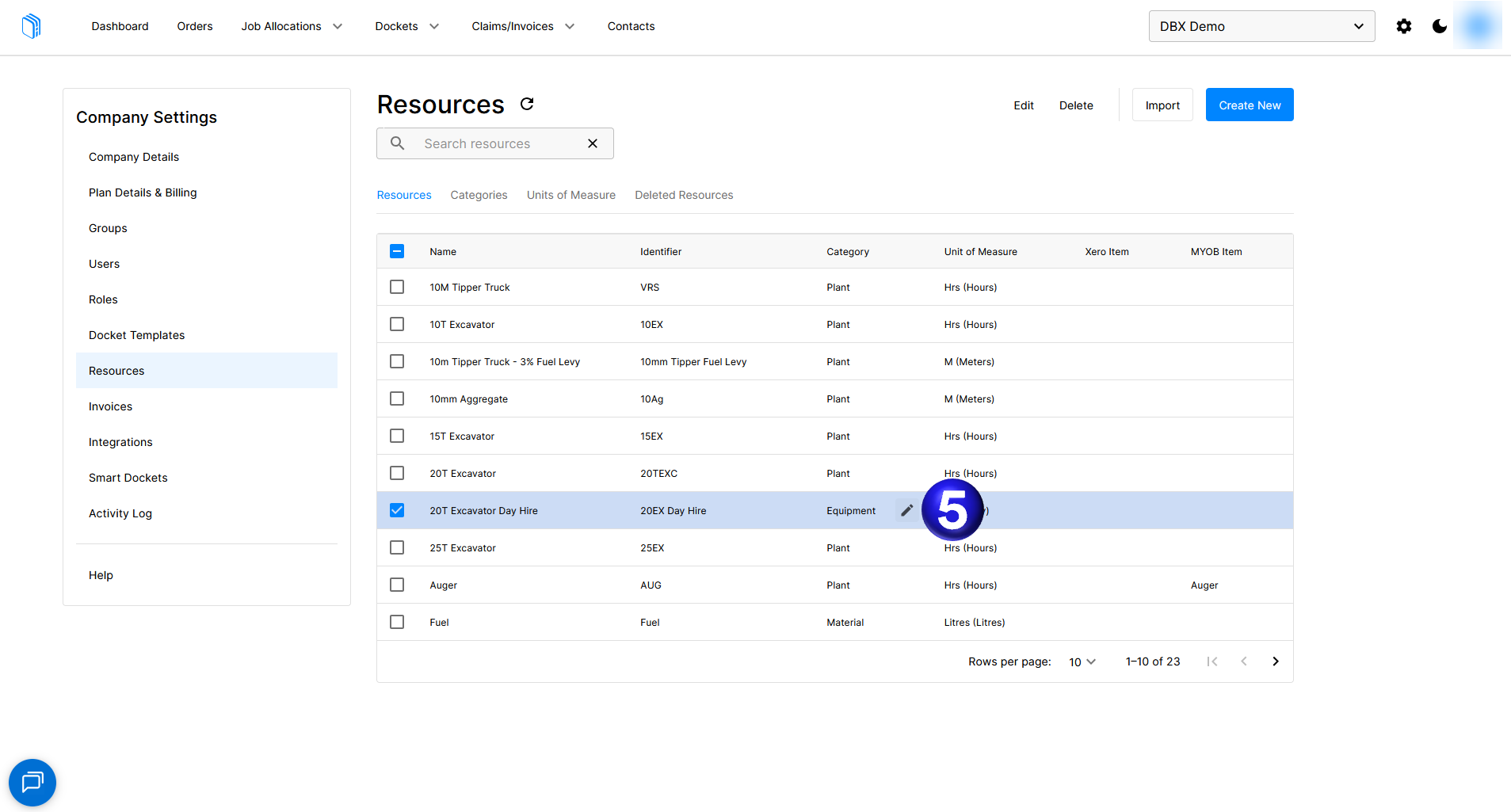
- Additionally you can update the Category in the same way by selecting the pencil icon in the Category column
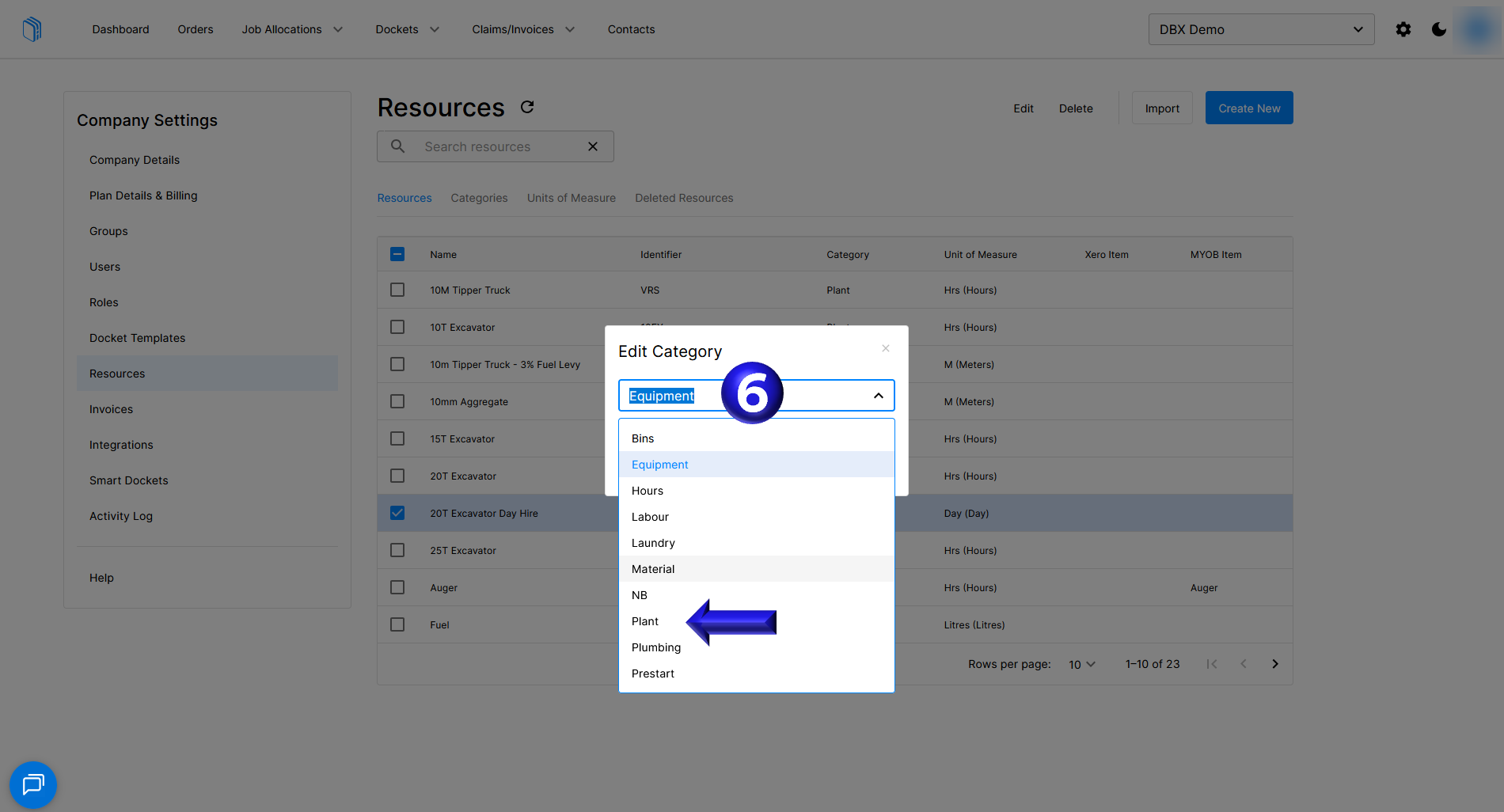
- The category section provides a drop-down box where you can select the correct category for the resource
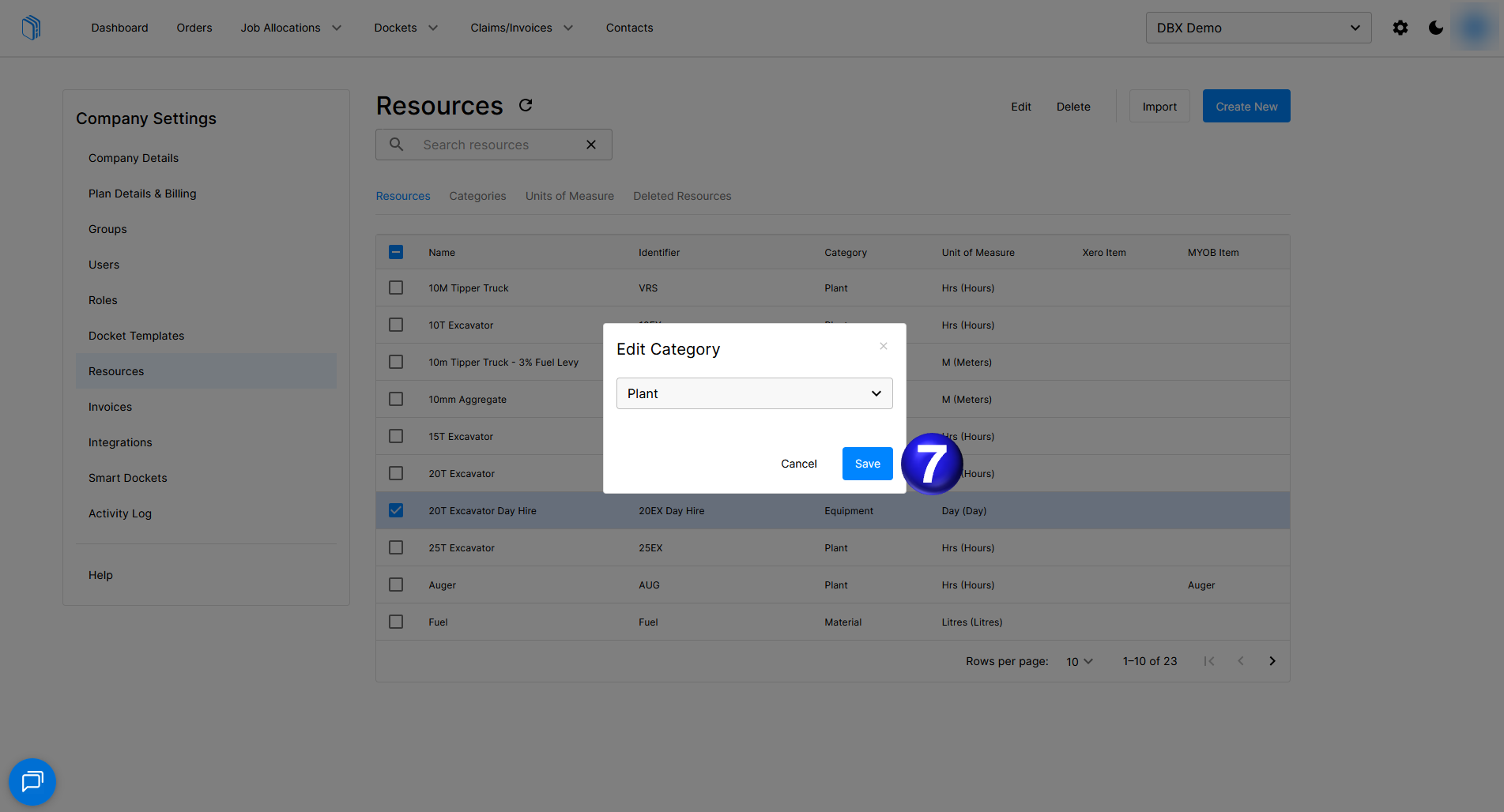
- Once you have updated the category you can then Save the updated category
If you need any further help, please contact support@docketbook.com.au