![Docketbook-logos_reverse-horizontal.png]](https://help.docketbook.com.au/hs-fs/hubfs/Docketbook-logos_reverse-horizontal.png?height=40&name=Docketbook-logos_reverse-horizontal.png)
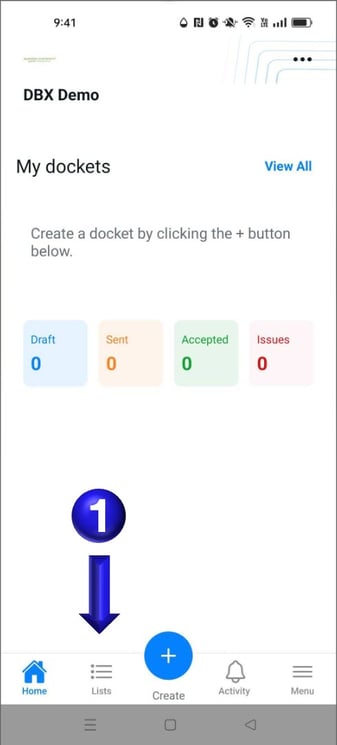
- Once logged in to Docketbook App you will then be able to select the Lists button to access the lists view in the Docketbook App.
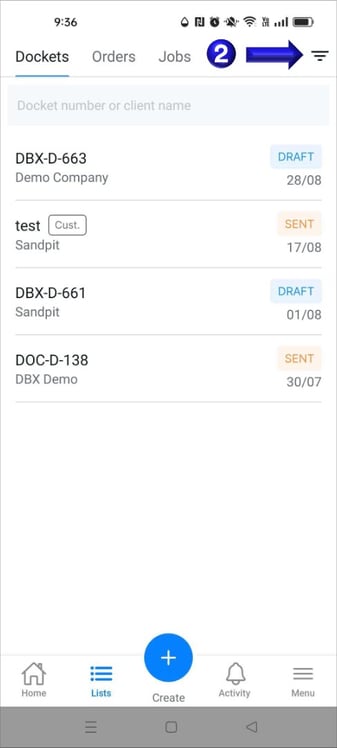
- Once Lists have been selected you will be able to select the filter icon in the top right to bring up the available filters.
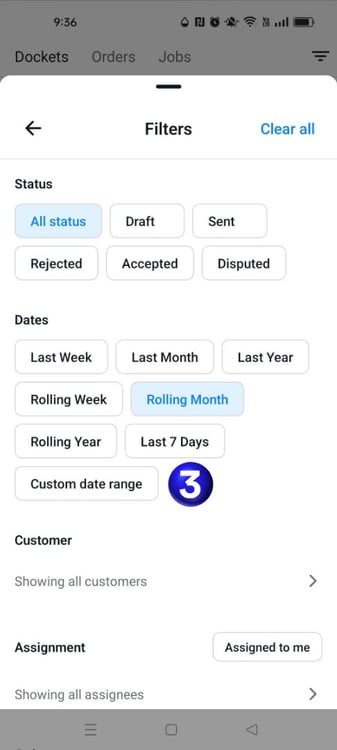
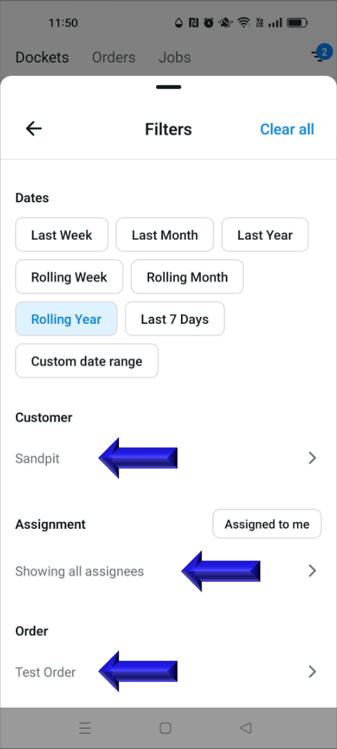
- You will then be presented with the filter section that will allow you to filter the Dockets, Orders, or Jobs tab. Selecting the Custom date range will allow you to set a specific date range you might be looking for
- You could then set a custom date range to help find a docket that may have been worked on previously
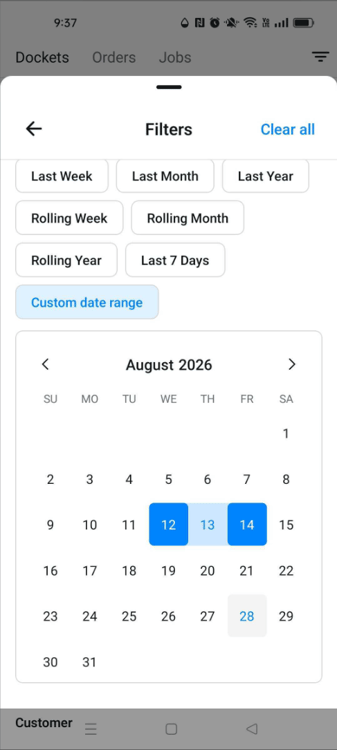
- The Customer, Assignment or Order can also be selected as a filter option
If you have any questions or need any help, please feel free to contact support@docketbook.com.au