![Docketbook-logos_reverse-horizontal.png]](https://help.docketbook.com.au/hs-fs/hubfs/Docketbook-logos_reverse-horizontal.png?height=40&name=Docketbook-logos_reverse-horizontal.png)
Please note: These steps can only be done by a user with Administrator or Super User access on Docketbook. To learn more about user roles, click here.
To link a Smart Docket Ruleset to your Order
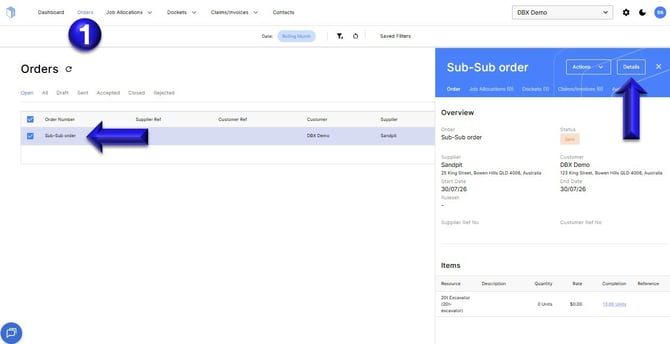
1. In the Orders tab, click to open an Order then select Details
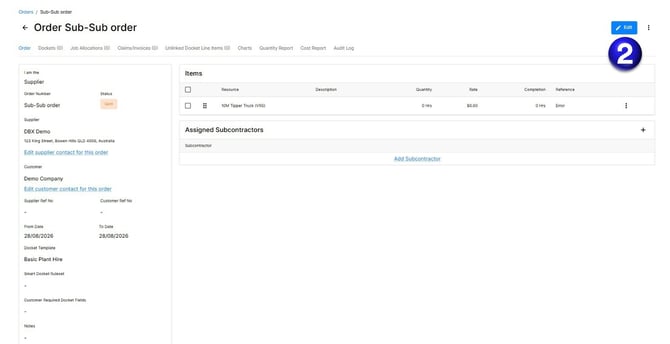
2. Inside the Order, click Edit
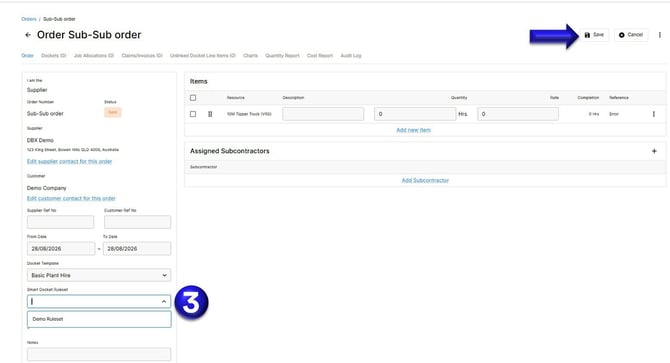
3. You can then go to the Smart Docket Ruleset section, select a Ruleset to apply to the Order, then click Save to update the change.
If you need further help, please contact support@docketbook.com.au