![Docketbook-logos_reverse-horizontal.png]](https://help.docketbook.com.au/hs-fs/hubfs/Docketbook-logos_reverse-horizontal.png?height=40&name=Docketbook-logos_reverse-horizontal.png)
NOTE: Please ensure you have the correct user access Docket Creator (Jobs). For more information, click here.
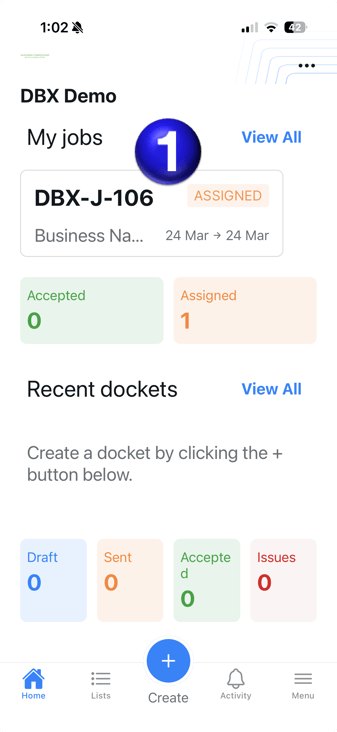
1. Once logged in to Docketbook App you will be able to see the Job you've been assigned under My Jobs which you can select to open.
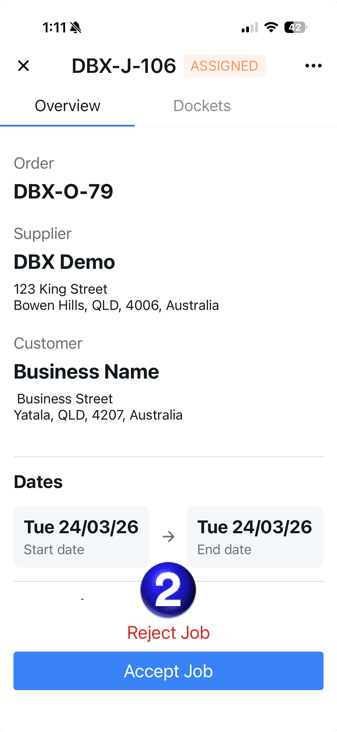
2. Inside the Job, you will then be able to select "Accept Job" at the bottom of the screen.
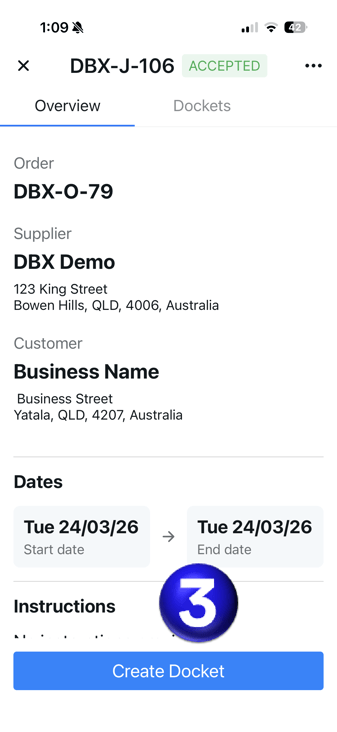
3. Once the Job is Accepted, you will then be able to select the Create Docket button at the bottom of the screen.
If you need any further help, please contact support@docketbook.com.au