![Docketbook-logos_reverse-horizontal.png]](https://help.docketbook.com.au/hs-fs/hubfs/Docketbook-logos_reverse-horizontal.png?height=40&name=Docketbook-logos_reverse-horizontal.png)
PDF Docket email notifications will allow you to receive a PDF version of any docket that is sent to your email address as well as gaining access to the docket on the Docketbook platform under 'My Dockets'
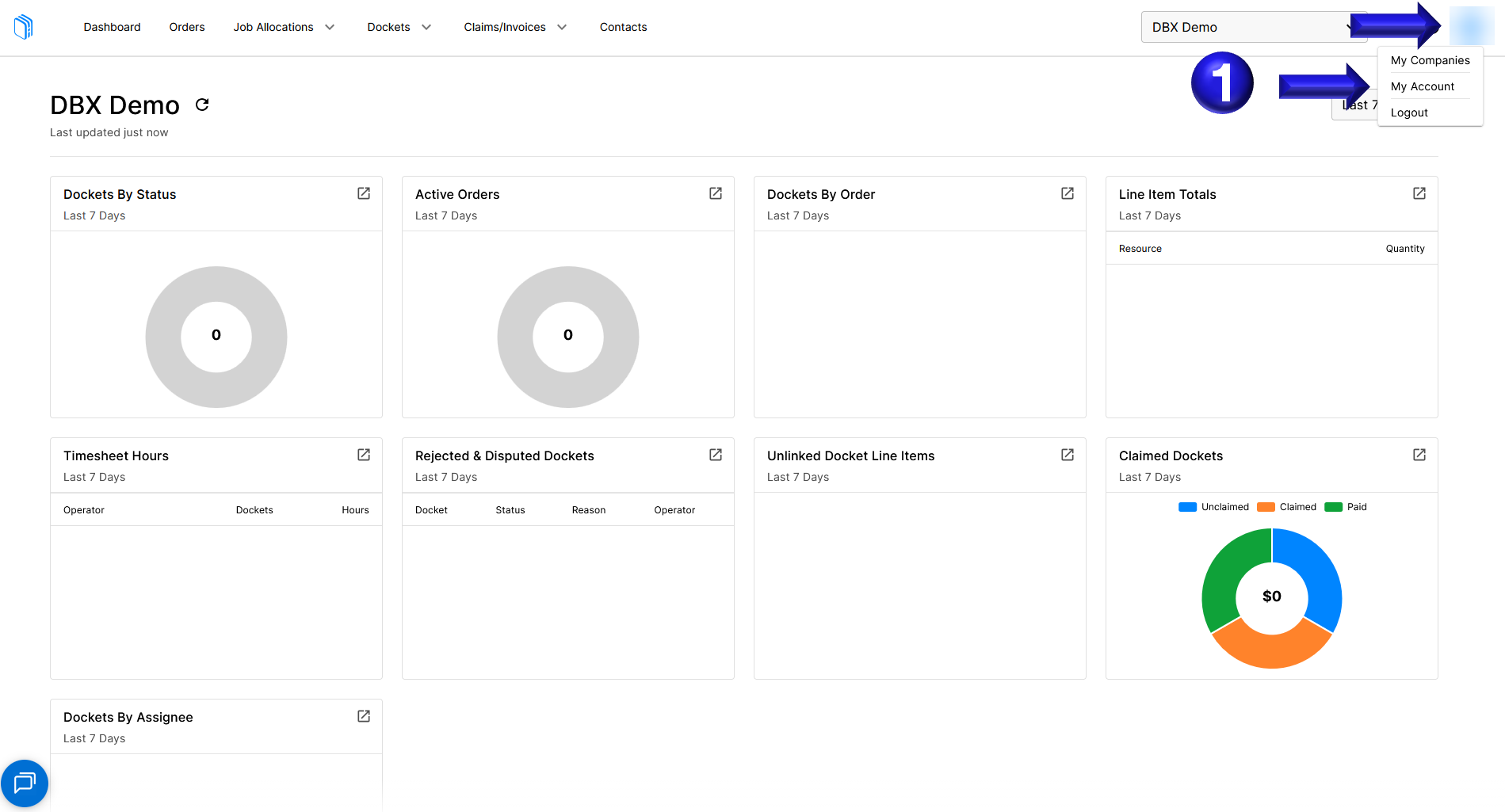
- To update your notifications to enable PDF dockets attached to email notifications you can mouse over the icon in the top right with your initials and select My Account
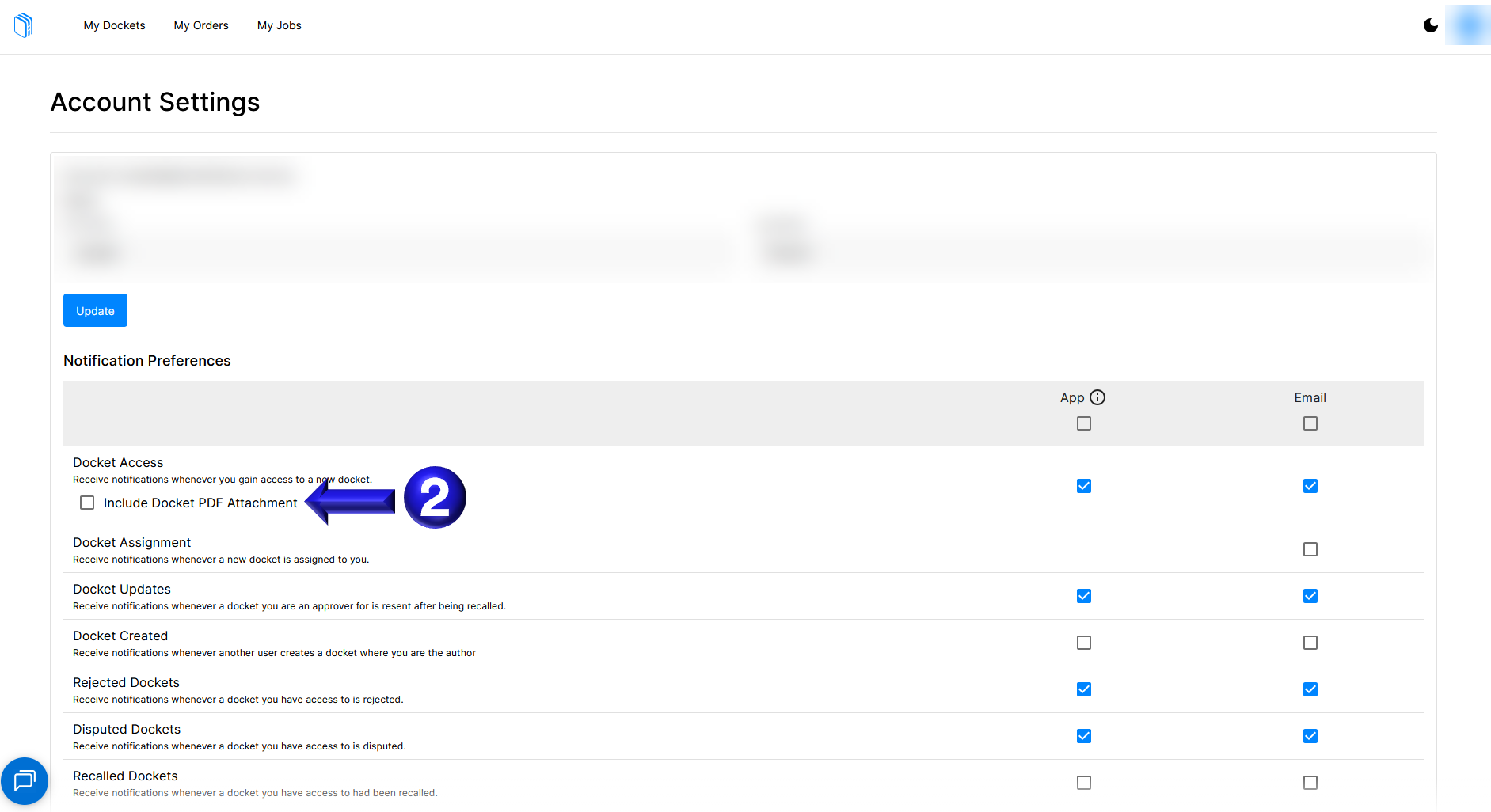
- You can then scroll down and select the Include Docket PDF Attachment checkbox to enable PDFs to be attached to the docket email notifications you receive for dockets sent to your email address.
If you need any further help, please contact support@docketbook.com.au