![Docketbook-logos_reverse-horizontal.png]](https://help.docketbook.com.au/hs-fs/hubfs/Docketbook-logos_reverse-horizontal.png?height=40&name=Docketbook-logos_reverse-horizontal.png)
NOTE: To update a Rejected Docket and complete the steps below, you must be either an Administrator or a Super User for your Docketbook company. For more information on user roles, click here.
1. Inside the Docketbook App, you will be able to see the Rejected Docket to select and open.
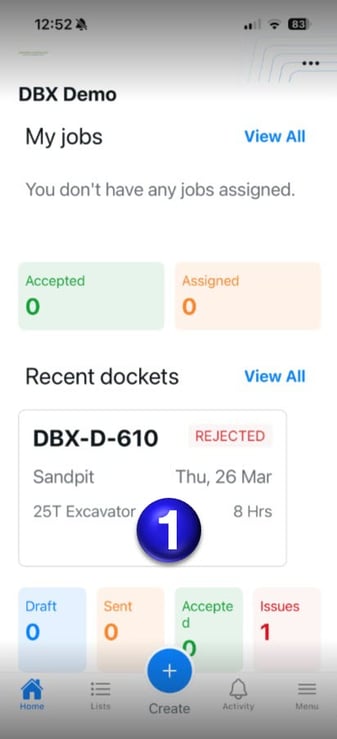
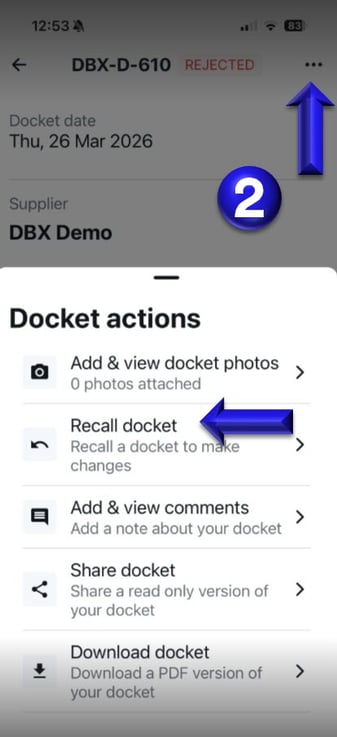
2. Inside the Rejected Docket you can select the 3 dots on the top right hand corner of the screen and then click Recall Docket to make changes and then send the Docket to your customer.
If you have any issues or questions regarding this, please contact support@docketbook.com.au