![Docketbook-logos_reverse-horizontal.png]](https://help.docketbook.com.au/hs-fs/hubfs/Docketbook-logos_reverse-horizontal.png?height=40&name=Docketbook-logos_reverse-horizontal.png)
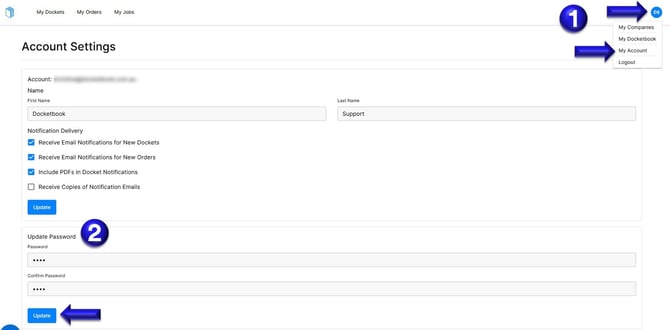
1. Inside your Docketbook Account, click the Blue Icon with your Initials on the top right hand corner of the screen and select "My Account"
2. You can then scroll down the page to see "Update Password", where you can enter your new password, confirm the password then click "Update" to save the changes.
If you need any further help, please contact support@docketbook.com.au