![Docketbook-logos_reverse-horizontal.png]](https://help.docketbook.com.au/hs-fs/hubfs/Docketbook-logos_reverse-horizontal.png?height=40&name=Docketbook-logos_reverse-horizontal.png)
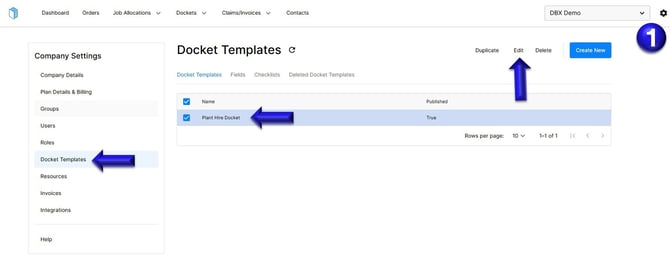
1. Select the settings tog on the top right hand side of the screen, then click the Docket Template section. You can then select the Docket template and click Edit.
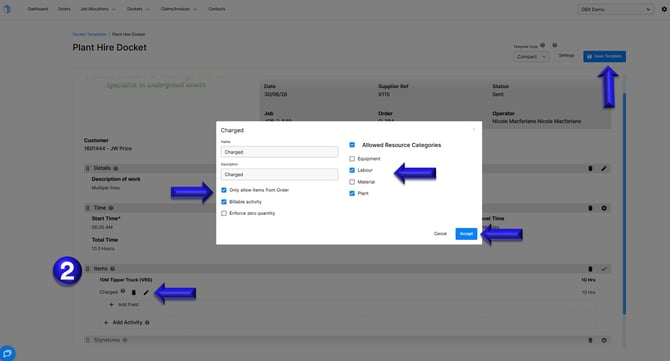
2. Inside the Docket template, navigate to the Items section and click the pencil (edit) icon. From here, tick the Allowed Resource Categories you want to make available in this Docket template.
You can also apply filters if you only want to include items from Order, confirm if the items are are a Billable Activity or Enforce zero quantity.
Once you have configured this section as required, click Accept, then select Save Template to apply and save your changes.
If you have any further questions, please contact support@docketbook.com.au