![Docketbook-logos_reverse-horizontal.png]](https://help.docketbook.com.au/hs-fs/hubfs/Docketbook-logos_reverse-horizontal.png?height=40&name=Docketbook-logos_reverse-horizontal.png)
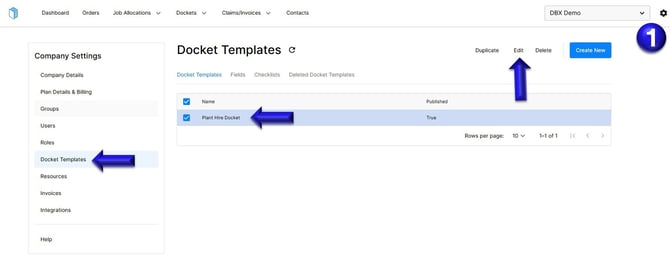
1. Select the settings tog on the top right hand side of the screen, then click the Docket Template section. You can then select the Docket template and click Edit.
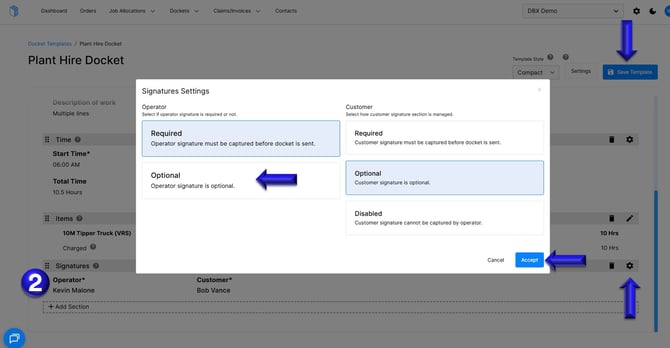
2. In the Docket template, locate the mandatory sections, identified by an asterisk (*) next to its name. For example, in the Signature section, “Operator*” indicates that the field is mandatory.
To change this to optional, click the settings cog in the Signatures section
Once you have configured this section as required, click Accept, then select Save Template to apply and save your changes.
If you have any further questions, please contact support@docketbook.com.au