![Docketbook-logos_reverse-horizontal.png]](https://help.docketbook.com.au/hs-fs/hubfs/Docketbook-logos_reverse-horizontal.png?height=40&name=Docketbook-logos_reverse-horizontal.png)
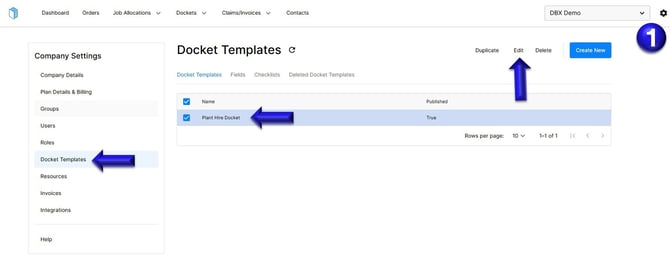
1. Select the settings tog on the top right hand side of the screen, then click the Docket Template section. You can then select the Docket template and click Edit.
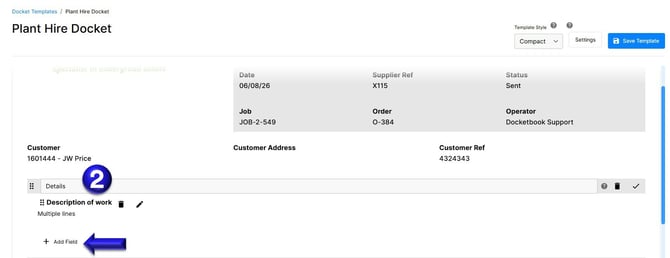
2. In the Docket template, you can go to the Details section, select the Pencil Icon, then click +Add Field.
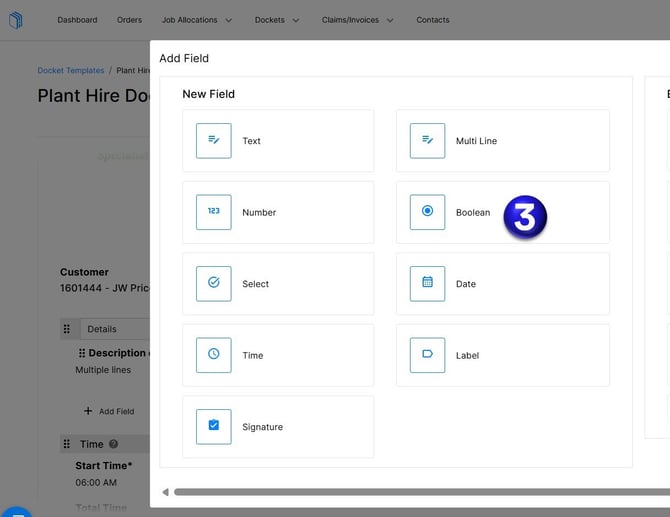
3. From this section, select Boolean. Then enter the question or statement you want the operator to tick or not to confirm. You can also confirm Yes or No if this field is mandatory. Mandatory fields are required before a docket can be sent. Once completed, click Add.
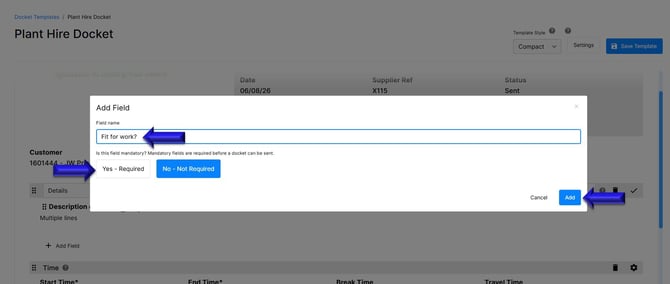
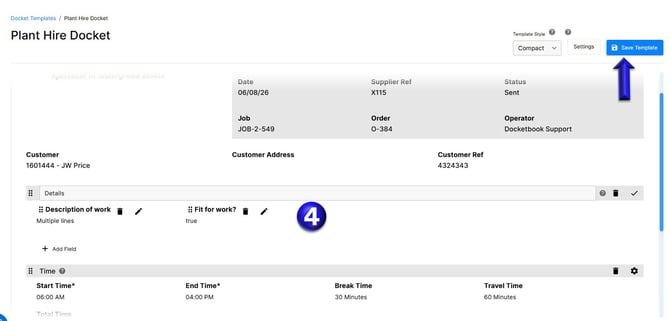
4. Once you have configured this section as required, select Save Template to apply and save your changes.
If you have any further questions, please contact support@docketbook.com.au