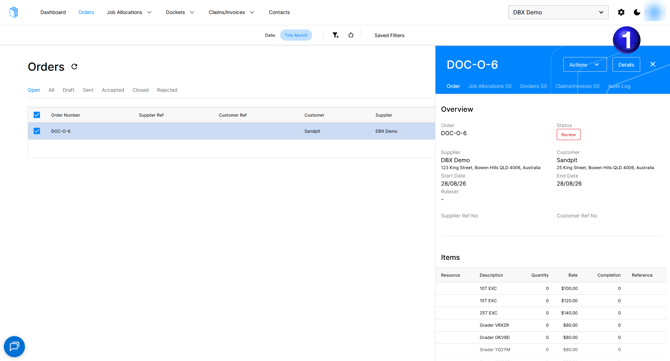
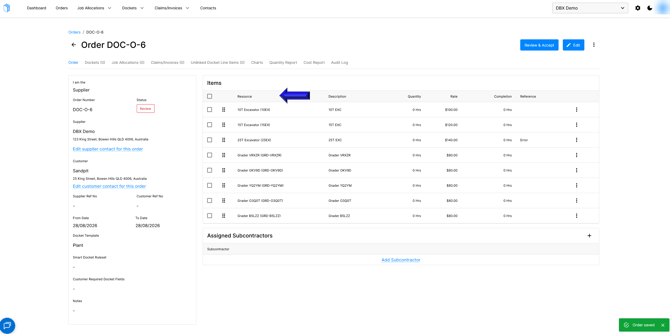
- When looking at an order on the Docketbook Orders tab you can select an order and select the Details option to open the order
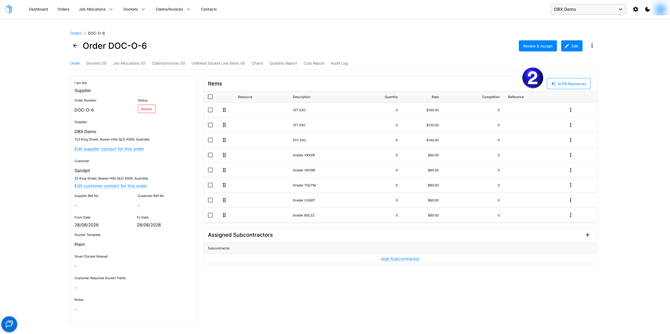
- You will then be shown to the dockets order page and be able to select the AI Fill Resources option to utilise the AI function to select appropriate resources for the order lines.
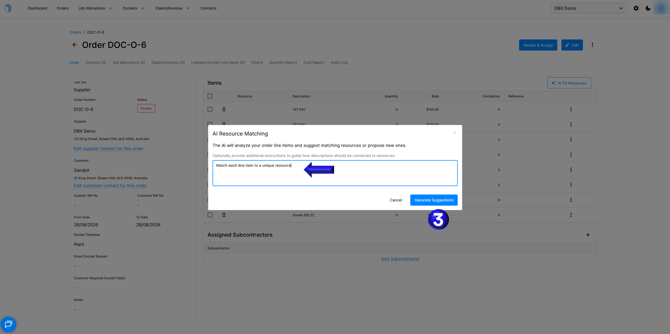
- Here you will be able to provide a prompt for the AI to use for matching resources to line items and select the Generate Suggestions button to have the AI suggest resources to use.
- You will then be able to review the AI Suggestions including any existing resources it matched and any new resources it suggests before you Apply Suggestions creating any new resources if indicated.
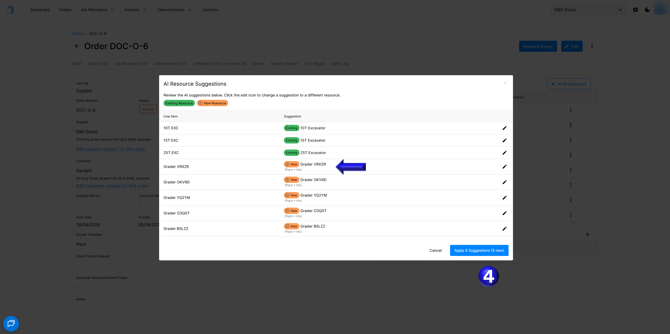
- The resources will now be linked to the line items ready for you to accept the Order and begin having your operators create dockets.
If you need any further help, please contact support@docketbook.com.au
English
![Docketbook-logos_reverse-horizontal.png]](https://help.docketbook.com.au/hs-fs/hubfs/Docketbook-logos_reverse-horizontal.png?height=40&name=Docketbook-logos_reverse-horizontal.png)