![Docketbook-logos_reverse-horizontal.png]](https://help.docketbook.com.au/hs-fs/hubfs/Docketbook-logos_reverse-horizontal.png?height=40&name=Docketbook-logos_reverse-horizontal.png)
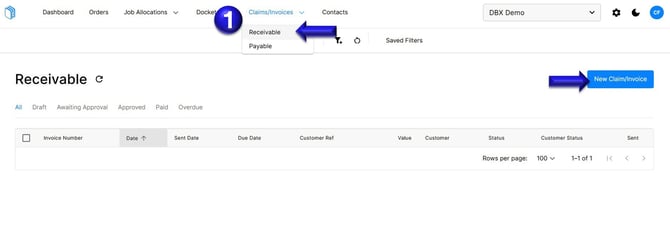
1. Select Claims/Invoice, click Receivable. Then select "New Claim/Invoice"
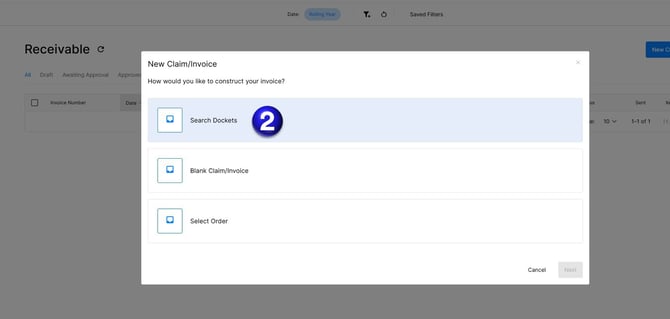
2. From there, you'll be asked how you'd like to construct your invoice where you can select "Search Dockets"
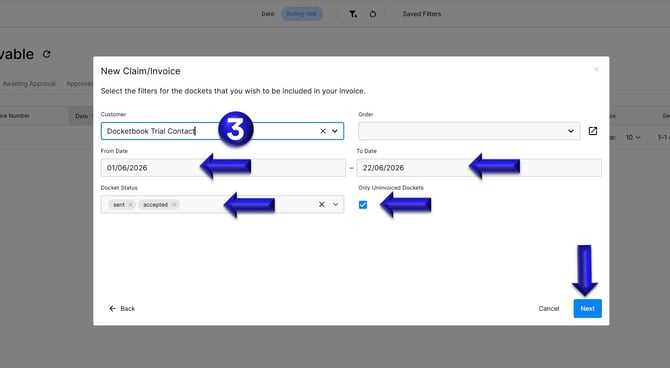
3. From here, you can filter the Dockets you want invoiced by Customer, date range, docket status and only uninvoiced Dockets. Once all of this is correct, click "Next"
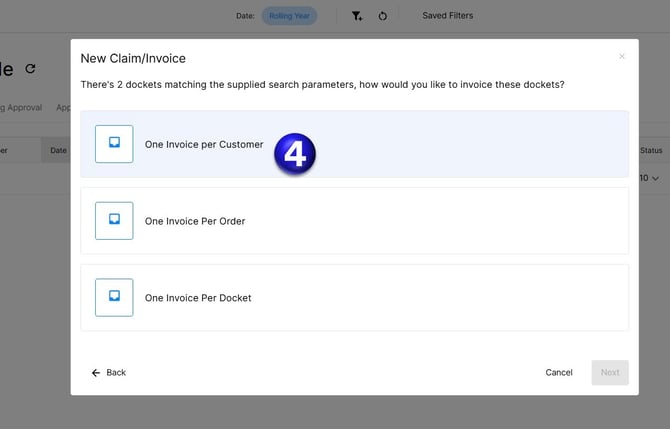
4. You will then select "One invoice per Customer"
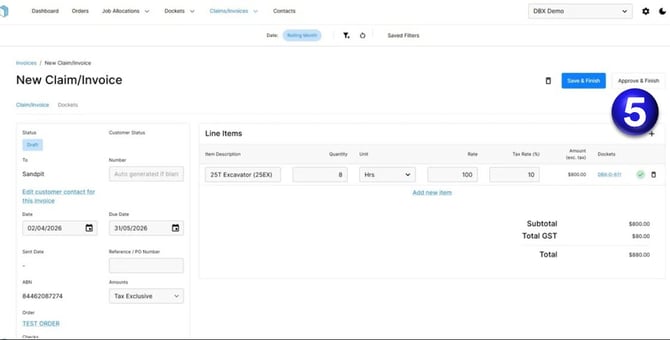
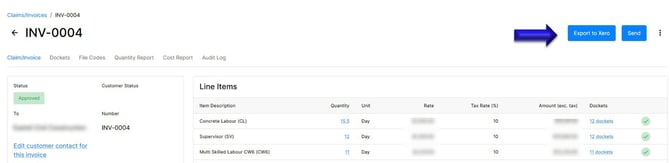
5. You will then have a draft view of how your invoice looks. You can still make changes as you see fit. If it looks correct, you simply click "Approve and Finish" and you'll then be able to select "Export to Xero"
If you need any further help, please contact support@docketbook.com.au